EasyManua.ls Logo

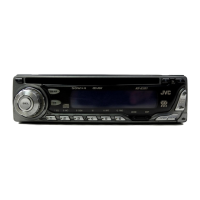
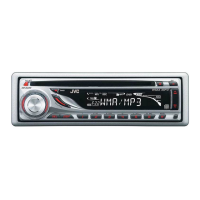
JVC KD-G210 - User Manual

JVC KD-G210
38 pages
Print Icon
To Next Page IconTo Next Page
Loading...
GET0246-001A
[J]
INSTRUCTIONS
MANUAL DE INSTRUCCIONES
MANUEL D’INSTRUCTIONS
CD RECEIVER KD-AR260/KD-G210
ENGLISH
ESPAÑOL
FRANÇAIS
For installation and connections, refer to the separate manual.
Para la instalación y las conexiones, refiérase al manual separado.
Pour l’installation et les raccordements, se référer au manuel séparé.
RECEPTEUR CD KD-AR260/KD-G210
RECEPTOR CON CD KD-AR260/KD-G210
For customer Use:
Enter below the Model No. and
Serial No. which are located on
the top or bottom of the
cabinet. Retain this information
for future reference.
Model No.
Serial No.
This unit is equipped with the display demonstration. To cancel it, see page 8.
Esta unidad está equipada con demostración en la pantalla. Para cancelarla, consulte la página 8.
Cet appareil est équipé d’une fonction de démonstration des affichages. Pour l’annuler, référez-
vous à la page 8.
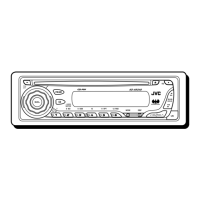
SOUND
VOL
VOL
SOURCE
R
F
U
D
ATT
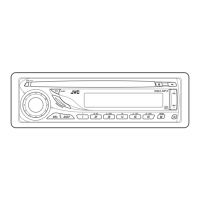
SOUND
VOL
VOL
SOURCE
R
F
U
D
ATT

Other manuals for JVC KD-G210

Questions and Answers

  • V
    vtaylorAug 7, 2025
    How to fix sound not working on JVC KD-G210?
    • Y
      Yvonne CollinsAug 7, 2025
      If you can't hear any sound from the speakers of your JVC Car Receiver, first, make sure the volume isn't set too low; adjust it to a suitable level. Then, verify that all the cords and connections are correctly and firmly connected. If the issue persists, the unit may need to be reset. To reset it, hold the SEL (select) button and press the (standby/on attenuator) button for more than 2 seconds. Keep in mind that this will erase the clock setting and preset stations stored in memory.
  • J
    Jason WongAug 16, 2025
    Why does my JVC KD-G210 CD automatically eject?
    • G
      Gregory FrancisAug 17, 2025
      If your JVC Car Receiver's CD automatically ejects, there are several potential reasons: * The CD might be inserted upside down or incorrectly; ensure it's inserted correctly. * If it's a CD-R/CD-RW, it may not be finalized; use a finalized disc or finalize the disc with the recording component. * The CD might be locked; unlock it. * The CD player itself might have malfunctioned; in this case, while holding the (standby/on attenuator) button, press the 0 (eject) button for more than 2 seconds. Be careful when the CD ejects. * Driving on rough roads can cause this; stop playback when driving on rough roads. * The CD could be scratched; try a different CD. * Connections may be incorrect; check the cords and connections. * There may be no CD in the loading slot; insert a CD.
  • L
    Linda GouldAug 27, 2025
    Why SSM automatic preset does not work on JVC KD-G210?
    • J
      Jeffrey MooreAug 27, 2025
      If the SSM (Strong-station Sequential Memory) automatic preset isn't working on your JVC Car Receiver, it could be due to weak signals. In this case, try storing the stations manually. Also, ensure the antenna is firmly connected.

JVC KD-G210 Specifications

General IconGeneral
BrandJVC
ModelKD-G210
CategoryCar Receiver
LanguageEnglish

Related product manuals