EasyManua.ls Logo

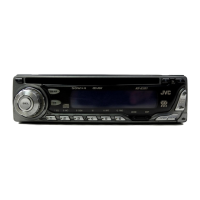
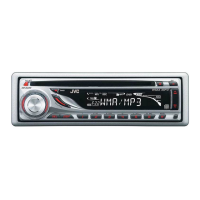
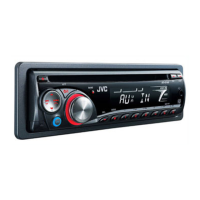
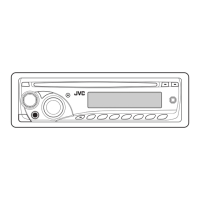
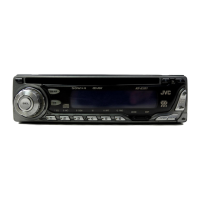
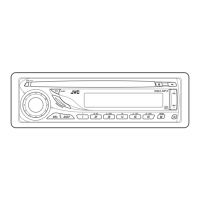
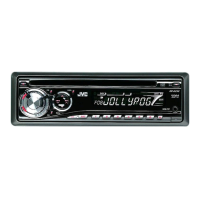
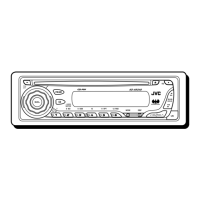
JVC KD-G255 - User Manual

JVC KD-G255
34 pages
Print Icon
To Next Page IconTo Next Page
Loading...
GET0196-001A
[U]
INSTRUCTIONS
== !"
§”·π–π”
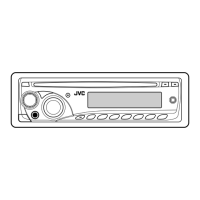
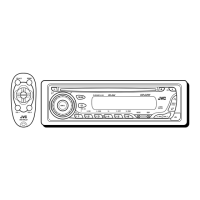
CD RECEIVER KD-G255
ENGLISH
‰∑¬
For installation and connections, refer to the separate manual.
 !" !"#$%&'()*+
°√ÿ≥“¥Ÿ§ŸË¡◊Õ∑’Ë·¬°µË“ßÀ“° „π°“√µ‘¥µ—Èß·≈–°“√‡™◊ËÕ¡µËÕ
‡§√◊ËÕ߇≈Ëπ CD KD-G255
CD  !" KD-G255
This unit is equipped with the display demonstration. To cancel it, see page 8.
 ! !"# !"#$%&'()=8 
‡§√◊ËÕßπ’ȉ¥È√—∫°“√µ‘¥µ—Èß°“√“∏‘µ¿“æª√–°Õ∫ À“°µÈÕß°“√¬°‡≈‘° ‚ª√¥¥Ÿ ÀπÈ“ 8
SOUND
VOL
VOL
SOURCE
R
F
U
D
ATT
COVER_KD-G255[U]2.p65 15/12/03, 9:17 PM3

Other manuals for JVC KD-G255

Questions and Answers

  • W
    williamsstephanieAug 1, 2025
    How to fix JVC KD-G255 when no sound is coming from the speakers?
    • W
      watsontiffanyAug 1, 2025
      If you cannot hear any sound from the speakers of your JVC Car Receiver, there might be several reasons. First, check if the volume level is set to the minimum; if it is, adjust it to a more audible level. Also, verify that all connections are correctly and firmly in place. Finally, if the built-in microcomputer has malfunctioned, reset the unit by holding the SEL button and pressing the standby/on attenuator button for more than 2 seconds. Note that resetting the unit will erase your preset adjustments.
  • J
    Jennifer VasquezAug 7, 2025
    What to do if JVC KD-G255 Car Receiver says 'NO DISC'?
    • S
      Scott RogersAug 7, 2025
      If your JVC Car Receiver displays “NO DISC”, it means that there is no disc in the magazine. Insert discs correctly into the magazine, ensuring that they contain MP3 files. Also, this issue might appear if the unit is not correctly connected to the CD changer. To resolve this, ensure that the unit and the CD changer are properly connected, then press the reset button on the CD changer.
  • A
    Amy SmithAug 16, 2025
    What to do if JVC KD-G255 CD playback isn't working?
    • J
      Jessica BrowningAug 16, 2025
      If your JVC Car Receiver is not playing CDs, there are several potential reasons. First, make sure the CD is inserted correctly, with the correct side facing down. If you are using a CD-R or CD-RW, ensure that it has been finalized; if not, finalize it using the component you used for recording. Check if the CD is locked and, if so, unlock it. The CD player might have malfunctioned; in this case, hold the standby/on attenuator button and press the eject button for more than 2 seconds to reset it. Avoid playback on rough roads, as this can interfere with playback. A scratched CD can also cause issues, so try a different CD. Also, check the cords and connections. If there is no CD in the loading slot, insert one.
  • M
    Mark BlanchardAug 23, 2025
    Why is SSM automatic preset not working on my JVC KD-G255?
    • D
      Dustin TorresAug 23, 2025
      If the SSM (Strong-station Sequential Memory) automatic preset is not working on your JVC Car Receiver, it could be due to weak signals. In this case, try storing stations manually. Another possible cause is that the antenna is not firmly connected. Ensure the antenna is securely connected.

Summary

Important Laser Product Safety

Class 1 Laser Product Safety

Unit is identified as a Class 1 laser product for safety compliance.

Unit Reset and Pre-Operation Precautions

Unit Reset Procedure

Step-by-step instructions for resetting the unit's microcomputer.

Location of Buttons and Indicators

Basic Unit Operations

Powering the Unit On and Off

Explains how to power the unit on and off.

Selecting Audio Sources

Details how to switch between different audio sources (Tuner, CD, etc.).

Volume Adjustment Guide

Instructions for increasing, decreasing, and temporarily muting volume.

Accessing Sound Settings

Guides users to adjust sound preferences using separate pages.

Radio Operations

Listening to the Radio Overview

General introduction to radio listening.

Storing Radio Stations

Manual Radio Station Presets

CD Operations

Inserting and Playing a CD

Instructions for inserting a CD and starting playback.

Stopping and Ejecting a CD

Steps to stop playback and eject the CD.

Navigating CD Tracks

Sound Adjustments

Selecting Preset Sound Modes (C-EQ)

How to choose from various sound modes like ROCK, CLASSIC, JAZZ.

Fine-Tuning Sound Settings

Choosing Sound Adjustment Parameters

How to select Bass, Treble, Fader, Balance, Loudness, or Volume.

Adjusting Selected Sound Parameters

Guide on how to adjust selected sound characteristics using the control dial.

CD Changer Operations

Using Compatible CD Changers

Recommendation for using a compatible CD changer.

Playing Discs via CD Changer

Selecting the CD Changer Source

How to select the CD changer as the audio source.

Standard CD Playback

How playback starts for a standard CD.

MP3 Disc Playback

How playback starts for an MP3 disc.

Navigating CD Changer Tracks and Files

External Component Operations

Playing External Audio Sources

Steps for connecting and playing an external audio source.

Selecting External Component Source

How to select the external component (LINE IN) as the audio source.

Troubleshooting Common Issues

General Unit Operation Problems

Common issues and solutions for general unit operation.

Radio Reception and Tuning Problems

Troubleshooting for radio reception and preset issues.

CD Playback and Ejection Problems

Solutions for CD not playing, ejecting, or playback interruptions.

Troubleshooting CD Changer Issues

CD Changer Error Message Interpretation

Explains error messages like "NO DISC", "NO MAG", "RESET".

Resolving CD Changer Malfunctions

Steps to resolve issues when the CD changer does not function.

Disc Handling and Maintenance

Technical Specifications

Amplifier Section Specifications

Technical details for the amplifier section.

Tuner Section Specifications

Technical details for the FM and AM tuner sections.

CD Player Section Specifications

Technical details for the CD player section.

General Unit Specifications

General technical specifications like power, dimensions, and mass.

Electrical Connections and Precautions

Wiring Troubleshooting Guide

Common problems and their solutions for wiring and unit operation.

Typical Connection Diagrams

JVC KD-G255 Specifications

General IconGeneral
BrandJVC
ModelKD-G255
CategoryCar Receiver
LanguageEnglish

Related product manuals