To Next PageTo Next Page
 Need help?
Do you have a question about the JVC KD-G400 and is the answer not in the manual?
Important safety information regarding the laser product used in the unit.
Pre-operation checks and safety guidelines for initial use.
Procedure to reset the unit's internal microcomputer to factory settings.
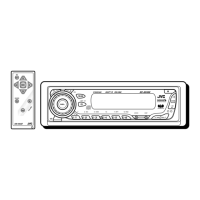
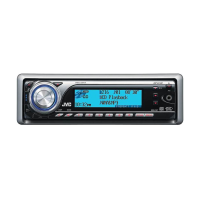
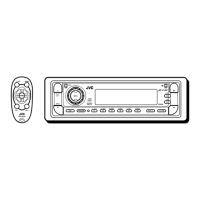
Detailed description of the unit's control panel layout, buttons, and display indicators.
Explanation of the wireless remote control buttons and their functions.
Instructions for preparing the remote control, including battery installation.
Steps for turning the unit on/off, selecting audio sources, and adjusting the volume level.
Procedure to disable the unit's automatic display demonstration mode.
Guide on how to set the current time displayed on the unit.
Methods for tuning into FM and AM broadcasts using auto or manual search.
Instructions for saving favorite radio stations and recalling them.
Steps for inserting, playing, and stopping standard audio CDs.
Locating tracks, fast-forwarding, skipping, and selecting playback modes like random or repeat.
Displaying CD Text information and managing disc ejection.
Explanation of MP3 files, bit rates, and metadata compatibility.
Procedures for inserting and playing MP3-formatted discs.
Navigating through MP3 files and folders, including fast-forwarding and skipping.
Selecting random or repeat playback for MP3 files.
Selecting and applying pre-defined equalizer settings for different music genres.
Fine-tuning bass, treble, fader, balance, and loudness levels.
Modifying general unit preferences using the PSM control.
Specific settings for level meter, dimmer, scroll mode, tag display, and amplifier gain.
Instructions for removing and securely reattaching the detachable control panel.
Steps for connecting and playing discs from a JVC CD changer.
Selecting discs/tracks and using MP3 features with the changer.
Applying random and repeat playback modes for CD changer content.
Connecting and operating external audio devices via Line In or Sirius.
Solutions for common problems related to unit, radio, and CD/MP3 playback.
Specific error resolution for MP3 files and CD changer malfunctions.
Guidelines for handling, cleaning, and storing discs to ensure optimal performance.
Detailed technical data for audio, tuner, CD player, and general unit parameters.
Important safety information regarding the laser product used in the unit.
Pre-operation checks and safety guidelines for initial use.
Procedure to reset the unit's internal microcomputer to factory settings.
Detailed description of the unit's control panel layout, buttons, and display indicators.
Explanation of the wireless remote control buttons and their functions.
Instructions for preparing the remote control, including battery installation.
Steps for turning the unit on/off, selecting audio sources, and adjusting the volume level.
Procedure to disable the unit's automatic display demonstration mode.
Guide on how to set the current time displayed on the unit.
Methods for tuning into FM and AM broadcasts using auto or manual search.
Instructions for saving favorite radio stations and recalling them.
Steps for inserting, playing, and stopping standard audio CDs.
Locating tracks, fast-forwarding, skipping, and selecting playback modes like random or repeat.
Displaying CD Text information and managing disc ejection.
Explanation of MP3 files, bit rates, and metadata compatibility.
Procedures for inserting and playing MP3-formatted discs.
Navigating through MP3 files and folders, including fast-forwarding and skipping.
Selecting random or repeat playback for MP3 files.
Selecting and applying pre-defined equalizer settings for different music genres.
Fine-tuning bass, treble, fader, balance, and loudness levels.
Modifying general unit preferences using the PSM control.
Specific settings for level meter, dimmer, scroll mode, tag display, and amplifier gain.
Instructions for removing and securely reattaching the detachable control panel.
Steps for connecting and playing discs from a JVC CD changer.
Selecting discs/tracks and using MP3 features with the changer.
Applying random and repeat playback modes for CD changer content.
Connecting and operating external audio devices via Line In or Sirius.
Solutions for common problems related to unit, radio, and CD/MP3 playback.
Specific error resolution for MP3 files and CD changer malfunctions.
Guidelines for handling, cleaning, and storing discs to ensure optimal performance.
Detailed technical data for audio, tuner, CD player, and general unit parameters.
 General
| Brand | JVC |
|---|---|
| Model | KD-G400 |
| Category | Car Stereo System |
| Language | English |