EasyManua.ls Logo

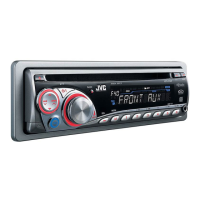
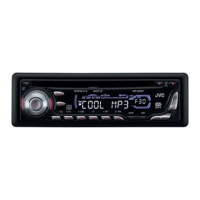
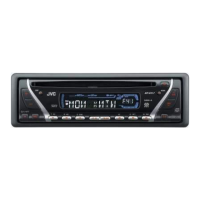
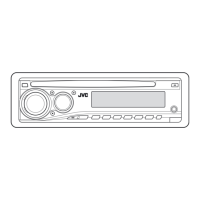
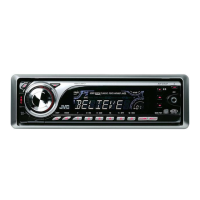
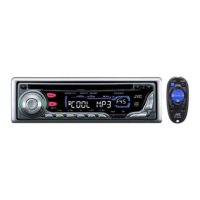
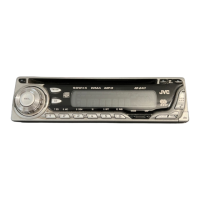
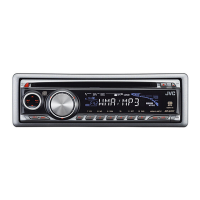
JVC KD-G445 - User Manual

JVC KD-G445
62 pages
Print Icon
To Next Page IconTo Next Page
Loading...
ENGLISH
INDONESIA
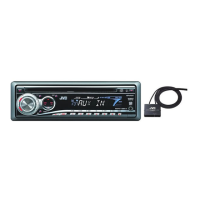
CD RECEIVER KD-G446/KD-G445
ALAT PENERIMA CD KD-G446/KD-G445
For canceling the display demonstration, see page 6.
Untuk membatalkan tampilan demonstrasi, lihat halaman 6.
For installation and connections, refer to the separate manual.
Untuk instalasi dan penyambungan, lihat buku pedoman terpisah.
INSTRUCTIONS
BUKU PETUNJUK
GET0537-004A
[UN]
Cover_KD-G446_5_004A_1.indd 1Cover_KD-G446_5_004A_1.indd 1 10/29/07 10:08:27 AM10/29/07 10:08:27 AM

Other manuals for JVC KD-G445

Questions and Answers

  • A
    Allen WilliamsAug 18, 2025
    Why no sound when connecting iPod nano to JVC Car Receiver?
    • A
      Angela BarberAug 18, 2025
      If no sound can be heard when connecting an iPod nano to your JVC Car Receiver, disconnect the headphones from the iPod nano and update the firmware version of the iPod nano.
  • G
    Gregory TurnerAug 21, 2025
    What to do if the sound is interrupted during playback of a Bluetooth audio player on JVC KD-G445 Car Receiver?
    • C
      Charles RussellAug 21, 2025
      If the sound is interrupted during Bluetooth audio playback on your JVC Car Receiver, try the following: * Reduce the distance between the unit and the Bluetooth audio player. * Disconnect any device connected for “BT-PHONE.” * Turn the unit off, then on again. * If the sound is still not restored, reconnect the player.
  • S
    Shawn WhiteAug 23, 2025
    How to fix iPod if it does not turn on or work with JVC KD-G445 Car Receiver?
    • B
      brandycannonAug 23, 2025
      If your iPod does not turn on or work with the JVC Car Receiver, try these steps: * Check the connecting cable and its connection. * Update the firmware version. * Charge the battery.
  • J
    Jacob WernerAug 26, 2025
    Why phone sound quality is poor on JVC KD-G445?
    • M
      michelle39Aug 26, 2025
      If you are experiencing poor phone sound quality with your JVC Car Receiver, try these solutions: * Reduce the distance between the unit and the Bluetooth cellular phone. * Move the car to a place where you can get better signal reception.
  • M
    Mrs. Sarah KochAug 28, 2025
    What to do if “NO IPOD” appears on JVC KD-G445 display?
    • A
      Andrew HarrisAug 28, 2025
      If “NO IPOD” appears on the display of your JVC Car Receiver, verify the connecting cable and its connection. Also, ensure the iPod's battery is charged.
  • F
    Frank KelleyAug 30, 2025
    What to do if JVC Car Receiver does not detect Bluetooth device?
    • J
      Julie GarciaAug 30, 2025
      If the unit does not detect the Bluetooth device, check the Bluetooth setting of the device and search from the Bluetooth device.
  • D
    Daniel WilliamsSep 1, 2025
    How to stop echo or noise on JVC KD-G445 Car Receiver?
    • K
      Kari LeSep 1, 2025
      If you hear echo or noise, adjust the microphone unit position.
  • Q
    qmcgeeSep 4, 2025
    Why connected audio player cannot be controlled on JVC KD-G445 Car Receiver?
    • K
      Katie TerrySep 4, 2025
      If the connected audio player cannot be controlled, check whether the connected audio player supports AVRCP (Audio Video Remote Control Profile).
  • E
    Erin LopezSep 6, 2025
    How to fix if tracks on the CD-R/CD-RW cannot be skipped on JVC KD-G445 Car Receiver?
    • L
      Laura TranSep 6, 2025
      If tracks on the CD-R/CD-RW cannot be skipped on your JVC Car Receiver, finalize the CD-R/CD-RW with the component which you used for recording.
  • W
    William BakerSep 8, 2025
    What to do if disc cannot be played back on JVC KD-G445?
    • K
      Kimberly HawkinsSep 8, 2025
      If a disc cannot be played back on your JVC Car Receiver, use a disc with MP3/WMA tracks recorded in a format compliant with ISO 9660 Level 1, Level 2, Romeo, or Joliet. Also, add the extension code or to the file names.

Summary

Important Laser Product Information

Class 1 Laser Product Safety

Describes the unit as a Class 1 laser product and its safety implications.

Laser Radiation Cautionary Notes

Warns users about laser radiation when the unit is open, advising against direct viewing.

Unit Operations and Controls

Resetting the Unit and Ejecting Discs

Procedures for resetting the unit and forcibly ejecting a disc.

Control Panel Layout

Radio Station Management

Disc Operations

Playing Discs and Using the CD Changer

Guidance on playing CDs in the unit and operating an external CD changer.

Playback Modes and Sound Settings

Detailed Sound Adjustment

Bluetooth Device Integration

Registering Bluetooth Devices (OPEN and General Methods)

Step-by-step guide for pairing Bluetooth devices using various methods.

Managing Bluetooth Devices

Connecting, Disconnecting, and Deleting Paired Devices

Procedures for managing connected Bluetooth devices.

Bluetooth Phone Operations

Handling Calls, Messages, and Voice Commands

Managing incoming calls, text messages, and using voice commands for phone calls.

Bluetooth Audio and Settings Configuration

Bluetooth Settings and iPod Operations

Disc Playback Compatibility and Guidelines

Troubleshooting Common Issues

Resolving General, Radio, and Disc Playback Problems

Solutions for common problems related to the unit, radio, and disc playback.

Troubleshooting Continued

Resolving Bluetooth Device Connection and Audio Issues

Solutions for problems with Bluetooth device connectivity and audio quality.

Resolving CD Changer and iPod Playback Issues

Solutions for problems encountered with CD changers and iPods.

JVC KD-G445 Specifications

General IconGeneral
TunerAM/FM
CD PlaybackYes
MP3 PlaybackYes
WMA PlaybackYes
USB PortNo
Aux InputYes
BluetoothNo
Display TypeLCD
Detachable FaceplateYes
Subwoofer OutputYes
Power Output50 Watts x 4
RMS Power Output22W x 4
Preset Stations18 FM, 6 AM
Equalizer3-band

Related product manuals