EasyManua.ls Logo

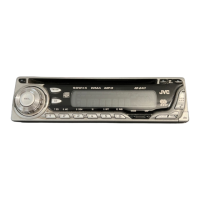
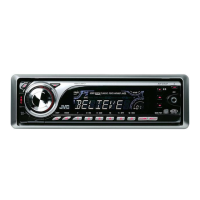
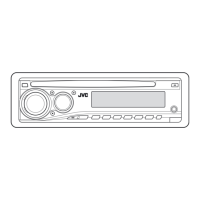
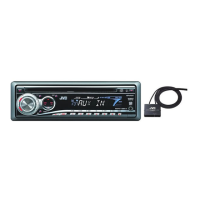
JVC KD-G402 - User Manual

JVC KD-G402
155 pages
Print Icon
To Next Page IconTo Next Page
Loading...
GET0195-004B
[EU]
INSTRUCTIONS
MANUAL DE INSTRUCCIONES
MANUEL D’INSTRUCTIONS
TAL∑MATLAR
KD-G402/KD-G401
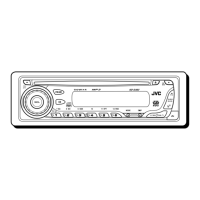
CD RECEIVER
RECEPTOR CON CD
RECEPTEUR CD
CD RECE∑VER
ENGLISH
ESPAÑOL
TÜRKÇE
FRANÇAIS
For installation and connections, refer to the separate manual.
Para la instalación y las conexiones, refiérase al manual separado.
Pour l’installation et les raccordements, se référer au manuel séparé.
Montaj ve ba∂lantΩlar için di∂er elkitabΩna bakΩn.
This unit is equipped with the display demonstration. To cancel it, see page 6.
Esta unidad está equipada con la demostración en indicación. Para cancelarla, consulte
la página 6.
Cet appareil est équipé d’une fonction de démonstration des affichages. Pour l’annuler,
référez-vous à la page 6.
Bu ünite, ekran tanΩtΩm gösterisi ile donatΩlmΩπtΩr. ∑ptal etmek için 6. sayfaya bakΩn.
Cover004B_KD-G401_ff.p65 2/16/04, 5:18 PM3

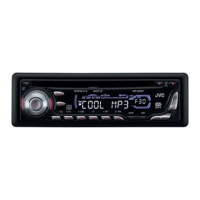
Table of Contents

Questions and Answers

  • D
    Dwayne FrostAug 20, 2025
    How to fix no sound from JVC KD-G402 Car Receiver speakers?
    • R
      Robert RoyAug 20, 2025
      If you're not getting any sound from the speakers of your JVC Car Receiver, first, make sure the volume isn't set too low; adjust it to a higher, more audible level. Also, verify that all the cords and connections are correctly and securely connected.
  • M
    Megan GloverAug 22, 2025
    What to do if 'NO DISC' appears on JVC KD-G402 display?
    • A
      Alexander NguyenAug 22, 2025
      If your JVC Car Receiver displays “NO DISC”, ensure that a CD is properly inserted into the loading slot. If a CD is already inserted, make sure it's inserted correctly.
  • J
    jessicaflynnAug 25, 2025
    Why does my JVC Car Receiver CD automatically eject?
    • K
      Kevin RobinsonAug 25, 2025
      If your JVC Car Receiver ejects CDs automatically, it might be because the CD is inserted upside down. Make sure to insert the CD correctly.
  • H
    Hannah FowlerAug 26, 2025
    What to do if there is no 5V at IC501 pin 20 on my JVC Other?
    • C
      carterteresaAug 27, 2025
      If there is no 5V present at IC501 pin 20, check IC501.
  • M
    Mrs. Donna RiveraAug 28, 2025
    What to do if there is no 4V at both sides of the feed motor in JVC Other?
    • M
      megan32Aug 28, 2025
      If there is no 4V present at both sides of the feed motor, check the feed motor.
  • C
    Crystal NormanAug 30, 2025
    What to do if there is no 5v or 0V at IC541 pin 40 on JVC Other?
    • M
      Melissa WilliamsAug 30, 2025
      If there is no 5v or 0V at IC541 pin 40, check IC501.
  • D
    deborah40Sep 1, 2025
    What to do if there is 4V present at both sides of the feed motor in my JVC KD-G402 Car Receiver?
    • M
      megan94Sep 1, 2025
      If 4V is present at both sides of the feed motor, inspect IC501.
  • W
    William JordanSep 2, 2025
    Why is my JVC KD-G402 CD sound interrupted?
    • B
      Brittany McgeeSep 3, 2025
      If your JVC Car Receiver is interrupting CD sound, this could be due to driving on rough roads; in this case, stop playback. It could also be due to a scratched CD, so try changing the CD. Also, check the cords and connections to make sure they are correct.
  • S
    Sydney BrownSep 4, 2025
    What to do if CD cannot be played back or ejected from JVC KD-G402 Car Receiver?
    • L
      Laura BergSep 4, 2025
      If your JVC Car Receiver can't play or eject a CD, the CD might be locked. Unlock the CD. Alternatively, the CD player may have malfunctioned. While holding the (standby/on attenuator) button, press the 0 (eject) button for more than 2 seconds, being careful not to drop the CD when it ejects.
  • K
    Kelly AcostaSep 6, 2025
    Why does 'NO FILES' appear on JVC KD-G402 Car Receiver display?
    • C
      Carol HernandezSep 6, 2025
      If your JVC Car Receiver displays “NO FILES”, it means the current disc does not contain any MP3 files.

JVC KD-G402 Specifications

General IconGeneral
BrandJVC
ModelKD-G402
CategoryCar Receiver
LanguageEnglish

Related product manuals