EasyManua.ls Logo

JVC KD-G405SU - User Manual

JVC KD-G405SU
43 pages
Print Icon
To Next Page IconTo Next Page
Loading...
ENGLISH
‰∑¬
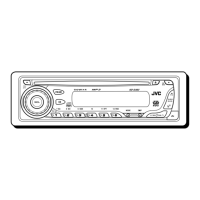
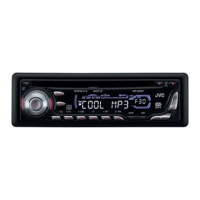
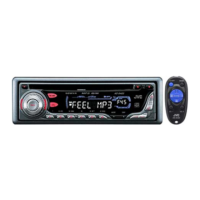
CD RECEIVER KD-G455/KD-G405
INSTRUCTIONS
 !"
§”·π–π”
GET0180-001A
[U]
For installation and connections, refer to the separate manual.
 !"#$%&'()*+,-./0
°√ÿ≥“¥Ÿ§ŸË¡◊Õ∑’Ë·¬°µË“ßÀ“° „π°“√µ‘¥µ—Èß·≈–°“√‡™◊ËÕ¡µËÕ
`a= !" KD-G455/KD-G405
‡§√◊ËÕ߇≈Ëπ CD KD-G455/KD-G405
This unit is equipped with the display demonstration. To cancel it, see page 8.
 ! !"#$%&'("#)*+,- 8 
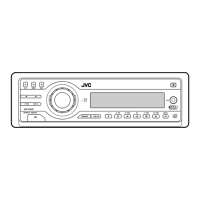
‡§√◊ËÕßπ’ȉ¥È√—∫°“√µ‘¥µ—Èß°“√“∏‘µ¿“æª√–°Õ∫ À“°µÈÕß°“√¬°‡≈‘° ‚ª√¥¥Ÿ ÀπÈ“ 8
SOUND
VOL
VOL
SOURCE
R
F
U
D
ATT
SOUND
VOL
VOL
SOURCE
R
F
U
D
ATT
KD-G455
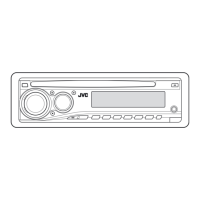
KD-G405
KD-G455
KD-G405

Questions and Answers

  • M
    Monique ClarkAug 18, 2025
    How to fix no sound from JVC Car Receiver speakers?
    • R
      Ryan RiveraAug 18, 2025
      If you cannot hear sound from the speakers of your JVC Car Receiver, first, check if the volume level is set to the minimum; if so, adjust it. Also, verify that all connections are correct by checking the cords. As a last resort, reset the unit by holding SEL (select) and pressing (standby/on attenuator) for more than 2 seconds. Note that resetting will erase your preset adjustments.
  • K
    Kathryn MatthewsAug 21, 2025
    What to do if disc sound is interrupted in JVC Car Receiver?
    • K
      kclementsAug 21, 2025
      If your JVC Car Receiver's disc sound is sometimes interrupted, it may be due to driving on rough roads; stop playback in such conditions. Alternatively, the disc might be scratched, in which case you should change it. Also, incorrect connections can cause interruptions, so check the cords. Finally, ensure there is a disc in the loading slot.
  • C
    cleeAug 23, 2025
    What to do if disc cannot be played back or ejected from JVC Car Receiver?
    • J
      James SanchezAug 23, 2025
      If a disc can be neither played back nor ejected from your JVC Car Receiver, the disc might be locked. Unlock the disc. Alternatively, the CD player may have functioned incorrectly. While holding (standby/on attenuator), press 0 (eject) for more than 2 seconds, being careful not to drop the disc when it is ejected.
  • H
    Haley WeberAug 26, 2025
    What to do if there is no 4V present at the feed motor in my JVC KD-G405SU Car Receiver?
    • R
      Rachel BaileyAug 26, 2025
      If there is no 4V present at both sides of the feed motor of your JVC Car Receiver, check the feed motor.
  • M
    Michael CarterAug 27, 2025
    What to do if the voltage output at IC541 pin 40 is not 5v or 0V in JVC Car Receiver?
    • M
      Melissa AlexanderAug 27, 2025
      If the voltage output at IC541 pin 40 is not 5V or 0V in your JVC Car Receiver, check IC501.
  • J
    Jason BaxterAug 30, 2025
    What to do if 5V is not present at IC501 pins 3,12 and 21 in JVC Car Receiver?
    • C
      Catherine BrownAug 30, 2025
      If 5V is not present at IC501 pins 3, 12, and 21 of your JVC Car Receiver, check IC501.
  • J
    James HardySep 1, 2025
    Why SSM automatic preset does not work on JVC Car Receiver?
    • A
      Amy HarveySep 1, 2025
      If the SSM (Strong-station Sequential Memory) automatic preset for FM/AM does not work on your JVC Car Receiver, it could be due to weak signals; in this case, store stations manually. Another reason could be that the antenna is not connected firmly, so ensure it is properly connected. Also, make sure that the disc is not inserted upside down.
  • A
    andrewfrancisSep 3, 2025
    What does 'NO DISC' mean on JVC Car Receiver?
    • J
      Jessica RussellSep 3, 2025
      If your JVC Car Receiver displays “NO DISC,” it might be because no disc is in the magazine. Insert discs into the magazine correctly, insert the magazine, and ensure this unit and the CD changer are connected correctly. Then, press the reset button of the CD changer. Another cause could be that the discs are inserted upside down.
  • K
    Kevin SanchezSep 6, 2025
    How to play CD-R/CD-RW on JVC Car Receiver?
    • C
      Connie RobinsonSep 6, 2025
      If a CD-R/CD-RW cannot be played back on your JVC Car Receiver, it may not be finalized. Insert a finalized CD-R/ CD-RW or finalize the CD-R/CD-RW with the component which you used for recording.
  • J
    Jennifer LynchSep 8, 2025
    Why 'CHECK' keeps flashing on JVC Car Receiver display?
    • M
      Mark SharpSep 8, 2025
      If your JVC Car Receiver requires a longer readout time and “CHECK” keeps flashing on the display, it could be due to the complexity of the folder/file configuration. Avoid using too many hierarchies and folders. Also, do not record any other types of audio tracks together with MP3 files.

JVC KD-G405SU Specifications

General IconGeneral
BrandJVC
ModelKD-G405SU
CategoryCar Receiver
LanguageEnglish

Related product manuals