18
ENGLISH
More about this unit
Basic operations
Turning on the power
• By pressing SRC on the unit, you can also turn on the
power. If the source is ready, playback also starts.
Turning off the power
• If you turn off the power while listening to a disc, disc
play will start from where playback has been stopped
previously, next time you turn on the power.
Tuner operations
Storing stations in memory
• During SSM search...
– All previously stored stations are erased and
stations are stored newly.
– Received stations are preset in No. 1 (lowest
frequency) to No. 6 (highest frequency).
– When SSM is over, the station stored in No. 1 will
be automatically tuned in.
• When storing a station manually, the previously
preset station is erased when a new station is stored
in the same preset number.
Disc operations
Caution for DualDisc playback
• The Non-DVD side of a “DualDisc” does not comply
with the “Compact Disc Digital Audio” standard.
Therefore, the use of Non-DVD side of a DualDisc on
this product may not be recommended.
General
• This unit has been designed to reproduce CDs/CD
Texts, and CD-Rs (Recordable)/CD-RWs (Rewritable)
in audio CD (CD-DA), MP3 and WMA formats.
• CD changer jack on the rear using KS-U57
or KS-U58
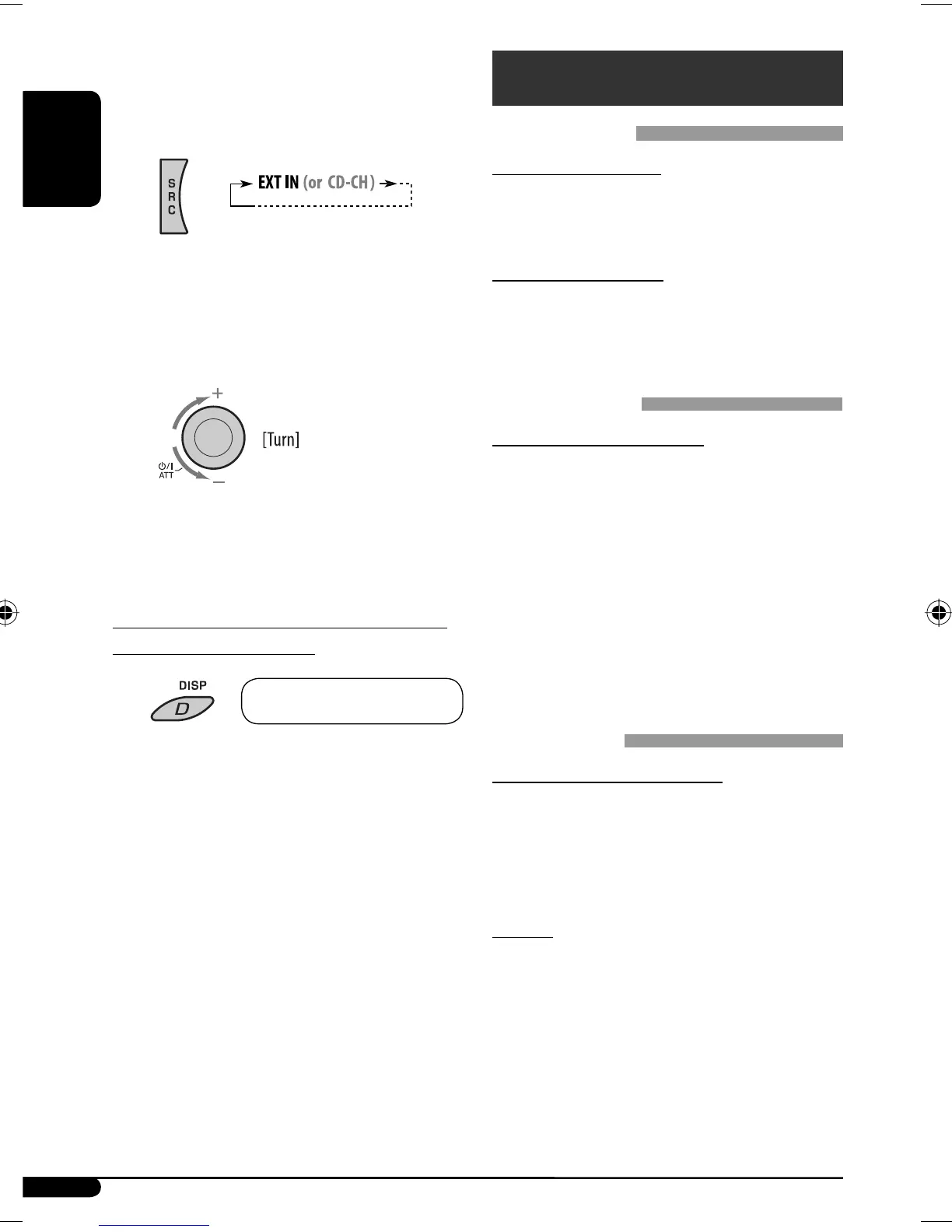
If “EXT IN” does not appear, see page 14 and
select the external input (“EXT IN”).
Ÿ Turn on the connected component and
start playing the source.
! Adjust the volume.
⁄ Adjust the sound as you want. (See
pages 11 and 12.)
To check other information while listening
to an external component
Clock Ô AUX IN or EXT IN
EN18-21KD-G536[U_UH]pre.indd 18EN18-21KD-G536[U_UH]pre.indd 18 10/18/06 11:42:33 PM10/18/06 11:42:33 PM


 To Next Page