6
ENGLISH
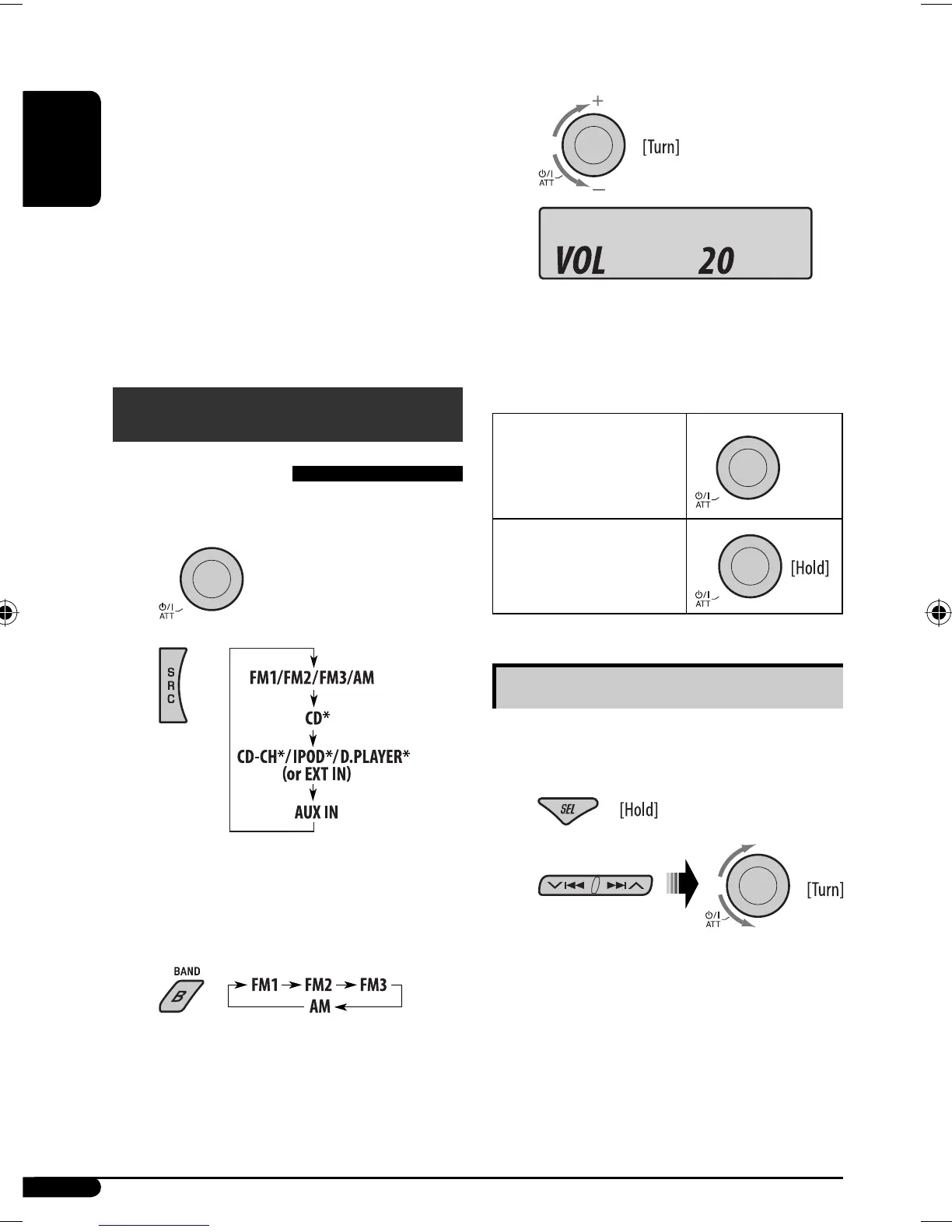
⁄ Adjust the volume.
@ Adjust the sound as you want. (See
pages 11 and 12.)
To drop the volume in a
moment (ATT)
To restore the sound, press
the button again.
To turn off the power
Basic settings
• See also “General settings — PSM” on pages
12 – 14.
1
2
1 Canceling the display demonstrations
Select “DEMO,” then “DEMO OFF.”
2 Setting the clock
Select “CLOCK H” (hour), then adjust the hour.
Select “CLOCK M” (minute), then adjust the
minute.
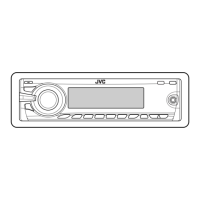
5 SOURCE button
• Selects the source.
6 2 R (reverse) / F (forward) 3 buttons
• Searches for stations if pressed briefly.
• Fast-forwards or reverses the track if pressed and
held.
• Changes the tracks if pressed briefly.
• While listening to an iPod or a D. player (in menu
selecting mode):
– Selects an item if pressed briefly. (Then, press
D
∞ to confirm the selection.)
– Skips 10 items at a time if pressed and held.
Getting started
Basic operations
~ Turn on the power.
Ÿ
* You cannot select these sources if they are not
ready or not connected.
! For FM/AM tuner
Volume level appears.
EN06-11KD-G536[U_UH]3.indd 6EN06-11KD-G536[U_UH]3.indd 6 11/13/06 9:35:37 AM11/13/06 9:35:37 AM


 To Next Page