18
ENGLISH
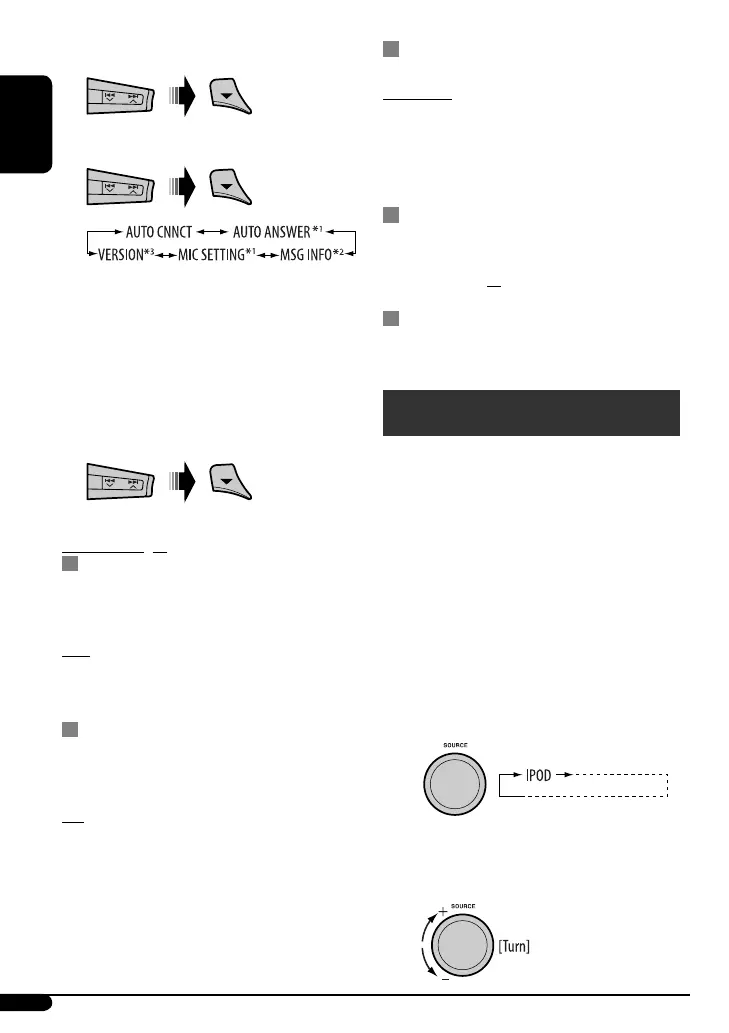
3 Select “SETTINGS.”
4 Select a setting item.
*
1
Appears only when a Bluetooth phone is
connected.
*
2
Appears only when a Bluetooth phone is
connected and it is compatible with text message
(notified through JVC Bluetooth adapter).
*
3
Bluetooth Audio: Shows only “VERSION.”
5 Change the setting accordingly.
Setting menu ( : Initial)
AUTO CNNCT (connect)
When the unit is turned on, the connection is
established automatically with...
OFF : No Bluetooth device.
LAST : The last connected Bluetooth device.
ORDER : The available registered Bluetooth device
found at first.
AUTO ANSWER
Only for the device being connected for “BT-PHONE.”
ON : The unit answers the incoming calls
automatically.
OFF : The unit does not answer the calls
automatically. Answer the calls
manually.
REJECT : The unit rejects all incoming calls.
MSG INFO (message info)
Only for the device being connected for “BT-PHONE.”
AUTOMATIC : The unit informs you of the arrival of
a message by ringing and displaying
“RCV MESSAGE” (receiving message).
MANUAL : The unit does not inform you of the
arrival of a message.
MIC SETTING (microphone setting)
Only for the device being connected for “BT-PHONE.”
Adjust microphone volume connected to the Bluetooth
adapter, [LEVEL 01/02/03].
VERSION
The Bluetooth software and hardware versions are
shown.
iPod operations
This unit is ready for operating an Apple iPod.
Before operating, connect the Interface adapter
for iPod, KS-PD100 (separately purchased) to the CD
changer jack on the rear of the unit.
• For connection, see Installation/Connection Manual
(separate volume).
• For details, refer also to the manual supplied with the
interface adapter.
Preparations:
Make sure “CHANGER” is selected for the external input
setting, see page 13.
~
Playback starts automatically from where it has
been paused previously.
Ÿ Adjust the volume.
EN16-19_KD-G546_001A_f.indd 18EN16-19_KD-G546_001A_f.indd 18 11/13/07 10:54:57 AM11/13/07 10:54:57 AM


 To Next Page
 Loading...