17
ENGLISH
OTHER MAIN FUNCTIONS
2
1
Changing the general settings
(PSM)
You can change the items listed on the next page
by using the PSM (Preferred Setting Mode) control.
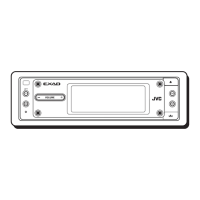
Basic Procedure
1
Press and hold SEL (select) for more
than 2 seconds so that one of the
PSM items appears on the display.
(See page 18.)
2
Select a PSM item you want to adjust.
(See page 18.)
3
Adjust the PSM item selected above.
4
Repeat steps 2 and 3 to adjust the
other PSM items if necessary.
5
Press SEL (select) to finish the setting.
2
1
Setting the clock
1
Press and hold SEL (select) for
more than 2 seconds so that one of
the PSM items appears on the
display. (See page 18.)
2
Set the hour.
1 Select “CLOCK HOUR” if not shown on
the display.
2 Adjust the hour.
3
Set the minute.
1 Select “CLOCK MIN.”
2 Adjust the minute.
4
Press SEL (select) to finish the setting.
EN17-22.KD-LX100[J]f 1/8/01, 10:22 AM17


 To Next Page
 Loading...