Need help?
Do you have a question about the JVC KD-LX555R and is the answer not in the manual?
Unit features a display demonstration mode that can be cancelled.
Refer to a separate manual for installation and connection details.
Precautions regarding invisible laser radiation and avoiding direct exposure to the beam.
Instructions for resetting the unit using the reset button on the front panel.
Details about the security ID card and its purpose.
Warning about adjusting volume to prevent speaker damage.
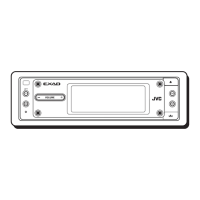
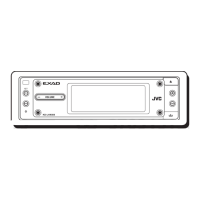
Description of buttons and controls on the main unit's control panel.
Explanation of how to use the BAND MODE button for various functions.
Detailed explanation of each button on the RM-RK60 remote controller.
Procedure for installing or replacing the battery in the remote controller.
Steps to turn the unit's power on and off.
How to switch between different audio sources like FM, DAB, CD.
How to adjust volume and use sound settings like ATT.
Procedure to disable the unit's display demonstration mode.
Instructions for setting the unit's clock and time format.
Methods for searching and tuning to FM/AM radio stations.
Procedure for automatically scanning for radio stations.
Procedure for manually tuning to specific radio frequencies.
Methods for storing radio stations using SSM and manual preset.
Steps for automatically presetting up to 6 FM stations.
How to manually store up to 6 stations in each band.
Selecting stored stations using the number buttons.
Information on what RDS can do, including program identification and TA.
How to maintain program reception by switching between stations.
Switching to Traffic Announcements from other sources.
Switching to a favorite program type (PTY).
How to search for programs based on PTY codes.
Saving selected PTY codes to number buttons.
How to search for PTY codes.
Unit automatically tunes to a better signal for RDS stations.
Procedure to turn Programme Search on or off.
Switching display between station name and frequency.
Presetting volume for traffic announcements.
Enabling or disabling automatic clock time updates.
Categorization of program types for PTY search.
Illustration of how the same program is received on different frequencies.
Steps for inserting, playing, and stopping CDs.
How to stop playback and eject the disc.
Fast-forwarding, reversing, and skipping tracks.
Using number buttons to select specific tracks.
Selecting playback modes like Disc Random.
Playing a track repeatedly.
Playing the first 15 seconds of each track.
Showing disc title, performer, and track title.
Locking the disc in the loading slot.
Definition, compression, and compatibility of MP3 files.
Guidelines for recording MP3 files on CD-R/RW.
How MP3 files are structured and played.
Diagram illustrating MP3 file hierarchy and organization.
How playback and search order are determined.
Steps for inserting and playing MP3 discs.
How to stop playback and eject MP3 discs.
Switching between album/track names and elapsed time.
Fast-forwarding, reversing, and skipping MP3 files.
Selecting folders by number.
Moving to the next or previous folder.
Selecting Folder Random or Disc Random playback.
Track Repeat and Folder Repeat modes.
Track Intro Scan and Folder Intro Scan.
Using FAD, BAL, S.BASS, and VOLUME controls.
Choosing EQ presets like FLAT, ROCK, JAZZ.
Saving personalized EQ settings to USER 1, 2, 3.
Accessing and modifying unit settings via PSM.
List of configurable settings like DEMO MODE, CLOCK, etc.
Further PSM settings like TA VOL, P-SEARCH, DAB AF.
Options for clock display and audio level meter appearance.
Adjusting display brightness, phone muting, key tones, and contrast.
Selecting text scroll mode and input source for external devices.
Hiding the control panel and adjusting FM tuner sensitivity.
Enabling or disabling the display of MP3 ID3 tag information.
Creating custom names for CDs and external components.
Setting a 4-character password to prevent unauthorized use.
How the unit prompts for the password upon startup.
Procedure to modify the existing password.
List of characters allowed for password entry.
Selecting the CD changer source and starting playback.
Selecting a specific disc from the changer.
Fast-forwarding, reversing, and skipping tracks/files.
Navigating folders on MP3 discs.
Displaying information for CD Text and MP3 discs.
Selecting Folder Random or Disc Random playback.
Track, Folder, and Disc Repeat modes.
Track, Folder, and Disc Intro Scan modes.
Connecting and operating external audio devices.
Selecting DAB tuner, band, and searching for services.
Manually presetting up to 6 DAB services.
Selecting a DAB ensemble without searching.
Viewing service name, ensemble name, frequency.
Selecting stored DAB services using number buttons.
Maintaining program listening across DAB/FM.
Setting the input level for DAB tuner.
Enabling or disabling automatic switching between DAB/FM.
Resolving common issues like no sound, password prompts, and errors.
Addressing SSM preset issues and radio static.
Fixing issues like disc ejection, playback errors, and locked discs.
Resolving sound interruptions, NO DISC errors, and playback failures.
Troubleshooting MP3 noise, file recognition, and display errors.
Resolving 'NO DISC', 'NO MAG', and 'RESET' errors.
Table detailing EQ settings for various sound modes.
Guidelines for handling, storing, and cleaning discs.
Addressing issues caused by moisture inside the player.
Cautions for playing recordable and rewritable discs.
Power output, impedance, and equalizer range details.
Frequency response, dynamic range, and MP3 decoding format.
FM/AM/MW/LW frequency ranges and sensitivity.
Power requirements, dimensions, and operating temperature.
 General
| Type | Car Receiver |
|---|---|
| DIN Size | 1 DIN |
| Channels | 4 |
| Tuner | AM/FM |
| CD Player | Yes |
| MP3 Playback | Yes |
| WMA Playback | No |
| AAC Playback | No |
| USB Port | No |
| AUX Input | No |
| Bluetooth | No |
| Detachable Faceplate | Yes |
| Remote Control | Yes |
| Preamp Outputs | 2-channel |
| Preamp Voltage | 2.5 volts |
| EQ Bands | 3-band |
| Display Color | Multi-color |
| FM Sensitivity | 11.3 dBf |
| Display | LCD |
| Equalizer | Yes |
| Peak Power Output | 50 Watts |


 To Next Page