39
ENGLISH
LVT1008-001A [E/EX]
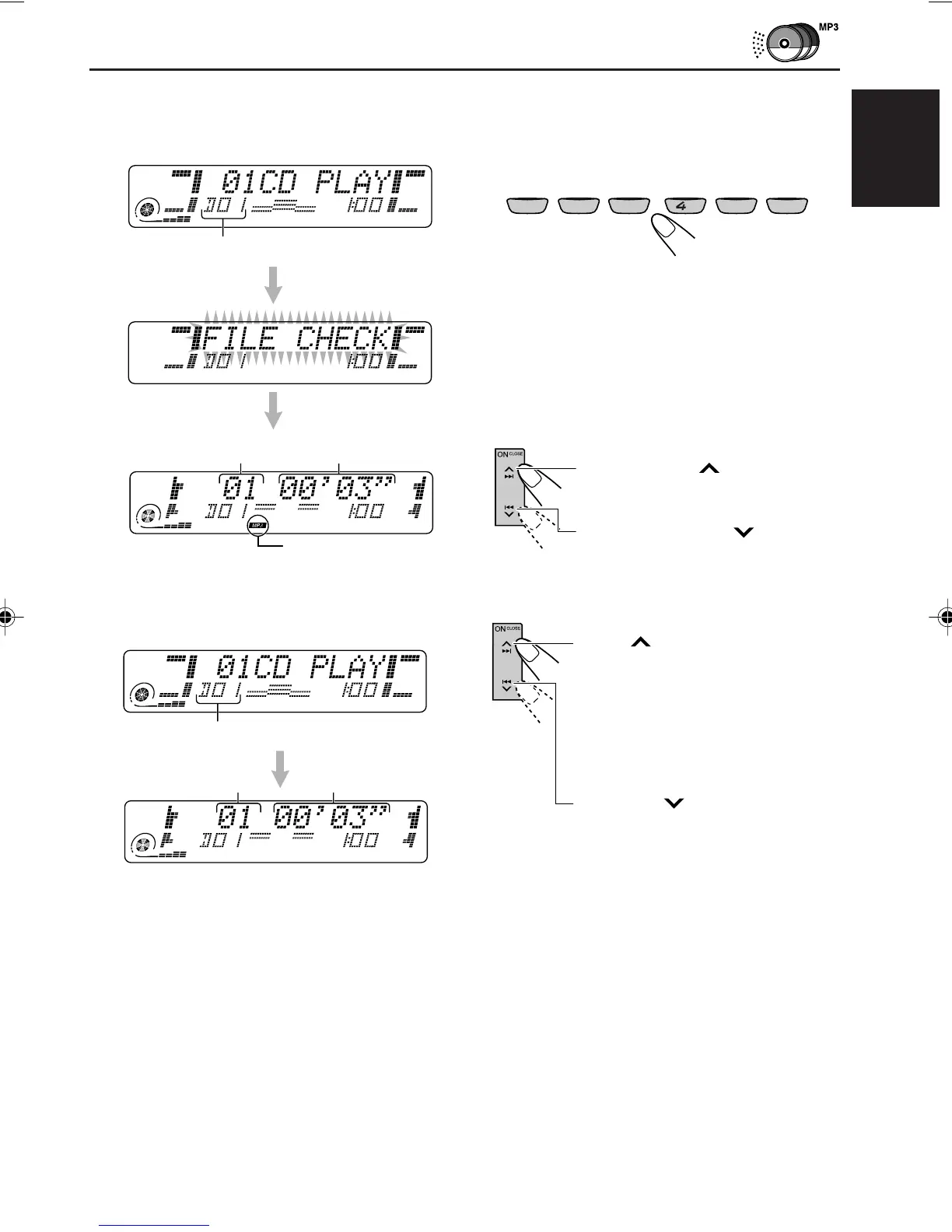
MP3 indicator
• When the current disc is an MP3 disc:
Playback starts from the first folder of the
current disc once file check is completed.
• When the current disc is a CD:
Playback starts from the first track of the
current disc.
Elapsed playing time
Current track
To go to a particular disc directly
Press the number button corresponding to the
disc number to start its playback (while the CD
changer is playing).
• To select a disc number from 1 – 6:
Press 1 (7) – 6 (12) briefly.
• To select a disc number from 7 – 12:
Press and hold 1 (7) – 6 (12) for more than
one second.
To fast-forward or reverse the track/file
To go to the next or previous tracks/files
Press and hold 4 , during
play, to reverse the track/file.
Press ¢ briefly during play,
to skip ahead to the beginning of
the next track/file.
Each time you press the button
consecutively, the beginning of the
next tracks/files is located and
played back.
Press 4 briefly during play,
to skip back to the beginning of
the current track/file.
Each time you press the button
consecutively, the beginning of the
previous tracks/files is located and
played back.
Press and hold ¢, during
play, to fast-forward the track/file.
RND RPT INT
EQ
MONO
1
10
11
12
7
8
9
2
35
6
Current disc number
Current disc number
Current file number
Elapsed playing time
EN38-41KD-LX555R[E]f.p65 02.12.11, 16:4139



 To Next Page
 Loading...