IMPORTANT
Notice the following information will help you solve the problems.
Keep this IMPORTANT sheet together with the INSTRUCTIONS book.
• After installing the unit
= Follow the procedure Å described below.
• If the unit does not operate
= Follow the procedure Å described below.
• If a CD is not ejected from the loading slot
1 “EJECT ERR” or “EJECT ERROR” appears on the display
= Follow the procedure ı described below. (If the procedure ı does not work, try
the procedure Å.)
2 No message appears on the display
= Follow the procedure Ç described below.
• If a CD is not recognized (the source does not change to the
CD) even though there is a CD in the loading slot
= Follow the procedure Ç described below. (If the procedure Ç does not work, try
the procedure Å.)
Å To reset the microcomputer
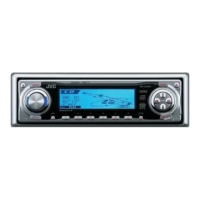
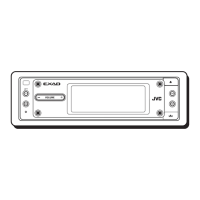
Press the reset button on the front panel using a ball-point pen or a similar tool.
This will reset the built-in microcomputer.
NOTE: Your preset adjustments — such as preset channels or sound adjustments
— will also be erased.
ı To eject a CD by force
Press and hold
4
button until CD ejects.
Ç To eject a CD by force
While holding ¢, press the reset button. Release the reset button, then release
¢. (Be careful not to drop the CD when ejecting.)
Reset button
4
button
Reset button
¢ button
IMPORTANT SHEET 300 12/22/00, 11:04 AM1


 To Next Page
 Loading...