To Next PageTo Next Page
 Need help?
Do you have a question about the JVC KD-LX111 and is the answer not in the manual?
 General
| Brand | JVC |
|---|---|
| Model | KD-LX111 |
| Category | Car Receiver |
| Language | English |
Identifies the JVC CD Receiver models KD-LX333 and KD-LX111.
Information on the unit's display demonstration mode and how to cancel it.
Refers the user to a separate manual for installation and connections.
Instructions for recording model and serial numbers for future reference.
Details FCC rules compliance for Class B digital devices and potential interference.
Lists safety precautions for Class 1 laser products, including warnings about radiation exposure.
Warns about mercury and lead in the product and advises on proper disposal.
Explains how to reset the unit using the reset button, noting preset data loss.
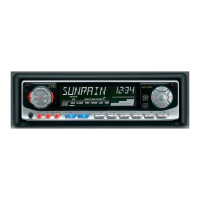
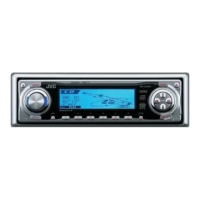
Identifies and describes the buttons and features on the main unit's control panel.
Explains how number buttons change function when BAND MODE is pressed.
Details the functions of each button on the remote controller.
Instructions on aiming the remote control at the unit's sensor.
Guides on replacing the remote control battery and lists important safety warnings.
Instructions for turning the JVC receiver on and off.
Explains how to cycle through and select different audio sources like FM, AM, CD, etc.
Guides on adjusting volume levels and accessing sound settings.
Describes how to use the ATT function to temporarily reduce volume.
Step-by-step guide to disable the unit's demonstration mode.
Instructions for setting the current hour and minute for the clock display.
General introduction to listening to radio stations.
How to automatically scan and tune to radio stations.
Method for manually tuning to specific radio frequencies.
Further explanation of manual tuning, including stereo/mono reception.
How to automatically store the strongest FM stations into memory.
How to manually store up to 6 stations in each FM band and AM.
Completes the explanation for manually storing radio stations.
Instructions on how to recall and listen to stored radio stations.
Step-by-step guide to insert and play a CD.
Instructions on how to stop playback and eject the disc from the unit.
How to fast-forward, reverse, skip tracks, or go directly to a specific track.
How to enable random playback for all tracks on a CD.
How to enable repeat playback for the current or specified track.
How to play the first 15 seconds of each track sequentially.
How to view disc title, performer, and track title information for CD Text discs.
Method to lock a CD in the loading slot to prevent ejection.
Guide to adjusting bass, treble, fader, balance, woofer, and volume levels.
Explanation of how the BBE function enhances sound clarity and brilliance.
How to choose pre-defined sound modes like Rock, Classic, Pop, etc.
How to automatically apply a selected sound mode when a specific source is chosen.
Guide to manually adjusting and saving your preferred equalizer and BBE settings.
How to enter the Preferred Setting Mode (PSM) to change general options.
Procedure for selecting and adjusting individual PSM items like Demo Mode, Beep Tone, etc.
A comprehensive list of PSM items, their functions, and available settings.
How to link sound modes to specific sources.
Options for turning the clock display on or off.
Choices for how the audio level meter is displayed.
How to set the display dimming behavior, including Auto Dimmer.
How to enable or disable the button press sound.
How to adjust the brightness and contrast of the display.
How to configure text scrolling for CD Text information.
Setting the frequency for subwoofer crossover for KD-LX333.
How to change radio tuning intervals for different regions.
Adjusting input level for external components on KD-LX333.
Selecting between CD changer and external input for KD-LX111.
Hiding the control panel for a flush front appearance.
How to select and enable automatic volume control based on driving speed.
How to fine-tune the volume increase rate for Audio Cruise.
Troubleshooting steps if Audio Cruise does not work correctly, including idling speed storage.
How to assign custom names to radio stations, CDs, and external components.
Step-by-step guide to entering custom names using character selection.
Lists capital letters, small letters, and symbols for naming sources.
Instructions on selecting and playing CDs from the automatic CD changer.
How to fast-forward, reverse, or skip tracks when using the CD changer.
How to select a specific disc from the CD changer.
How to enable random playback for CDs in the changer.
How to view CD Text information when using a compatible CD changer.
How to enable repeat playback for tracks or discs in the changer.
How to play the beginning of tracks sequentially from the changer.
Instructions for selecting and operating external audio components.
Details on connecting and configuring a subwoofer for enhanced bass.
Solutions for issues like CD not playing, skipping, or eject errors.
Remedies for no sound, distorted sound, static, or SSM preset failures.
Solutions for unit not working, CD changer errors, or display messages.
Guidelines for safely removing, storing, and cleaning CDs.
Advice on moisture issues and playing recordable/rewritable CDs.
Details power output, frequency response, and impedance.
Specifications for FM and AM tuner sensitivity and frequency ranges.
Technical details for the CD playback system.
Information on power requirements, dimensions, and weight.
Information on visiting the JVC mobile website for support and surveys.
Phone number and website for further assistance with operational issues.
Guidance on attaching the trim plate and fitting the unit into the mounting sleeve.
Actions to take after installing the unit if it doesn't operate.
Procedures for forcing CD ejection if errors occur.
Steps to take if the unit does not recognize a CD in the slot.
Detailed steps to reset the unit's microcomputer.
Lists all supplied parts for installation and connection.
Illustrates the steps for mounting the unit in a dashboard.
Critical warnings regarding connecting power and speaker leads to prevent damage.
Step-by-step guide for making all necessary electrical connections.
Tips for minimizing noise and specifying speaker power and impedance.
Emphasizes checking car speaker wiring before connecting the unit.
Details on how to connect power, ground, antenna, and speaker wires.
Illustrative diagrams of common connection setups for various components.
Instructions for connecting amplifiers, external sources, and subwoofers.
Covers common problems like blown fuses, no power, and distorted sound.