Prior to performing the following procedure, remove
the top chassis assembly.
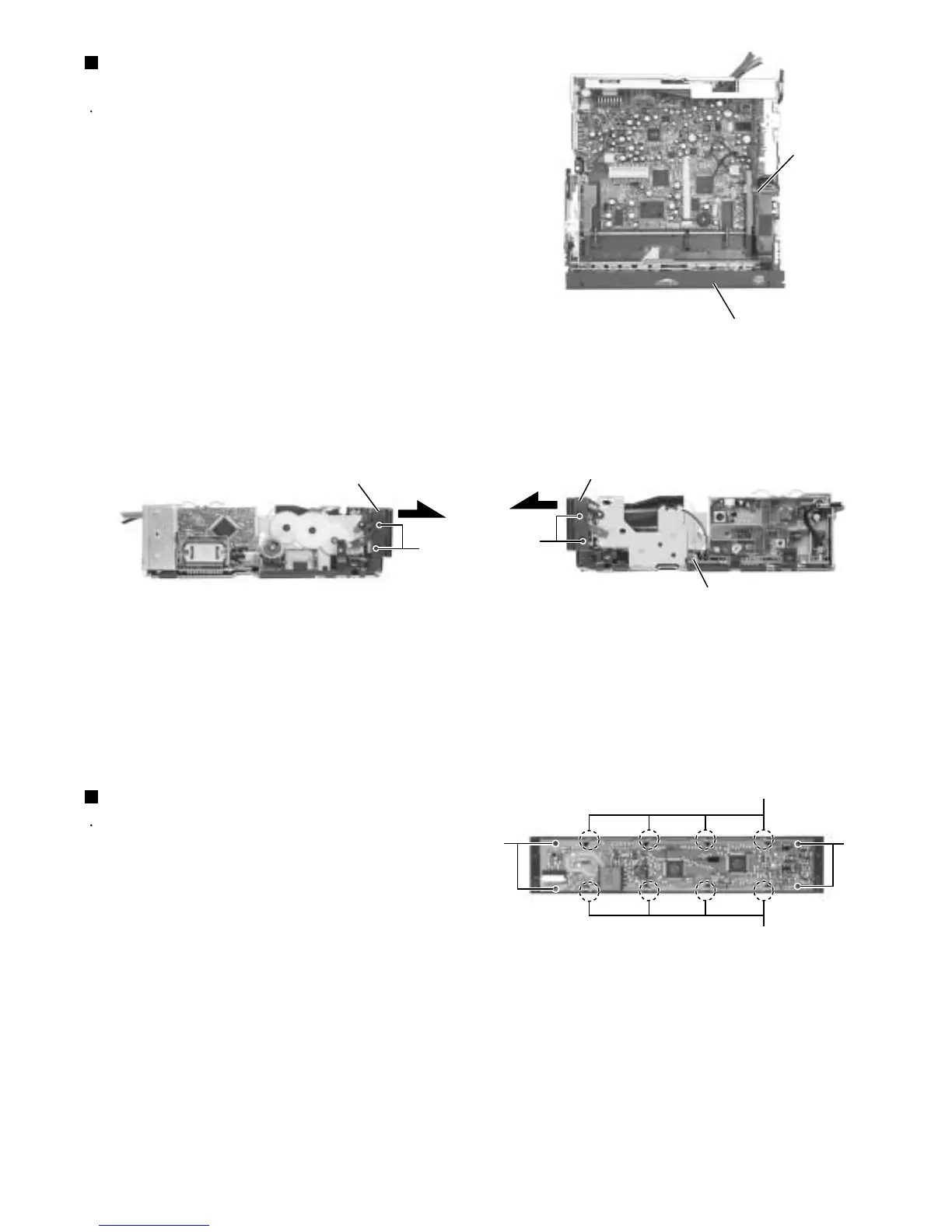
Disconnect the flexible harness from connector
CN701 on the main board assembly.
Remove the four screws N attaching the front panel
assembly on both sides of the body. Remove the
front panel toward the front.
1.
2.
Removing the front panel assembly
(See Fig.8,9 and 10)
Prior to performing the following procedure, remove
the top chassis assembly and the front panel
assembly.
Remove the four screws O attaching the front board
on the back of the front panel assembly and release
the eight joints b.
1.
Removing the Front Board (See Fig.11)
Fig.8
Fig.9
Fig.10
Fig.11
CN701
Front panel assembly
CN701
Front panel assembly
N
N
Front panel assembly
O
O
Joints b
Joints b


 To Next Page
 Loading...