Prior to performing the following procedure, remove
the operation assembly.
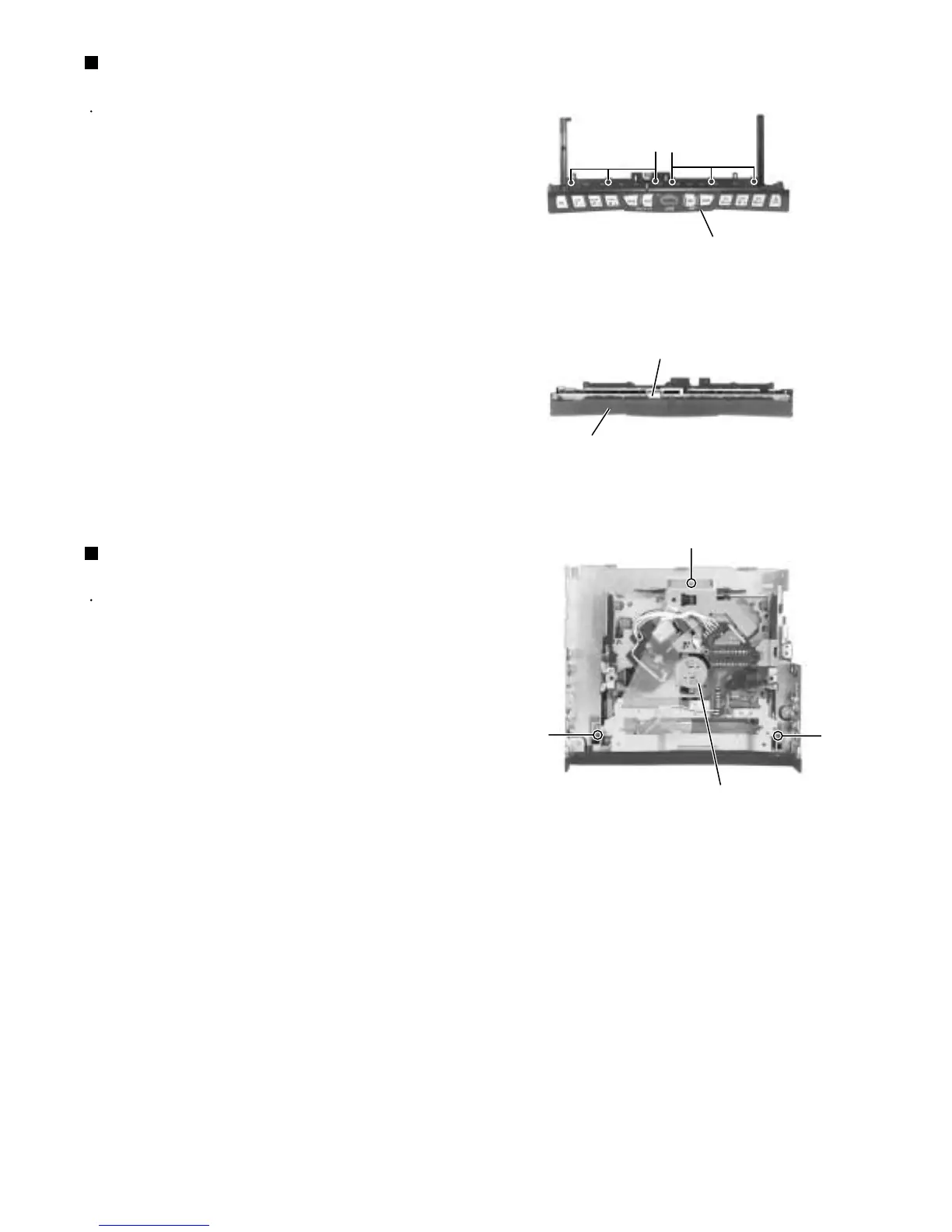
Remove the six screws T attaching the button panel
on the operation assembly.
Pull out the operation switch board from inside of the
button panel.
1.
2.
Removing the operation switch board
(See Fig.19 and 20)
Prior to performing the following procedure, remove
the top chassis.
Remove the three screws U and the CD mechanism
assembly from the top chassis.
1.
Removing the CD mechanism assembly
(See Fig.21)
Button panel
Operation switch board
Button panel
CD mechanism assembly
Fig.19
Fig.20
Fig.21
T
T
U
U
U


 To Next Page
 Loading...