EasyManua.ls Logo

JVC KD-R412 - User Manual

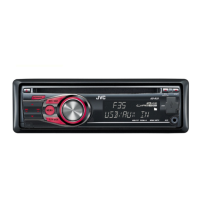
JVC KD-R412
49 pages
Print Icon
To Next Page IconTo Next Page
Loading...
FRANÇAIS
ENGLISH
GET0624-003A
[E/EU]
EN, FR
1009DTSMDTJEIN© 2009 Victor Company of Japan, Limited
For canceling the display demonstration, see page 4. / Pour annuler la démonstration des
affichages, référez-vous à la page 4.
CD RECEIVER / RÉCEPTEUR CD
KD-R412 / KD-R411 /
KD-R35 / KD-R312 / KD-R311
INSTRUCTIONS
MANUEL D’INSTRUCTIONS
For installation and connections, refer to the separate manual. / Pour l’installation et les
raccordements, se référer au manuel séparé.
Dear Customer,
This apparatus is in conformance with the valid
European directives and standards regarding
electromagnetic compatibility and electrical safety.
European representative of Victor Company of
Japan, Limited is:
JVC Technical Services Europe GmbH
Postfach 10 05 04
61145 Friedberg
Germany
Cher(e) client(e),
Cet appareil est conforme aux directives et
normes européennes en vigueur concernant la
compatibilité électromagnétique et à la sécurité
électrique.
Représentant européen de la société Victor
Company of Japan, Limited:
JVC Technical Services Europe GmbH
Postfach 10 05 04
61145 Friedberg
Allemagne
Having TROUBLE with operation?
Please reset your unit
Refer to page of How to reset your unit
Vous avez des PROBLÈMES de fonctionnement?
Réinitialisez votre appareil
Référez-vous à la page intitulée Comment réinitialiser votre appareil
CoverRear_KD-R412_003A_f.indd 1-2CoverRear_KD-R412_003A_f.indd 1-2 10/13/09 11:51:18 AM10/13/09 11:51:18 AM

Questions and Answers

JVC KD-R412 Specifications

General IconGeneral
Power Output50W x 4
RMS Power22W x 4
CD PlaybackYes
USB PortYes
BluetoothNo
Aux InputYes
Display TypeLCD
Subwoofer OutputYes
Detachable FaceYes
Channels4
Preset EQYes
TunerFM/AM
Playback FormatsMP3, WMA
Preset Stations18 FM, 6 AM

Summary

Important Laser Product Information

Class 1 Laser Safety

Warnings and information about Class 1 laser product safety.

Control Panel Procedures

Resetting the Unit

Procedure to reset the unit, erasing preset adjustments.

Radio Operation

Automatic Station Presetting

Stores up to 18 FM stations automatically using SSM.

Radio Presetting

FM Radio Data System Features

PTY Programme Search

Tunes to stations broadcasting specific programme types.

Advanced Radio Features

Playback Mode Selection

USB Device Playback

USB Device Connection and Playback

How to connect, play, and detach USB devices.

External Component Input

AUX Input Connection

How to connect external audio devices via the AUX input.

Remote Controller Usage

Remote Controller Safety Warnings

Safety precautions to prevent accidents and damage.

Menu Operations

Audio and Source Settings

More About This Unit

Disc Operations

MP3;WMA Disc Playback

Details requirements and limitations for MP3/WMA files.

USB Device Playback Details

MP3;WMA USB Requirements

Explains compatibility and file format requirements for USB playback.

USB Device Limitations

Lists incompatible USB devices, files, and formats.

Troubleshooting

General Troubleshooting

Solutions for common issues like no sound or unit not working.

FM;AM Radio Troubleshooting

Solutions for radio reception and presetting problems.

Disc Playback Troubleshooting

Solutions for discs not playing, ejecting, or sound interruptions.

MP3;WMA Disc Playback Issues

Solutions for playback errors, noise, and display problems.

USB Device Playback Issues

Solutions for USB playback errors, file recognition, and sound interruptions.

Specifications

Related product manuals