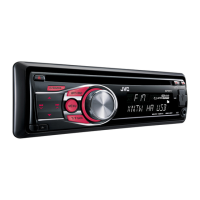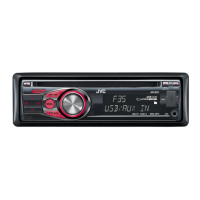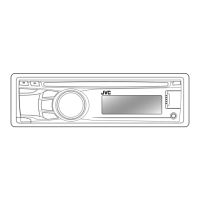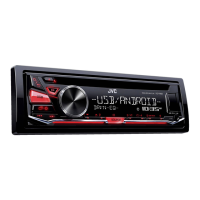
Why does my JVC KD-R416 interrupt disc sound sometimes?
- JJohn MurphySep 9, 2025
If the disc sound is sometimes interrupted, stop playback while driving on rough roads. You can also try changing the disc or checking the cords and connections.

Why does my JVC KD-R416 interrupt disc sound sometimes?
If the disc sound is sometimes interrupted, stop playback while driving on rough roads. You can also try changing the disc or checking the cords and connections.
Why is my JVC Car Receiver not working at all?
Reset the unit.
What to do if my JVC KD-R416 displays 'PROTECT'?
If the display shows “PROTECT” and no operations are possible, ensure the speaker lead terminals are properly covered with insulating tape. Then, reset the unit. If the issue persists, consult your JVC car audio dealer or a company supplying kits.
Why does my JVC KD-R416 say 'NO USB'?
If “NO USB” appears on the display, it means the unit isn't detecting the USB device. Try attaching a USB device that contains tracks encoded in an appropriate format or reattaching the USB device.
What to do if my JVC KD-R416 Car Receiver is making static noise while listening to the radio?
If you are experiencing static noise while listening to the radio, make sure the antenna is firmly connected.
Why can't my JVC KD-R416 Car Receiver play back a disc with MP3/WMA tracks?
Use a disc with MP3/WMA tracks recorded in a format compliant with ISO 9660 Level 1, Level 2, Romeo, or Joliet. Add the extension code or to the file names.
Why is the elapsed playing time not correct on my JVC Car Receiver?
This sometimes occurs during playback and is caused by how the tracks are recorded on the disc.
What does “NO FILE” mean on my JVC KD-R416/KD-R415 Car Receiver?
If “NO FILE” appears on the display, the selected folder is an empty folder. Select another folder that contains MP3/WMA tracks.
Why is my JVC Car Receiver displaying wrong characters?
This unit can only display letters (upper case), numbers, and a limited number of symbols.
Why is my JVC KD-R416 not playing tracks in the order I intended?
The playback order is determined by the write-in time stamp. The first track/folder written into the USB device will be the first track/folder for playback.
| Brand | JVC |
|---|---|
| Model | KD-R416 |
| Category | Car Receiver |
| Language | English |
Details on Class 1 laser product status and associated safety warnings.
Explanation of icons and symbols used throughout the manual for clear understanding.
Procedures for attaching/detaching panel, resetting unit, and ejecting discs.
How to cancel the demo mode and set the unit's clock time accurately.
Guidance on initial remote use, insulation sheet removal, and battery replacement.
Overview of main unit controls and how to select audio sources.
Instructions for tuning radio stations and playing audio discs.
How to play audio from USB devices and external sources via AUX.
Selecting and storing sound profiles for personalized audio experience.
Guide to accessing and configuring various system settings via the menu.
Procedures for cleaning unit connectors and maintaining discs for optimal performance.
Guidelines and limitations for playing recordable CDs and DualDiscs.
Specifications and common issues for playing MP3/WMA files from discs and USB.
Solutions for sound problems, unit malfunctions, and radio reception issues.
Remedies for common errors encountered during disc and USB media playback.
Technical data for audio output, tone controls, and tuner performance.
Specifications for CD player, USB interface, power, operating temperature, and dimensions.
Steps for installing the unit and essential electrical connection warnings.
Guidance for connecting amplifiers, subwoofers, and troubleshooting electrical issues.
Loading...