Need help?
Do you have a question about the JVC KD-R464 and is the answer not in the manual?
Explains the meaning of the Class 1 Laser Product label on the unit.
Precautions for using the remote control, including battery safety.
Instructions for cleaning the unit, connector, and handling discs.
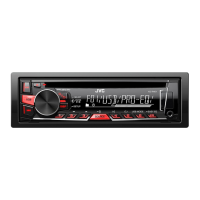
Identifies and explains the main controls and display on the unit's faceplate.
Details on using the optional remote control and replacing its battery.
Step-by-step guide for essential functions like powering on, volume, and source selection.
Steps to disable the unit's demonstration mode.
Instructions for setting the current time and clock display format.
Guide to configuring initial system settings like language and basic functions.
Configuration options for system sounds, source selection, firmware, and display language.
Details on controlling playback for CD, USB, iPod, and Android devices.
Managing control modes and music drives for iPod and Android.
Adjusting the playback speed for audiobooks on iPod/iPhone.
Steps to select audio files, folders, and use the quick search feature.
How to find and tune into radio stations manually or automatically.
Steps to store favorite radio stations for quick access and recall.
Accessing and adjusting advanced tuner configuration options.
Setting radio timers and using Scan/Store Memory (SSM).
Enabling local seek and configuring various reception modes for better performance.
Adjusting reception modes, traffic alerts, and program type search.
Connecting and playing audio from a portable audio player via AUX.
Connecting and playing audio via Bluetooth adapter.
Adjusting preset and custom equalizer settings for sound tuning.
Options for bass boost and loudness for improved sound.
Configuring subwoofer levels, phase, and speaker output types.
Adjusting front/rear balance, left/right balance, and amplifier gain.
Sound enhancement feature and audio muting for phone calls.
Selecting output settings for speakers and line-out terminals.
Adjusting display brightness for day/night and dimmer time.
Configuring display information scrolling behavior and brightness.
Customizing illumination colors for different zones and models.
Storing custom colors for day, night, and menu illumination.
Information on playable CD formats, file types, and limitations.
Details on compatibility for USB, iPod, and Android devices.
Information on JVC software and how to change display information.
Solutions for common issues like no sound or system error messages.
Solutions for poor radio reception and static noise.
Solutions for disc errors, playback interruptions, and device connection problems.
Technical details for FM/AM tuner sensitivity and CD player performance.
Technical details for USB and auxiliary input connectivity.
Technical details for audio output, power, and unit dimensions.
Step-by-step guide for installing the unit into the vehicle's dashboard.
Instructions for safely removing the unit and connecting its wiring.
Diagrams and notes for connecting wiring harnesses for various models.
Detailed pin assignments for the ISO connector and specific vehicle types.
 General
| Brand | JVC |
|---|---|
| Model | KD-R464 |
| Category | Car Receiver |
| Language | English |


 To Next Page