Need help?
Do you have a question about the JVC KD-R463 and is the answer not in the manual?
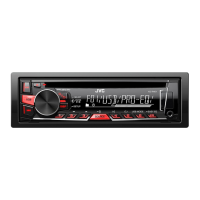
Model identification for the CD Receiver.
Explains the Class 1 laser product marking.
Critical safety instruction to avoid distraction while driving.
Safety advice regarding volume setting and external devices.
General safety precautions and important notes.
Instructions for cleaning the unit and handling discs.
Identification and function of the unit's front panel controls.
Information on using the optional remote control.
Steps to disable the demo mode.
How to set the current time and date on the unit.
Configuring fundamental system preferences.
How to begin playing media from different sources.
Choosing how the unit controls Android playback.
Selecting storage location for music playback.
Navigating and selecting files from storage.
How to find radio stations.
Storing favorite radio stations.
Accessing pre-saved radio stations.
Adjusting advanced radio tuning and reception options.
Setting the unit to turn on the radio at a specific time.
Automatic station preset function.
Connecting and playing audio from a portable player.
Connecting and playing audio via Bluetooth.
Choosing from pre-defined sound equalization profiles.
Saving custom audio settings for later use.
Adjusting advanced audio parameters and tone controls.
Adjusts the bass boost level for enhanced low frequencies.
Boosts low/high frequencies for balanced sound at low volumes.
Adjusts subwoofer output level via speaker leads.
Adjusts subwoofer output level via lineout terminals.
Turns subwoofer output on or off.
Filters audio signals sent to the subwoofer by frequency.
Selects subwoofer output phase for optimal speaker alignment.
Adjusts front and rear speaker balance.
Adjusts left and right speaker balance.
Presets volume adjustment levels for each source.
Limits maximum volume level to prevent speaker damage.
Selects from pre-defined sound equalization profiles.
Customizes sound settings using presets.
Manually adjusts sound tone and frequency levels.
Enhances sound quality by restoring lost audio components.
Mutes audio during cellular phone use.
Selects appropriate settings for desired audio output.
Adjusts display dimming times and automatic day/night settings.
Setting brightness levels for buttons, display, and USB terminal.
Controls how information is displayed on the screen.
Customizing display and button illumination colors.
Setting custom colors for the display during the day.
Setting custom colors for the display during the night.
Setting button illumination color for menus and lists.
Details on supported CD types and playable audio file formats.
Lists types of discs that cannot be played by the unit.
Information regarding playback of DualDiscs.
Supported file types, bit rates, sampling frequencies, and VBR.
Limits on characters for file and folder names.
Details on USB device compatibility and limitations.
Information on Android OS support and compatibility.
Details on PC and Android applications for managing media.
How to cycle through display information for radio sources.
How to cycle through display information for CD/USB sources.
How to cycle through display information for USB-Android sources.
How to display time for AUX source.
How to display time for Bluetooth Audio.
Common issues not related to specific sources.
Troubleshooting specific radio reception problems.
Problems related to CD and USB playback.
Troubleshooting issues with Android device connectivity and playback.
Step-by-step guide for installing the unit into a dashboard.
Instructions for installation without a standard mounting sleeve.
Procedure for safely detaching the unit from its installation.
Diagram showing dashboard connections.
Connection points on the vehicle's wiring harness.
Recommended wiring connections for optimal performance.
List of included components for installation.
Technical specifications for FM and AM radio reception.
Technical specifications for CD playback.
Technical specifications for USB connectivity.
Technical specifications for auxiliary input.
Technical specifications for audio output power and impedance.
General specifications including operating voltage and dimensions.
 General
| Brand | JVC |
|---|---|
| Model | KD-R463 |
| Category | Car Receiver |
| Language | English |


 To Next Page