ENGLISH
11
Data Size: B6L (182 mm x 128 mm)
Book Size: B6L (182 mm x 128 mm)
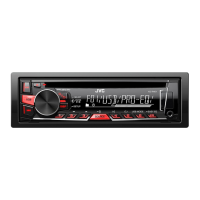
BRIGHTNESS
Sets the button, display and USB input terminal brightness for day and night
separately.
1
DAY
/
NIGHT
:Select day or night.
2
Select a zone for setting.
( 10)
3
Set the brightness level (
00
to
31
).
(Default:
BUTTONZONE
:
DAY
:
25
;
NIGHT
:
09
DISPZONE
:
DAY
:
31
;
NIGHT
:
12
)
SCROLL
*
2
ONCE
:Scrolls the display information once.;
AUTO
:Repeats scrolling at
5-second intervals.;
OFF
:Cancels.
COLOR
(for
KD-R561
)
PRESET
Select a color for [
BUTTONZONE
].
Default: [
COLOR06
]
•
COLOR01
to
COLOR29
•
USER
: The color you have created for [
DAYCOLOR
] or [
NIGHTCOLOR
] is
shown.
•
COLORFLOW01
to
COLORFLOW03
: Color changes at different speeds.
DAYCOLOR
Store your own day and night colors.
1
RED
/
GREEN
/
BLUE
:Select a primary color.
2
00
to
31
:Select the level.
Repeat steps
1
and
2
for all the primary colors.
• Your setting is stored to
[USER]
in
[COLOR]
.
NIGHTCOLOR
MENU COLOR
ON
:Changes the button illumination to white color when settings are
performed on menu and list search.;
OFF
:Cancels.
[
NIGHTCOLOR
] or [
DAYCOLOR
] is changed by turning on or off your car’s
headlight.
*
2
Some characters or symbols will not be shown correctly (or will be blanked).
DISPLAY SETTINGS
About discs and audio files
• This unit can only play the following CDs:
• This unit can play back multi-session discs; however, unclosed sessions will be skipped
during playback.
•
Unplayable discs:
- Discs that are not round.
- Discs with coloring on the recording surface or discs that are dirty.
- Recordable/ReWritable discs that have not been finalized.
- 8 cm CD. Attempting to insert using an adapter may cause malfunction.
•
DualDisc playback:
The Non-DVD side of a “DualDisc” does not comply with the “Compact
Disc Digital Audio” standard. Therefore, the use of Non-DVD side of a DualDisc on this product
cannot be recommended.
•
Playable files:
- File extensions: MP3(.mp3), WMA(.wma)
- Bit rate: MP3: 8kbps — 320kbps
WMA: 32kbps — 192kbps
- Sampling frequency:
MP3: 48kHz, 44.1kHz, 32kHz, 24kHz, 22.05kHz, 16kHz, 12kHz, 11.025kHz, 8kHz
WMA: 8kHz — 48kHz
- Variable bit rate (VBR) files.
•
Maximum number of characters for file/folder name:
It depends on the disc format used (includes 4 extension characters—<.mp3> or <.wma>.
- ISO 9660 Level 1 and 2: 32 characters
- Romeo: 32 characters
- Joliet: 32 characters
- Windows long file name: 32 characters
MORE INFORMATION
JS_JVC_KD_R561_EU_EN_06_f.indd 11JS_JVC_KD_R561_EU_EN_06_f.indd 11 4/8/2014 12:12:10 PM4/8/2014 12:12:10 PM


 To Next Page
 Loading...