EasyManua.ls Logo

JVC KD-R474 - User Manual

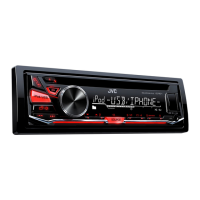
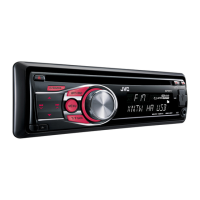
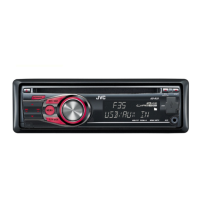
JVC KD-R474
68 pages
Print Icon
To Next Page IconTo Next Page
Loading...
Data Size: B6L (182 mm x 128 mm)
Book Size: B6L (182 mm x 128 mm)
ENGLISH
FRANÇAIS
DEUTSCH
РУCCKИЙ
B5A-0810-00 [E]
KD-R671 / KD-R571 / KD-R474 / KD-R472 / KD-R471
CD RECEIVER
INSTRUCTION MANUAL
RÉCEPTEUR CD
MANUEL D’INSTRUCTIONS
CD-RECEIVER
BEDIENUNGSANLEITUNG
CD-PECИBEP
ИHCTPУKЦИЯ ПO ЭKCПЛУATAЦИИ
JS_JVC_KD_R671_E_C_00.indd 1JS_JVC_KD_R671_E_C_00.indd 1 22/6/2015 3:37:04 PM22/6/2015 3:37:04 PM

Questions and Answers

JVC KD-R474 Specifications

General IconGeneral
MP3 playbackYes
DVD Video playbackNo
USB direct playback-
Audio formats supportedFLAC, MP3, WAV, WMA
Display typeLCD
Illumination colorBlue
Display number of lines12 lines
AM band range531 - 1611 kHz
FM band range87.5 - 108 MHz
LW band range153 - 279 kHz
Supported radio bandsAM, FM
DIN size1 DIN
Output power22 W
Product colorBlack
CD changer capacity1 discs
Disc types supportedCD-R, CD-RW
Operating system version4.1
Operating system installedAndroid
USB version2.0
Line outputs (RCA)1
Output voltage2.5 V
Input frequency20 - 20000 Hz
Headphone sensitivity90 dB
Peak Music Power Output (PMPO)50 W
Weight and Dimensions IconWeight and Dimensions
Depth53 mm
Width182 mm
Height158 mm
Weight1100 g
Dimensions (WxDxH)182 x 158 x 53 mm

Summary

Environmental and Safety Information

Understanding Your JVC Car Receiver

Device Faceplate Overview

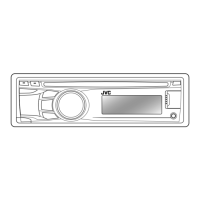
Identification of all buttons, controls, and the display on the unit's front.

Initial Setup and Configuration

Connecting and Playing Media

Managing Device Control Modes

Selecting control methods for iPod and Android devices.

Using the Radio Tuner

Station Tuning and Search Methods

Finding and locking onto FM and AM radio stations.

Preset Station Management

Saving, recalling, and managing preset radio stations.

Connecting External Audio Sources

Auxiliary Input for Audio Players

How to connect and play audio from wired devices via the AUX port.

Optimizing Your Audio Experience

Custom Sound Equalization

Fine-tuning bass, midrange, treble, and subwoofer levels for personalized sound.

Subwoofer and Speaker Output Configuration

Setting subwoofer levels, phase, and selecting speaker output types.

Customizing Display and Illumination

Troubleshooting Common Problems

General and Radio Troubleshooting Tips

Solutions for common sound, wiring, reception, and source selection issues.

Media Playback Troubleshooting

Resolving issues with CD, USB, and iPod playback, including disc errors.

Mobile Device Connectivity Issues

Fixes for problems with iPod, iPhone, and Android device detection and playback.

Installation and Wiring Guide

Important Installation Safety Precautions

Essential safety warnings and recommendations for installing the unit.

Physical Unit Installation

Step-by-step instructions for mounting the unit in the vehicle dashboard.

Detailed Wiring Diagrams

Visual guides for connecting the unit's wiring harness and ISO connectors.

Related product manuals