EasyManua.ls Logo

JVC KD-R528 - Listening to a Disc; Disc Playback and Ejection; Selecting Tracks and Playback Modes; Disc Display Information

JVC KD-R528
30 pages
Print Icon
To Next Page IconTo Next Page
To Previous Page IconTo Previous Page
Loading...
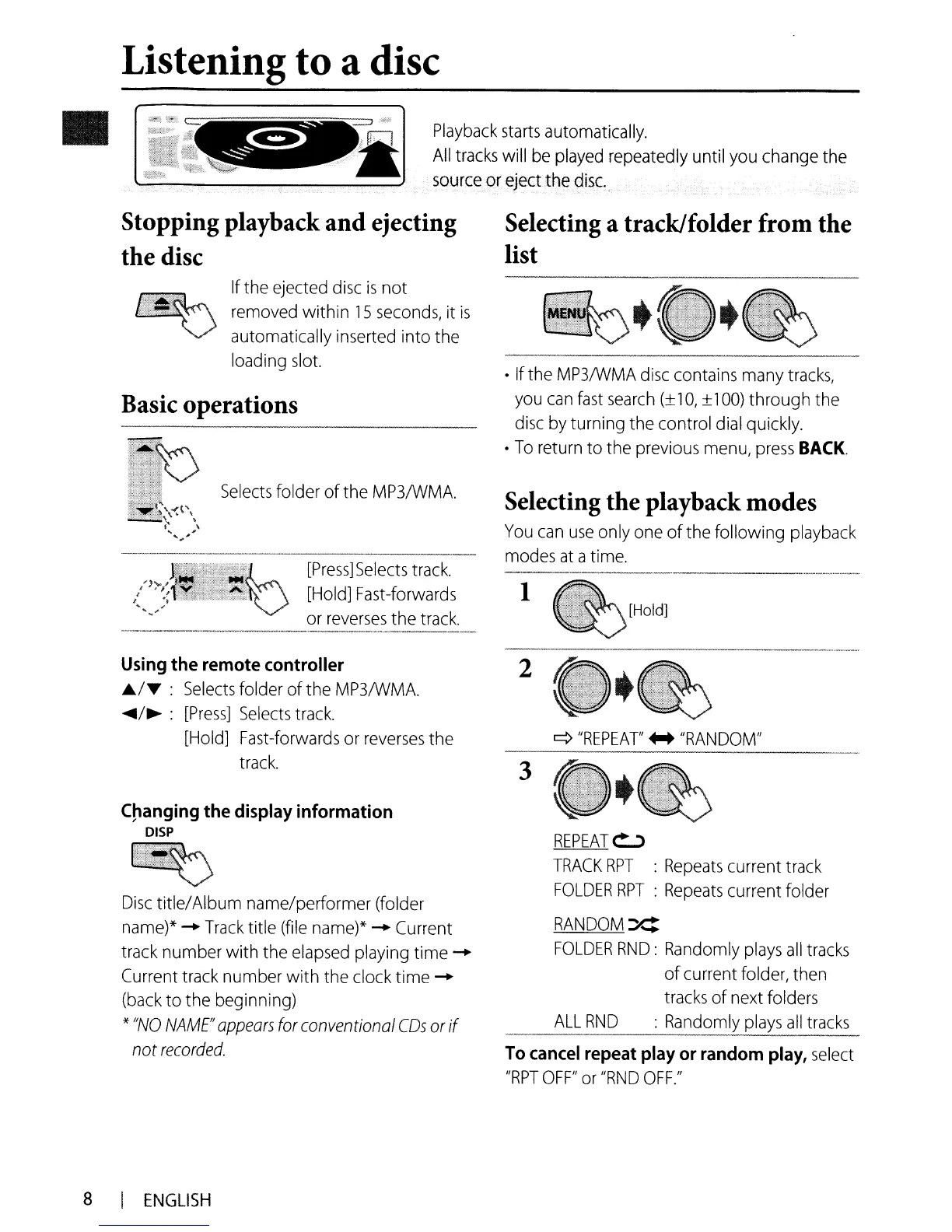
Listening to a disc
Playback
starts
automatically.
All
tracks
will
be
played
repeatedly
until
you
change
the
source
or
eject the
disc:
Stopping playback and ejecting
the disc
Selecting a track/folder from the
list
1
REPEAT~
TRACK
RPT
:
Repeats
current
track
FOLDER
RPT
:
Repeats
current folder
RANDOM:X:
FOLDER
RND:
Randomly
plays
all
tracks
ofcurrent folder,
then
tracks
of
next
folders
ALL
RND
:
Randomly
plays
all
tracks
-_
_
_.-
2
3
q
"REPEAT'
++
"RANDOM"
To
cancel
repeat
play
or
random
play,
select
"RPT
OFF"
or
"RND
OFF."
Selecting the playback modes
You
can
use
only
one
of
the following
playback
modes
at
a
time.
If
the
MP3IWMA
disc
contains
many
tracks,
you
can
fast
search
10,
±
100)
through
the
disc
by
turning
the
control
dial
quickly.
To
return
to the
previous
menu,
press
BACK.
[Press]
Selects
track.
[Hold]
Fast-forwards
or
reverses
the
track.
Selects
folder ofthe
MP3IWMA.
If
the ejected
disc
is
not
removed
within
15
seconds,
it
is
automatically
inserted
into the
loading
slot.
Disc
title/Album name/performer (folder
name)*
......
Track
title
(file
name)*
......
Current
track
number with the
elapsed
playing time
......
Current
track
number with
the
clock
time
......
(back
to
the beginning)
*
"NO
NAME"
appears
for
conventional
CDs
or
if
not
recorded.
C~anging
the
display
information
DISP
Using
the remote controller
./-.
:
Selects
folder of the
MP3IWMA.
~/~
:
[Press]
Selects
track.
[Hold]
Fast-forwards
or
reverses
the
track.
Basic operations
8 I
ENGLISH

Related product manuals