EasyManua.ls Logo

JVC KD-R561 - User Manual

JVC KD-R561
20 pages
Print Icon
To Next Page IconTo Next Page
Loading...
Data Size: B6L (182 mm x 128 mm)
Book Size: B6L (182 mm x 128 mm)
ENGLISH
B5A-0106-00 [U/UI]
KD-R661 / KD-R561 / KD-R466 / KD-R461
CD RECEIVER
INSTRUCTION MANUAL
Please read all instructions carefully before
operation to obtain the best possible performance
from the unit.
JS_JVC_KD_R661_U_C00.indd 1JS_JVC_KD_R661_U_C00.indd 1 2/7/2014 3:21:15 PM2/7/2014 3:21:15 PM

Questions and Answers

JVC KD-R561 Specifications

General IconGeneral
BrandJVC
ModelKD-R561
CategoryCar Receiver
LanguageEnglish

Summary

Before Use Safety and Care

Driving Safety Warning

Warning against operating functions that distract from safe driving.

Volume Caution

Caution regarding volume to ensure awareness of external sounds for accident prevention.

General Safety Caution

Caution against using external devices that may obstruct safe driving.

Unit Maintenance

Instructions for cleaning the unit's faceplate with a dry silicone or soft cloth.

Connector Cleaning

How to clean the unit's connector by detaching the faceplate and using a cotton swab carefully.

Disc Handling Precautions

Advice on handling discs, including not touching the recording surface.

Basic Operations and Controls

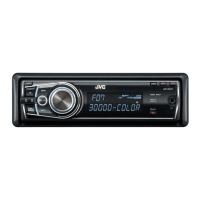
Faceplate Layout

Overview of the unit's faceplate layout, including buttons and display.

Remote Control Details

Details of the RM-RK52 remote control, including its sensor and battery replacement.

Unit Reset Procedure

Procedure to reset the unit, which will also erase preset adjustments.

Remote Battery Replacement

Steps for replacing the battery in the remote control, including battery type.

Getting Started Guide

Disable Demonstration Mode

Steps to disable the demonstration mode on the unit.

Setting the Clock

Procedure for setting the unit's clock, including 12/24 hour format.

Basic Settings Configuration

Guide to configuring fundamental settings like BEEP, SRC SELECT, and F/W UPDATE.

CD, USB, iPod, and Android Operation

Playback Start

Information on how playback starts automatically when changing sources.

CD Playback

Instructions for playing CDs, including ejecting discs and label side.

USB Device Connection

Details on connecting USB devices using a USB 2.0 cable.

iPod and iPhone Connection

Information on connecting iPod/iPhone devices, including required accessories.

Android Device Connection

Guide for connecting Android devices using a Micro USB 2.0 cable.

Advanced CD;USB;iPod;Android Functions

Selecting Control Mode

Explains how to select control modes for iPod and Android devices.

Choosing Music Storage Drive

Steps to select the music storage drive on a smartphone.

Adjusting Audiobook Playback Speed

How to adjust the playback speed for audiobooks on iPod/iPhone.

Selecting Files from Lists

Procedure for selecting specific files from folders or lists.

Quick File Search

Method for quickly searching through files by character.

Radio Operation and Settings

Station Search Methods

Instructions for searching for radio stations manually or automatically.

Storing and Selecting Stations

Guide on storing and selecting preset radio stations.

Storing a Station

Steps to store a currently tuned station using number buttons or volume knob.

Selecting a Stored Station

How to select a previously stored radio station.

Additional Radio Settings

Accessing and configuring other radio settings like TUNER and RADIO TIMER.

Radio Timer Function

How to set a timer to turn the radio on at a specific time.

Scan Station Memory (SSM)

Explanation of the SSM (Scan/Station Memory) function for auto-preset stations.

Auxiliary Input (AUX) Operation

Connecting Portable Audio Player

Connecting and playing audio from a portable audio player via a 3.5mm stereo mini plug.

Connecting Bluetooth Device

Connecting and using a Bluetooth device via the KS-BTA100 adapter.

Pandora Music Service

Pandora Preparation

Steps to install the Pandora app and prepare the device for use.

Starting Pandora Listening

How to open the Pandora app and connect the device to start listening.

Creating and Saving Stations

Process to create and save new Pandora stations based on tracks or artists.

Searching Registered Stations

How to search for and select registered Pandora stations by date or alphabetically.

Bookmarking Song;Artist Info

How to bookmark song or artist information for later reference.

iHeartRadio Music Service

iHeartRadio Preparation

Steps to install the iHeart Link app and prepare the device for use.

Starting iHeartRadio Listening

How to open the iHeart Link app and connect the device to start listening.

Searching iHeartRadio Stations

How to search for and select iHeartRadio stations by category or city.

Alphabetical City Search

Method to quickly search through city lists alphabetically.

Audio Settings and Equalizer

Preset Equalizer Selection

How to select and apply preset equalizer settings like FLAT, JAZZ, POP, etc.

Custom Sound Settings (EASY EQ)

Steps to create and save custom equalizer settings using EASY EQ.

Detailed EQ Preset Options

Details on preset equalizer options including FLAT, HARD ROCK, JAZZ, POP, and more.

EASY EQ Adjustment Details

Adjusting custom sound settings for SUB.W SP, SUB.W, BASS LVL, MID LVL, and TRE LVL.

PRO EQ Adjustment Details

Detailed adjustments for BASS, MIDDLE, and TREBLE with frequency and level settings.

Other Audio Settings

Accessing and configuring other audio settings via DISP-SETUP.

Advanced Audio Parameters

Bass Boost Adjustment

Adjusting the bass boost level or turning it off.

Loudness Feature

Boosting low or high frequencies at low volumes for better sound.

Subwoofer Level Control

Adjusting the output level of the subwoofer.

Subwoofer Output On;Off

Turning the subwoofer output on or off.

Subwoofer Low-Pass Filter (LPF)

Filtering audio signals sent to the subwoofer based on frequency.

Subwoofer Phase Setting

Selecting the phase of the subwoofer output for optimal performance.

Fader (Front;Rear Balance)

Adjusting the front and rear speaker output balance.

Balance (Left;Right)

Adjusting the left and right speaker output balance.

Source Volume Adjustment

Presetting volume adjustment levels for each source.

Amplifier Gain Setting

Setting amplifier gain to match speaker power and prevent damage.

Digital Track Expander (D.T.EXP)

Compensating high-frequency components for realistic sound.

Telephone Muting (TEL MUTING)

Muting audio sounds while using a cellular phone.

Speaker;Pre-Out Settings

Selecting appropriate settings for desired speaker or pre-out output.

Display Settings and Customization

Display Scroll Options

Setting the display information to scroll once or repeat at intervals.

Display Color Customization (KD-R561)

Setting preset colors or creating custom colors for the display and buttons.

Day Color Settings

Storing custom day colors using primary colors and brightness levels.

Night Color Settings

Storing custom night colors using primary colors and brightness levels.

Menu Color Setting

Changing button illumination to white color when navigating menus.

Display Dimmer Settings

Adjusting display and button illumination for day/night and dimmer timing.

Brightness Level Settings

Setting button, display, and USB brightness for day and night separately.

Additional Information

Disc and Audio File Compatibility

Information on playable CD types, file formats (MP3, WMA), bit rates, and character limits.

USB Device Compatibility

Details on USB device compatibility, file system, and maximum characters for names.

iPod and iPhone Compatibility

List of compatible iPod/iPhone models and notes on video file browsing.

Android Device Support

Information on Android OS support and compatibility with AOA 2.0.

Pandora Service Details

Availability and service details for Pandora.

iHeartRadio Service Details

Availability and service details for iHeartRadio.

Troubleshooting Common Issues

General Troubleshooting

Troubleshooting for common general issues like no sound or wiring errors.

Radio Reception Issues

Troubleshooting for radio reception problems or static noise.

Disc, USB, and iPod Problems

Solutions for disc errors, playback order, or unreadable discs/USB devices.

Pandora Service Issues

Troubleshooting for Pandora specific issues like "NOT SUPPORT" or "READING" errors.

iHeartRadio Service Issues

Solutions for iHeartRadio errors like "READING" or "CANNOT PLAY".

Auxiliary Input (AUX) Problems

Troubleshooting for AUX or connected device detection problems.

Bluetooth Audio (BT AUDIO) Issues

Solutions for Bluetooth audio connection or detection issues.

Advanced Troubleshooting

iPod;iPhone Operation Issues

Steps to resolve issues with iPod/iPhone not turning on or functioning correctly.

Android Device Issues

Troubleshooting for Android devices, including no sound or playback errors.

Pandora Application Errors

Solutions for Pandora errors like "STATION LMT", "UPGRADE APP", or "CONNECT ERR".

iHeartRadio Application Errors

Troubleshooting for iHeartRadio errors such as "CREATE ERR", "SAVE ERROR", or "DISCONNCTED".

Technical Specifications

Tuner Specifications (FM;AM)

Technical specifications for FM and AM tuner, including frequency range and sensitivity.

CD Player Specifications

Technical specifications for the CD player, including laser diode, spindle speed, and frequency response.

USB Specifications

Specifications for USB connectivity, including standard, file system, and power current.

Auxiliary Input Specifications

Specifications for the auxiliary input, including voltage and impedance.

Audio Output Specifications

Specifications for audio output, including power, speaker impedance, and preout levels.

General Unit Specifications

General specifications of the unit, including operating voltage, dimensions, and weight.

Installation and Connection Guide

In-Dash Mounting Procedure

Step-by-step guide for installing the unit into the dashboard.

Mounting Without Sleeve

Instructions for installing the unit without a mounting sleeve, using screws.

Unit Removal Instructions

Procedure for safely removing the unit from its installation.

Basic Installation Steps

A summary of the basic steps for installing the unit, including battery disconnection.

Wiring Connections

Vehicle Dashboard Wiring

Diagram showing connections to the vehicle dashboard and factory wiring harness.

Recommended Wiring Connections

Detailed wiring connections for power antenna, amplifier, illumination, and speakers.

Installation Part List

Listing of installation parts such as faceplate, trim plate, mounting sleeve, and wiring harness.

Related product manuals