To Next Page
J
jerryhartSep 23, 2025
Why does my JVC Car Receiver say “NOT SUPPORT” and skip tracks?
- SShelly DavisSep 23, 2025
If the JVC Car Receiver displays “NOT SUPPORT” and the track skips, check whether the track is a playable format.

Why does my JVC Car Receiver say “NOT SUPPORT” and skip tracks?
If the JVC Car Receiver displays “NOT SUPPORT” and the track skips, check whether the track is a playable format.
How to unlock 'CH LOCKED' on JVC Car Receiver?
If the JVC Car Receiver displays “CH LOCKED”, you need to enter the correct pass code to unlock it.
What to do if my JVC Car Receiver says “WRONG CODE”?
If your JVC Car Receiver displays “WRONG CODE”, ensure that you have entered the correct pass code.
Why does my JVC KD-R540 say “NO SIGNAL”?
If the JVC Car Receiver displays “NO SIGNAL”, make sure the antenna is mounted outside the vehicle.
Why are the correct characters not displayed on my JVC KD-R540?
If the correct characters are not displayed on your JVC Car Receiver, note that this unit can only display uppercase letters, numbers, and a limited number of symbols.
Why can't I select a source on my JVC KD-R540 Car Receiver?
If the source cannot be selected on your JVC Car Receiver, check the [SRC SELECT] setting.
What does “CHAN UNSUB” mean on my JVC KD-R540 Car Receiver and how to fix it?
If the JVC Car Receiver displays “CHAN UNSUB”, call 1-866-635-2349 to subscribe.
What to do when JVC Car Receiver displays “SUBSCRIPTN UPDATED – ENTER TO CONTINUE.”?
If the JVC Car Receiver displays “SUBSCRIPTN UPDATED – ENTER TO CONTINUE.”, press the volume knob to continue.
Why does my JVC Car Receiver say “NO SKIPS”?
If the JVC Car Receiver displays “NO SKIPS”, it means that the skip limit has been reached.
What does “STATION LIM” mean on my JVC Car Receiver?
If the JVC Car Receiver displays “STATION LIM”, the number of registered stations has reached its limit. Try again after deleting an unnecessary station on your device.
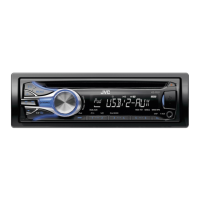
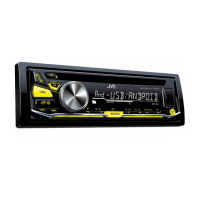
Explains the controls and display on the front panel of the unit.
Details the functions and usage of the included remote control.
How to find and tune into AM and FM radio stations automatically or manually.
How to begin playing audio from CD, USB storage, or iPod/iPhone devices.
Navigating through tracks or files on connected media.
Connecting and playing audio from portable devices via the auxiliary input.
Connecting and streaming audio wirelessly from Bluetooth-enabled devices.
Adjusting display and button illumination colors and brightness levels.
How to select SiriusXM and browse available channels.
Choosing from predefined sound equalization profiles.
Instructions for mounting the unit into a vehicle's dashboard.
Alternative methods for securing the unit if a mounting sleeve is not used.
 General
| Category | Car Receiver |
|---|---|
| Brand | JVC |
| Model | KD-R540 |
| Type | CD Receiver |
| CD Playback | Yes |
| MP3 Playback | Yes |
| WMA Playback | Yes |
| WAV Playback | Yes |
| USB Port | Yes |
| Auxiliary Input | Yes |
| Bluetooth | No |
| Detachable Faceplate | Yes |
| Display Type | LCD |
| Preset EQ | Yes |
| Built-in Amplifier | Yes |
| Tuner | AM/FM |
| AM/FM Presets | 24 (18 FM, 6 AM) |
| Subwoofer Output | Yes |
| Peak Power Output | 50 watts x 4 |
| Preamp Outputs | 2-channel |