EasyManua.ls Logo

JVC KD-R526 - User Manual

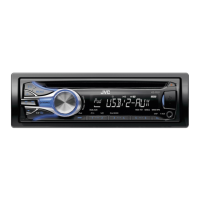
JVC KD-R526
22 pages
Print Icon
To Next Page IconTo Next Page
Loading...
ENGLISH
GET0702-005A
[UT]
EN, CT
0910DTSMDTJEIN© 2010 Victor Company of Japan, Limited
CD RECEIVER /
For canceling the display demonstration, see page 4. /
INSTRUCTIONS
For installation and connections, refer to the separate manual.
Having TROUBLE with operation?
Please reset your unit
Refer to page of How to reset your unit
KD-R526/KD-R426
CoverRear_KD-R526_005A_f.indd 1-2CoverRear_KD-R526_005A_f.indd 1-2 9/27/10 4:51:33 PM9/27/10 4:51:33 PM

Other manuals for JVC KD-R526

Questions and Answers

JVC KD-R526 Specifications

General IconGeneral
Display TypeLCD
CD PlayerYes
MP3 PlaybackYes
WMA PlaybackYes
Remote ControlYes
Steering Wheel Control CompatibleYes
Channels4
RMS Power22W x 4 (RMS)
USB InputYes
Aux InputYes
Preset EQYes
Power OutputMOS-FET 50W x 4

Summary

General Safety and Precautions

Laser Product Safety

Information on Class 1 Laser Product safety and handling.

Driving Safety Warnings

Advisories for safe operation while driving, including volume adjustments.

Disc Playback Cautions

Precautions for DualDisc and digital sources to prevent speaker damage.

Control Panel and Maintenance

Control Panel Attachment and Detachment

Instructions for removing and installing the detachable control panel.

Unit Reset and Disc Ejection Procedures

Procedures for resetting the unit and forcibly ejecting a disc.

Unit and Connector Maintenance

Guidelines for cleaning the unit and its connectors.

Initial Unit Setup Procedures

Canceling Display Demonstration Mode

Steps to disable the automatic display demonstration.

Setting the Unit Clock

Instructions for setting the unit's internal clock time.

Device and Media Handling Guidelines

Remote Controller Preparation and Battery Replacement

Guide for using the remote controller, including battery replacement.

Disc Compatibility and Handling

Information on playable discs and proper handling procedures.

Basic Unit Operations

Main Unit and Remote Control Functions

Overview of key buttons and their functions on the main unit and remote.

Radio Reception and Tuning

Improving FM Radio Reception Quality

Tips for enhancing FM signal quality and stereo effect.

Presetting and Storing Radio Stations

Manual and automatic methods for storing favorite radio stations.

Selecting Pre-stored Radio Stations

How to recall stored radio stations using the unit or remote.

Disc Playback Operations

Stopping and Ejecting Discs from the Unit

Procedures for pausing, stopping, and ejecting discs.

Navigating Disc Tracks and Folders

Navigation methods for MP3/WMA discs, including fast search.

Disc Playback Modes

Options for repeat, shuffle, and random playback of disc tracks.

Connecting External Audio Sources

Auxiliary Input Jack Connections

Details on connecting portable audio players via F-AUX and R-AUX.

Bluetooth Device Connectivity

Guide for connecting a Bluetooth device via the rear auxiliary input.

USB Device Music Playback

Connecting and Operating USB Devices for Music

Instructions for playing music files from USB mass storage devices.

Important Cautions for USB Device Usage

Important warnings and limitations when using USB devices.

iPod and iPhone Music Playback

Connecting iPod and iPhone for Playback

Steps for connecting and playing music from an iPod or iPhone.

Selecting iPod;iPhone Tracks and Menus

Navigating music libraries and selecting desired tracks or content.

iPod;iPhone Advanced Features

iPod;iPhone Specific Playback Modes

Available playback modes for music content from iPod/iPhone.

Selecting Preset Sound and EQ Modes

Choosing predefined equalizer settings for different music genres.

Sound Customization and Menu Navigation

Storing Custom Sound Mode Settings

Saving personalized equalizer and tone adjustments as a custom mode.

Navigating the Units Menu System

General guide for navigating and operating the unit's menu system.

Menu Settings and Configuration Options

Customizing Button and Display Colors

Customizing button and display illumination colors for day and night.

Display and Dimmer Configuration

Adjusting display brightness, scrolling information, and dimmer functions.

Advanced Menu Settings and Source Selection

Configuring Audio Settings

Configuring audio parameters like subwoofer, HPF, loudness, and volume adjustment.

Tuner and Source Selection Settings

Adjusting tuner behavior and selecting input sources like iPod or Bluetooth.

Troubleshooting Common Operational Issues

General and Radio Troubleshooting Solutions

Solutions for common problems like no sound, unit not working, or radio interference.

Disc and Media Playback Error Remedies

Remedies for disc errors, playback interruptions, and incorrect character display.

Troubleshooting and Media Compatibility Details

USB and iPod;iPhone Troubleshooting Guide

Solutions for USB device detection, playback errors, and iPod/iPhone issues.

Supported Media File Formats and Limitations

Details on supported file formats, bit rates, and limitations for MP3/WMA.

Using Bluetooth Enabled Devices

Bluetooth Device Pairing and Initial Setup

Steps for registering and connecting Bluetooth devices to the unit.

Bluetooth Phone Calls and Audio Streaming

How to handle calls and play audio via Bluetooth connection.

Technical Specifications and Compliance

Audio, Tuner, and CD Player Specifications

Detailed technical data for audio amplifier, tuner, and CD player sections.

USB, General, and Compliance Information

Specifications for USB standard, general operating parameters, and compliance.

Installation and Connection Manual Overview

Installation Warnings and Connection Precautions

Critical safety warnings and power/speaker connection precautions during installation.

In-Dash Mounting and Unit Installation

Step-by-step guide for mounting the unit into the vehicle's dashboard.

Electrical Wiring and Device Connections

Vehicle Wiring Harness and Unit Connections

Diagrams and instructions for connecting the unit's power, speakers, and accessories.

Connecting Bluetooth Adapters and Audio Players

Guide for connecting Bluetooth adapters and portable audio players.

Related product manuals