EasyManua.ls Logo

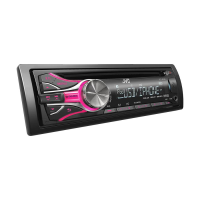
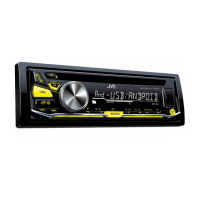
JVC KD-R54 - User Manual

JVC KD-R54
56 pages
Print Icon
To Next Page IconTo Next Page
Loading...
CD RECEIVER / RECEPTOR CON CD / RÉCEPTEUR CD
For canceling the display demonstration, see page 4. /
Para cancelar la demostración en pantalla, consulte la página 4. /
Pour annuler la démonstration des affichages, référez-vous à la page 4.
ENGLISH
ESPAÑOL
FRANÇAIS
INSTRUCTIONS
MANUAL DE INSTRUCCIONES
MANUEL D’INSTRUCTIONS
GET0827-001A
[J]
KD-R54
For installation and connections, refer to the separate manual.
Para la instalación y las conexiones, refiérase al manual separado.
Pour l’installation et les raccordements, se référer au manuel
séparé.
For Customer Use:
Enter below the
Model No. and Serial
No. which are located
on the top or bottom
of the cabinet. Retain
this information for
future reference.
Model No.
Serial No.

Other manuals for JVC KD-R54

Questions and Answers

JVC KD-R54 Specifications

General IconGeneral
BrandJVC
ModelKD-R54
CategoryCar Receiver
LanguageEnglish

Summary

IMPORTANT FOR LASER PRODUCTS

Unit Servicing Caution

Advises against opening the unit and to leave servicing to qualified personnel.

Laser Radiation Warning

Warns about laser radiation when the unit is open and advises not to stare into the beam.

Maintenance

Cleaning the Unit

Instructions for cleaning the exterior panel of the unit.

Cleaning the Connector

Instructions for cleaning the unit and control panel connectors.

Preparation

Canceling the Display Demonstration

Steps to disable the automatic display demonstration feature.

Setting the Clock

Instructions for setting the unit's internal clock.

Radio

Searching for a Station

Guides on finding radio stations using auto or manual search.

Storing Stations in Memory

Explains how to manually preset stations and use auto presetting (SSM).

CD;USB

Playing a CD;USB Device

How to connect and play music from CD or USB devices.

Selecting a Folder;Track

Steps for navigating and selecting folders and tracks from CD/USB media.

iPod;iPhone

Playing an iPod;iPhone

Connects and plays music from iPod/iPhone devices via USB.

Selecting the Control Mode

Explains different modes (HEAD, IPOD, EXT) for iPod/iPhone control.

External Components

Playing from Front;Rear AUX Input

Connects and plays audio from external devices via AUX input.

Sound Adjustments

Menu Operations

Menu Operations - Audio Settings

Menu Operations - Tuner Settings

Remote Controller Operations

Troubleshooting

General Troubleshooting

Common issues like no sound, wiring warnings, unit not working, and source selection problems.

CD;USB;iPod;iPhone Troubleshooting

Addresses problems with disc/USB playback, detection, and track order.

Pandora Troubleshooting

Solutions for Pandora® specific issues like skipping, no stations, or setup problems.

Specifications - Audio & Tuner

Audio Amplifier Specifications

Technical specifications for the audio amplifier, including power output and impedance.

Specifications - General

General Technical Specifications

General technical details like operating voltage, temperature, dimensions, and mass.

Related product manuals