EasyManua.ls Logo

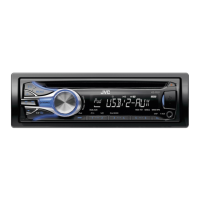
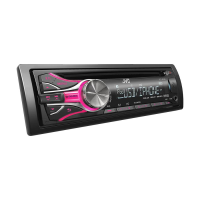
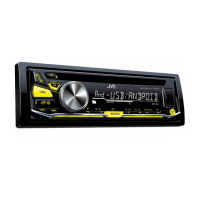
JVC KD-R536 - User Manual

JVC KD-R536
82 pages
Print Icon
To Next Page IconTo Next Page
Loading...
CD RECEIVER / РЕСИВЕР С ПРОИГРЫВАТЕЛЕМ
КОМПАКТ-ДИСКОВ / ϟΦυϙϧϏΩϟχΕλ CD
For canceling the display demonstration, see page 4. /
Информацию об отмене демонстрации функций дисплея см. на стр. 4. /
ζϛιϗϧύλΖϔ 4 ϟπϙϧϏτΣϟχϖΣΣϔυόϔκϖηςϔπνυϒΣϏμ
ENGLISH
РУCCKИЙ
ไทย
INSTRUCTIONS
ИНСТРУКЦИИ ПО ЭКСПЛУАТАЦИИ
ΦϕϠλϒλϕ
GET0770-001A
[U]
KD-R536/KD-R436/
KD-R435
For installation and connections, refer to the separate manual.
Указания по установке и выполнению соединений приводятся в отдельной инструкции.
ΣυϚεϔζϛΦϛΕσϙϏιϗϧϠτΣηΕϔΩύϔΣ ϢλΣϔυηϖζηϓϨΩϠχϒΣϔυϟάϙϧϏσηΕϏ
Question and Answer IconNeed help?

Do you have a question about the JVC KD-R536 and is the answer not in the manual?

JVC KD-R536 Specifications

General IconGeneral
BrandJVC
ModelKD-R536
CategoryCar Receiver
LanguageEnglish

Summary

INSTRUCTIONS

IMPORTANT FOR LASER PRODUCTS

CAUTION: Do not open the top cover.

Avoid opening the unit; servicing must be done by qualified personnel.

CAUTION: Visible and;or invisible class 1 M laser radiation when open.

Avoid direct viewing with optical instruments when the unit is open.

How to reset your unit

Remote controller

Basic operations

Radio

Searching for a station

How to manually or automatically search for radio stations.

Storing stations in memory

Methods for saving favorite radio stations.

CD;USB

Playing a CD;USB device

Connecting and playing audio from CDs and USB devices.

iPod;iPhone

Playing an iPod;iPhone

Connecting and playing audio from an iPod or iPhone.

Selecting the control mode

Choosing between HEAD MODE, IPOD MODE, and EXT MODE for iPod/iPhone.

External components

Playing an external component from Front;Rear AUX

Connecting and playing audio from external devices via AUX input.

Bluetooth

Sound adjustments

Menu operations

Troubleshooting

General (Troubleshooting)

Common issues like no sound, wiring errors, or unit not working.

CD;USB;iPod;iPhone (Troubleshooting)

Issues related to disc playback, USB, and iPod/iPhone connectivity.

Specifications

Related product manuals