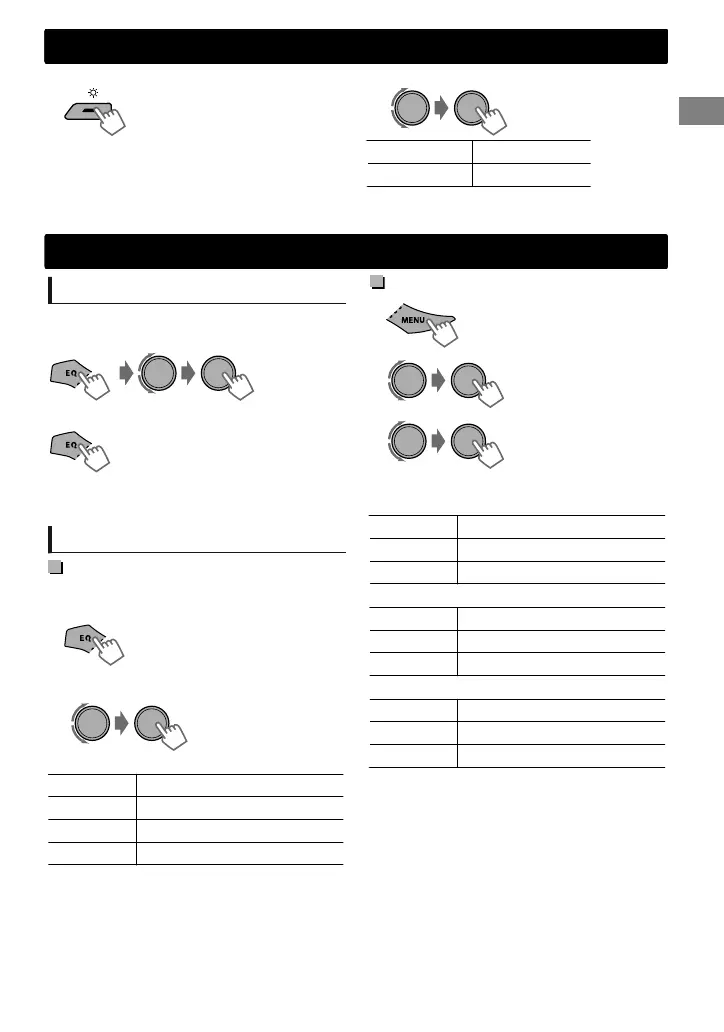
You can select your preferred brightness for <BUTTON ZONE>, <DISP ZONE> separately.
Brightness button is only available for KD-R436/
KD-R435.
For KD-R536, ' page 12.
1
BUTTON ZONE BUTTON 00 to 31
DISP ZONE DISP 00 to 31
2
3
Press MENU to exit.
Sound adjustments
Selecting the preset sound
You can select a preset sound mode, for each
individual source, suitable for the music genre.
- - - - - - - - or - - - - - - - -
Press repeatedly.
DYNAMIC-VOCAL BOOST-BASS BOOST-
USER-FLAT-NATURAL (back to the beginning)
Storing your own adjustments
Easy Equalizer
While listening, you can adjust the subwoofer
level and tone level of the selected sound mode.
(Hold)
1
(Initial: [XX])
SUB.W* 00 to 08 [08]
BASS LVL -06 to +06 [+05]
MID LVL -06 to +06 [00]
TRE LVL -06 to +06 [+05]
The adjustments are stored and <USER> is
activated.
2
Adjust the level.
* Available only when <L/O MODE> is set to
<SUB.W>. (' page 12)
Pro Equalizer
1
-<PRO EQ>
-<BASS>/<MIDDLE>/
<TREBLE>
2
Adjust the sound elements of the selected tone.
BASS (Initial: [XX])
Frequency 60/80/[100]/200 Hz
Level LVL -06 to +06 [+05]
Q [Q1.0]/Q1.25/Q1.5/Q2.0
MIDDLE
Frequency 0.5/[1.0]/1.5/2.5 kHz
Level LVL -06 to +06 [00]
Q Q0.75/Q1.0/[Q1.25]
TREBLE
Frequency 10.0/[12.5]/15.0/17.5 kHz
Level LVL -06 to +06 [+05]
Q [Q FIX]
3
4
Repeat steps 2 and 3 to adjust other tones.
The adjustments are stored and <USER> is
activated.
5
Press MENU to exit.
Brightness adjustments
Brightness adjustments
ENGLISHޓ|
11
2011/9/16ޓ19:35:58KD-R536_U_EN



 To Next Page
 Loading...