EasyManua.ls Logo

JVC KD-R571M - User Manual

JVC KD-R571M
68 pages
Print Icon
To Next Page IconTo Next Page
Loading...
Data Size: B6L (182 mm x 128 mm)
Book Size: B6L (182 mm x 128 mm)
ENGLISH
FRANÇAIS
РУCCKИЙ
TÜRKÇE
B5A-0809-00 [M2]
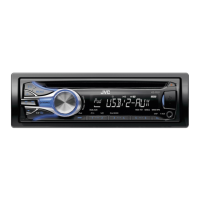
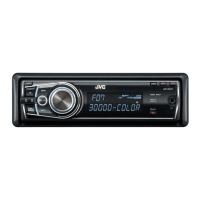
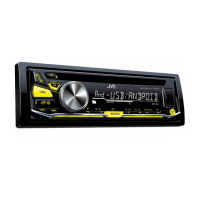
KD-R571M / KD-R473M / KD-R471M
CD RECEIVER
INSTRUCTION MANUAL
RÉCEPTEUR CD
MANUEL D’INSTRUCTIONS
CD-PECИBEP
ИHCTPУKЦИЯ ПO ЭKCПЛУATAЦИИ
CD RECEİVER
KULLANIM KILAVUZU
JS_JVC_KD_R571M_M2_C_00.indd 1JS_JVC_KD_R571M_M2_C_00.indd 1 21/7/2015 4:19:37 PM21/7/2015 4:19:37 PM

Questions and Answers

  • J
    Jacqueline HicksAug 19, 2025
    How to fix no sound on my JVC KD-R571M Car Receiver?
    • A
      Anna WrightAug 19, 2025
      If there is no sound from your JVC Car Receiver, first, ensure the volume is at an audible level. If the issue persists, check all cords and connections to confirm they are properly connected.
  • R
    Rebekah GuerreroAug 21, 2025
    How to eject a disc from JVC KD-R571M when it's stuck?
    • A
      Alfred BrownAug 21, 2025
      If your JVC Car Receiver won't eject the disc, press and hold the eject button to forcibly eject it. Be careful not to drop the disc when it comes out.
  • M
    Megan RodriguezAug 23, 2025
    Why is the radio reception poor on my JVC KD-R571M Car Receiver?
    • D
      djohnstonAug 23, 2025
      If you're experiencing poor radio reception with your JVC Car Receiver, make sure the antenna is firmly connected.
  • D
    Daniel HicksAug 26, 2025
    What to do if “MISWIRING CHECK” appears on JVC KD-R571M?
    • C
      Carolyn LongAug 26, 2025
      If “MISWIRING CHECK” appears on your JVC Car Receiver, turn off the power. Check the speaker wires to ensure the terminals are properly insulated, then turn the power back on.
  • L
    Lauren SharpAug 28, 2025
    What to do if my JVC Car Receiver says “CANNOT PLAY”?
    • T
      Travis DavenportAug 28, 2025
      If “CANNOT PLAY” flashes or your connected device isn't detected by the JVC Car Receiver: * Verify that the connected device is compatible with the unit and that the files are in a supported format. * Try reattaching the device.
  • R
    Rachel MoodyAug 30, 2025
    Why does “READING” keep flashing on my JVC KD-R571M Car Receiver?
    • W
      william84Aug 30, 2025
      If “READING” keeps flashing on your JVC Car Receiver, try these steps: * Avoid using too many hierarchical levels and folders. * Reload the disc or reattach the USB device.
  • J
    jriggsSep 1, 2025
    Why can't I playback in [AUTO MODE] on my JVC KD-R571M Car Receiver?
    • D
      Derrick PetersonSep 2, 2025
      If you cannot playback in [AUTO MODE] on your JVC Car Receiver: * Ensure the JVC MUSIC PLAY APP is installed on the Android device. * Reconnect the Android device and select the appropriate control mode. * If the problem persists, the connected Android device may not support [AUTO MODE].
  • L
    Laura MurraySep 4, 2025
    Why is the playback order wrong on my JVC KD-R571M Car Receiver?
    • M
      Michael JenkinsSep 4, 2025
      If the playback order on your JVC Car Receiver is not as expected, note that the order is determined by the file name (USB) or the order in which files were recorded (disc).
  • K
    Kathleen BrownSep 6, 2025
    What to do if “PLEASE” and “EJECT” appear on JVC KD-R571M Car Receiver?
    • K
      Kenneth MartinSep 6, 2025
      If “PLEASE” and “EJECT” appear alternately on your JVC Car Receiver, press the eject button, then insert the disc correctly.
  • C
    Charles TranSep 8, 2025
    Why is the elapsed playing time incorrect on my JVC KD-R571M?
    • A
      Ashley ThomasSep 8, 2025
      If the elapsed playing time is not correct on your JVC Car Receiver, it depends on the recording process used earlier.

JVC KD-R571M Specifications

General IconGeneral
CategoryCar Receiver
BrandJVC
ModelKD-R571M
TypeCD Receiver
Maximum Output Power50W x 4
RMS Power22W x 4
TunerFM/AM
CD PlaybackYes
MP3 PlaybackYes
WMA PlaybackYes
AAC PlaybackYes
FLAC PlaybackNo
USB InputYes
BluetoothYes
Display TypeLCD
Display ColorWhite
Subwoofer OutputYes
AUX InputYes
Detachable FaceYes
Remote ControlYes
Steering Wheel ControlYes
EQ Settings13-band graphic EQ
Built-in MicrophoneYes

Related product manuals