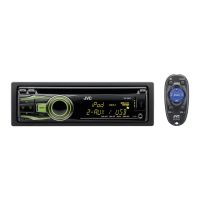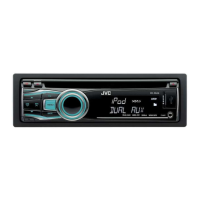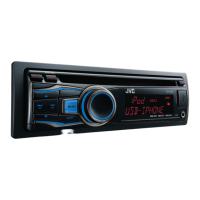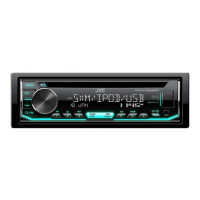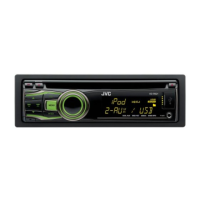

 To Next Page
B
Bradley Whitaker MDSep 10, 2025
Why does my JVC Car Receiver generate noise with my iPod?
- AanelsonSep 12, 2025
If noise is generated, turn off (uncheck) the “VoiceOver” feature of the iPod.

Why does my JVC Car Receiver generate noise with my iPod?
If noise is generated, turn off (uncheck) the “VoiceOver” feature of the iPod.
What to do if my JVC Car Receiver displays 'MISWIRING CHK WIRING THEN RESET UNIT'?
If you see the 'MISWIRING CHK WIRING THEN RESET UNIT' message, make sure the terminals of the speaker leads are properly covered with insulating tape. After checking the wiring, reset the unit.
Why is my JVC Car Receiver displaying 'NO DISC'?
If the display shows 'NO DISC', insert a playable disc into the loading slot.
Why is my JVC Car Receiver generating static noise while listening to the radio?
If you are experiencing static noise while listening to the radio, ensure the aerial is firmly connected.
What does it mean if 'PLEASE' and 'EJECT' appear alternately on my JVC Car Receiver display?
If 'PLEASE' and 'EJECT' are flashing, press the 0 button, then correctly insert a disc.
Why is my JVC Car Receiver displaying 'CANNOT PLAY' or 'NO USB'?
If 'CANNOT PLAY' or 'NO USB' is displayed, or the unit cannot detect the USB device, check if the connected USB device is compatible with the unit. You may also want to try reattaching the USB device.
Why does my JVC Car Receiver display 'NO FILE'?
If the display shows 'NO FILE', check whether the device contains playable files.
Why is the elapsed playing time incorrect on my JVC Car Receiver?
The elapsed playing time may sometimes be incorrect during playback due to how the tracks are recorded on the disc.
Why is the sound distorted on my JVC Car Receiver when using an iPod?
If the sound is distorted, deactivate the equalizer either on the JVC unit or the iPod/iPhone.
Why can't I select 'F-AUX' or 'R-AUX' on my JVC Car Receiver?
If you cannot select 'F-AUX' or 'R-AUX', check the = setting.
 General
| Bluetooth | Yes |
|---|---|
| USB Port | Yes |
| Audio Formats Supported | MP3, WMA, AAC |
| Display Type | LCD |
| Subwoofer Output | Yes |
| AUX Input | Yes |
| CD Player | Yes |
| Detachable Face | Yes |
| Remote Control | Yes |
| Power Output | 50W x 4 |
| RMS Power | 22W x 4 |
| Tuner | FM/AM |