EasyManua.ls Logo

JVC KD-R640 - User Manual

JVC KD-R640
16 pages
Print Icon
To Next Page IconTo Next Page
Loading...
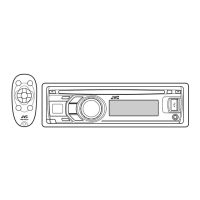
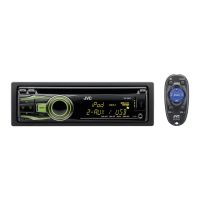
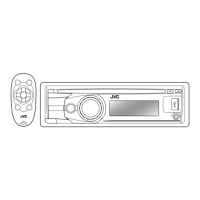
KD-A645 / KD-R640 / KD-R540 / KD-R440
GET0829-001A [J/JW]
ENGLISH
ESPAÑOL
FRANÇAIS
CD RECEIVER
INSTRUCTION MANUAL
RECEPTOR CON CD
MANUAL DE INSTRUCCIONES
RÉCEPTEUR CD
MANUEL D’INSTRUCTIONS
For customer Use:
Enter below the Model No. and Serial No. which are located on
the top or bottom of the cabinet. Retain this information for future
reference.
Model No.
Serial No.
Please read all instructions carefully before operation to obtain the
best possible performance from the unit.
Por favor lea detenidamente este manual para comprender a fondo
todas las instrucciones y obtener un máximo disfrute de esta unidad.
Veuillez lires les instructions attentivement avant d’utiliser l’appareil
afin d’obtenir les meilleures performances possibles de l’appareil.

EN_KD-A645_R640_540_440[J]f.indd 1 8/15/12 3:41:14 PM

Questions and Answers

  • G
    Glenda GutierrezAug 30, 2025
    Why is “READING” flashing on my JVC Car Receiver?
    • Z
      zsandersAug 30, 2025
      If the JVC Car Receiver displays “READING” keeps flashing, avoid using too many hierarchical levels and folders. You can also try reloading the disc or reattaching the USB device.
  • E
    Evan FryeAug 29, 2025
    How to improve radio reception on JVC KD-R640?
    • C
      Cynthia HerreraAug 29, 2025
      If the radio reception is poor on your JVC Car Receiver, connect the antenna firmly and pull the antenna out all the way.
  • A
    Anne TurnerAug 28, 2025
    Why does my JVC KD-R640 Car Receiver say “CANNOT PLAY”?
    • E
      Erik EdwardsAug 28, 2025
      If your JVC Car Receiver displays “CANNOT PLAY” flashes and/or connected device cannot be detected, verify that the connected device is compatible with the unit and that the files are in supported formats. Also, try reattaching the device.
  • K
    Kimberly BishopAug 27, 2025
    What does “CHK ANTENNA” mean on my JVC Car Receiver and how to fix it?
    • A
      amber46Aug 27, 2025
      If the JVC Car Receiver displays “CHK ANTENNA”, check that the antenna and its connection are in good condition.
  • R
    richardrosalesAug 26, 2025
    Why does my JVC KD-R640 say “NO SIGNAL”?
    • T
      Teresa ArnoldAug 27, 2025
      If the JVC Car Receiver displays “NO SIGNAL”, make sure the antenna is mounted outside the vehicle.
  • K
    Kaitlyn FarleyAug 25, 2025
    What to do if my JVC KD-R640 says “WRONG CODE”?
    • K
      Kimberly GilbertAug 26, 2025
      If your JVC Car Receiver displays “WRONG CODE”, ensure that you have entered the correct pass code.
  • T
    toddsmithAug 25, 2025
    How to unlock 'CH LOCKED' on JVC KD-R640?
    • J
      Jonathon BrewerAug 25, 2025
      If the JVC Car Receiver displays “CH LOCKED”, you need to enter the correct pass code to unlock it.

Summary

BEFORE USE

Safety and General Precautions

Includes warnings, cautions, and general safe operating practices for user safety.

Remote Control and Maintenance

Covers remote control usage, unit cleaning, and proper disc handling procedures.

BASICS

Unit Faceplate and Controls

Identifies key controls and features on the unit's front panel for user interaction.

Remote Control and Basic Operations

Explains remote operation and fundamental tasks like power, volume, and source selection.

GETTING STARTED

Initial Setup Procedures

Guides through cancelling demonstrations, setting the clock, and basic system configuration.

Source Selection Configuration

Details how to enable or disable audio sources like AM, Pandora, and AUX.

RADIO

Station Tuning and Storage

Explains how to find, store, and select radio stations using manual or automatic tuning.

Program Type Search and Timer

Details searching by program type (PTY) and setting the radio timer.

CD, USB, and iPod Playback

Playback Initiation and Navigation

How to start playback and navigate tracks/files for CD, USB, and iPod sources.

Advanced Playback Modes

Explains repeat play and random play options for various media types.

AUX Input and Bluetooth Audio

Portable Audio Player Connection

Steps to connect and play audio from a portable player via the AUX input.

Bluetooth Device Integration

Guides connecting and using a Bluetooth device via the KS-BTA100 adapter.

ILLUMINATION Customization

Display and Button Color Settings

How to customize illumination colors and brightness for the unit's display and buttons.

PANDORA Internet Radio

Pandora Setup and Usage

Covers preparation, listening, and service information for the Pandora internet radio feature.

SiriusXM Satellite Radio

SiriusXM Setup and Listening

Guides connecting the SiriusXM tuner and initiating service for satellite radio.

SiriusXM Operations and Settings

Channel Selection, Replay, and Locking

How to select channels, use replay, and manage channel lock settings.

Advanced SiriusXM Options

Covers subscription updates, signal status, and other advanced features.

AUDIO SETTINGS

Equalizer Presets and Customization

How to select preset EQs and store custom sound settings for personal preference.

Detailed Audio Adjustments

Covers fader, balance, bass, treble, subwoofer, and other audio parameters for sound tuning.

MORE INFORMATION

Media Compatibility and File Support

Information on playable discs, audio files, USB devices, and iPod/iPhone compatibility.

Software, Display Information, and Trademarks

Covers JVC software, display info for sources, and product trademarks.

TROUBLESHOOTING

Common Issues and Solutions

Provides remedies for common problems with the unit, iPod/iPhone, Pandora, and SiriusXM.

Unit Reset Procedure

Instructions on how to reset the unit to factory defaults to resolve persistent issues.

SPECIFICATIONS

Component Technical Specifications

Lists detailed technical specs for audio amplifier, tuner, CD player, USB, and general unit parameters.

INSTALLATION AND CONNECTION

Mounting and Wiring Procedures

Covers in-dash mounting, alternative installation, and basic connection steps for the unit.

Detailed Wiring and Parts List

Provides detailed wiring diagrams and lists necessary parts for installation.

SAFETY, REGULATORY, AND LEGAL INFORMATION

Cautions and FCC Compliance

Includes safety warnings, FCC rules, and compliance details for the device operation.

Trademark Acknowledgements and Disposal

Lists product trademarks and provides guidance on proper electronic waste disposal.

JVC KD-R640 Specifications

General IconGeneral
TunerAM/FM
RDSYes
BluetoothYes
USB PortYes
Preamp Outputs3 (Front, Rear, Subwoofer)
Display ColorWhite
CD PlayerYes
AUX InputYes
Subwoofer OutputYes
Remote ControlYes
Display TypeLCD
Preset EQYes
High-Pass FilterYes
Low-Pass FilterYes
Detachable FaceYes
Channels4
Power Output50 Watts x 4
RMS Power22 W
Audio Formats SupportedMP3, WMA

Related product manuals