EasyManua.ls Logo

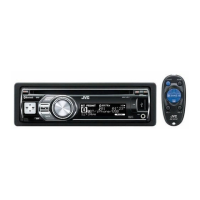
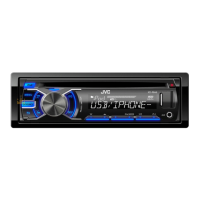
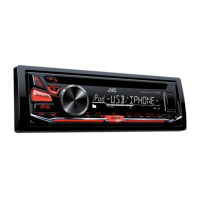
JVC KD-R671 - User Manual

JVC KD-R671
80 pages
Print Icon
To Next Page IconTo Next Page
Loading...
Data Size: B6L (182 mm x 128 mm)
Book Size: B6L (182 mm x 128 mm)
ENGLISH
ไทย
B5A-0808-00 [M]
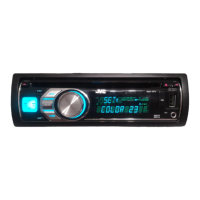
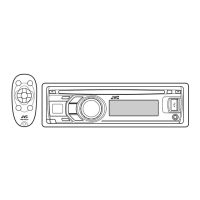
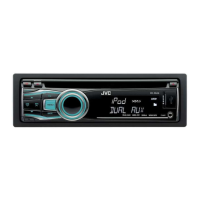
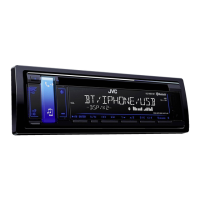
KD-R671 / KD-R571 / KD-R476 / KD-R471
CD RECEIVER
INSTRUCTION MANUAL
เครื่องเลน CD
ค
ู
่มือการใช้งาน
JS_JVC_KD_R671_M_C.indd 1JS_JVC_KD_R671_M_C.indd 1 10/7/2015 4:55:03 PM10/7/2015 4:55:03 PM

Questions and Answers

  • P
    psanchezSep 7, 2025
    What to do if my JVC KD-R671 shows 'MISWIRING CHECK'?
    • D
      Daniel BriggsSep 7, 2025
      If your JVC Car Receiver displays “MISWIRING CHECK Turn the power off, then check to be sure the terminals of WIRING THEN PWR ON”, turn the power off. Check the speaker wires to ensure the terminals are properly insulated, then turn the power back on.
  • J
    Julie WilliamsAug 22, 2025
    How to fix if no sound can be heard on JVC Car Receiver?
    • C
      Cindy LucasAug 22, 2025
      To address sound issues with your JVC Car Receiver, first adjust the volume to the optimum level, and then check all cords and connections to ensure they are properly connected.
  • L
    Lawrence JensenSep 4, 2025
    Why is the playback order not as intended on my JVC Car Receiver?
    • A
      alejandro33Sep 4, 2025
      If the playback order on your JVC Car Receiver is not as intended, note that the playback order is determined by the file name (USB) or the order in which files were recorded (disc).
  • T
    Tammy WilsonSep 3, 2025
    What to do if “NOT SUPPORT” appears and track skips on JVC KD-R671?
    • C
      Claudia AdamsSep 3, 2025
      If your JVC Car Receiver displays “NOT SUPPORT” and the track skips, check whether the track is a playable format.
  • C
    Catherine GuerreroSep 2, 2025
    What to do if “IN DISC” appears on JVC KD-R671?
    • M
      Michael LongSep 2, 2025
      If your JVC Car Receiver displays “IN DISC”, make sure nothing is blocking the loading slot when you eject the disc.
  • J
    Jeremy BatesAug 31, 2025
    What to do if “PLEASE” and “EJECT” appear alternately on JVC Car Receiver?
    • S
      snolanAug 31, 2025
      If your JVC Car Receiver displays “PLEASE” and “EJECT” alternately, press the button indicated, then insert the disc correctly.
  • J
    Janet StevensAug 30, 2025
    How to improve radio reception on JVC KD-R671 Car Receiver?
    • L
      lopezchristopherAug 30, 2025
      To improve radio reception on your JVC Car Receiver, connect the antenna firmly.
  • B
    Bobby CameronAug 29, 2025
    Why can't I playback at [AUTO MODE] on my JVC Car Receiver?
    • S
      Stephanie HamiltonAug 29, 2025
      If your JVC Car Receiver isn't playing in [AUTO MODE], ensure the JVC MUSIC PLAY APP is installed on your Android device. Reconnect the Android device and select the appropriate control mode. If the issue persists, your device may not support [AUTO MODE].
  • L
    Lisa ThomasAug 27, 2025
    Why is my iPod/iPhone not working with my JVC Car Receiver?
    • D
      dcunninghamAug 27, 2025
      If your iPod/iPhone isn't turning on or working with the JVC Car Receiver, check the connection between the two devices. If that doesn't work, detach and reset the iPod/iPhone using a hard reset.
  • R
    Ryan SanchezAug 26, 2025
    How to eject a stuck disc from JVC KD-R671?
    • S
      Shawn CarrollAug 27, 2025
      If your JVC Car Receiver is not ejecting the disc, press and hold to forcibly eject it. Be careful to avoid dropping the disc once it ejects.

Summary

Before Use

Important Safety Information

Read and observe warnings and cautions for safe operation and future reference.

Getting Started

Set the Clock

Procedure for setting the current time and date, including 12/24 hour format.

CD, USB, iPod, ANDROID

Playback Controls

How to play, fast-forward, rewind, select tracks, folders, repeat, and random play.

Selecting Sources

Instructions on how to switch between CD, USB, iPod, and Android sources.

Advanced CD;USB;iPod;ANDROID Operations

Control Modes

Select control modes for iPod (HEAD/IPHONE) and Android (AUTO/AUDIO).

Radio Operation

Station Search and Tuning

How to search for stations automatically or manually and tune them.

AUX Input

Audio Settings

Equalizer (EQ) Settings

Select preset equalizers or store custom sound settings.

EASY EQ and PRO EQ Adjustment

Detailed settings for Bass, Middle, and Treble levels and frequencies.

Advanced Audio and Speaker Settings

Speaker Output Configuration

Select output settings for speakers based on connection type (lineout/speaker leads).

Display Settings

Troubleshooting Guide

General and Radio Troubleshooting

Solutions for common issues like no sound, wiring errors, and poor radio reception.

CD;USB;iPod Troubleshooting

Resolving issues related to disc playback, errors, and playback order.

Advanced Troubleshooting

Android and iPod;USB Troubleshooting

Solutions for playback errors, device detection, and sound output issues.

Pandora Troubleshooting

Resolving issues with Pandora playback, station limits, and connection errors.

Installation and Connection

Important Warnings and Cautions

Safety precautions for power supply, wiring, and handling hot components.

Basic Installation Procedure

Step-by-step guide for removing the key, disconnecting the battery, wiring, and installing the unit.

Unit Mounting Instructions

How to install the unit in the dashboard, with or without the mounting sleeve.

Wiring Connections

Wiring Harness Overview

Diagrams showing connections for different models and custom wiring harnesses.

JVC KD-R671 Specifications

General IconGeneral
BrandJVC
ModelKD-R671
CategoryCar Receiver
LanguageEnglish

Related product manuals