15ENGLISH
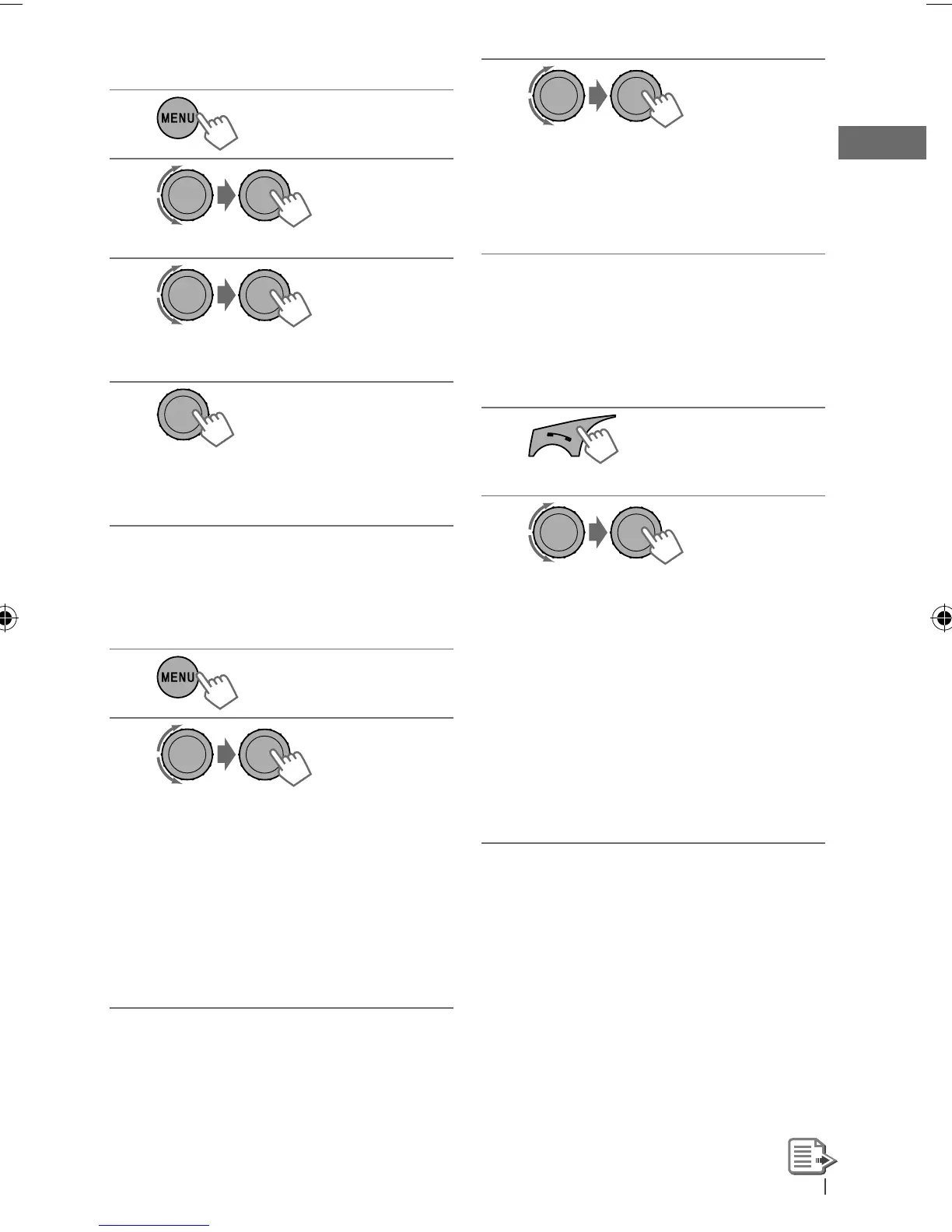
Deleting a registered device
1
2
] <Bluetooth> ] <Delete Pairing>
3
]
Select a device you want to delete.
“Delete OK?” appears on the display.
4
]
Delete the selection.
“OK” appears when the device is
deleted.
• To return to the previous menu, press
BACK
.
Connecting/disconnecting a
registered device
1
2
] <Bluetooth> ] <Connect Phone /
Connect Audio> or <Disconnect
Phone / Disconnect Audio>
• For connecting a device, go to step 3.
• For disconnecting a device,
“Disconnecting” appears, then
“Disconnected [Device Name]”
appears on the display when the
device is disconnected.
[Hold]
[Hold]
3
]
Select a device you want to connect.
• “Connecting...” appears, then
“Connected [Device Name]” appears
on the display when the device is
connected.
Using a Bluetooth mobile
phone
Making a call
1
] Enter “Call Menu” screen.
2
] Select the method to make a call.
• Dialed Calls *
1
: Shows the list of the
phone numbers you have dialed. Go
to the following step.
• Received Calls *
1
: Shows the list of
the received calls. Go to the following
step.
• Missed Calls *
1
: Shows the list of the
missed calls. Go to the following step.
*
1
“No History Found” appears and the
unit beeps if there is no history stored.
EN10-19_KD-R816_001A_2.indd 15EN10-19_KD-R816_001A_2.indd 15 12/15/09 9:22:55 AM12/15/09 9:22:55 AM


 To Next Page
 Loading...