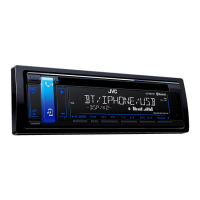
EasyManua.ls Logo

JVC KD-R826BT - User Manual

JVC KD-R826BT
36 pages
Print Icon
To Next Page IconTo Next Page
Loading...
ENGLISH
GET0716-001A
[U/UH]
EN, TH
0111DTSMDTJEIN© 2011 Victor Company of Japan, Limited
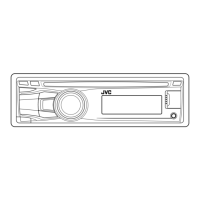
KD-R826BT
CD RECEIVER /
For canceling the display demonstration, see page 4. /
INSTRUCTIONS
For installation and connections, refer to the separate manual.
Having TROUBLE with operation?
Please reset your unit
Refer to page of How to reset your unit
CoverRear_KD-R826BT_001A_f.indd 1-2CoverRear_KD-R826BT_001A_f.indd 1-2 1/10/11 10:35:47 AM1/10/11 10:35:47 AM

Other manuals for JVC KD-R826BT

Questions and Answers

  • Y
    ybrownSep 12, 2025
    Why is the sound interrupted or skipped during playback of a Bluetooth audio player on my JVC KD-R826BT Car Receiver?
    • B
      brendanpalmerSep 13, 2025
      If the sound is interrupted or skipped during playback of a Bluetooth audio player on your JVC Car Receiver: 1. Reduce the distance between the unit and the Bluetooth audio player. 2. Disconnect the device connected for Bluetooth Phone. 3. Turn off, then turn on the unit. 4. Connect the player again, when the sound is not yet restored.
  • L
    Lisa MarshAug 25, 2025
    Why does my JVC KD-R826BT say “Cannot Play” or “No USB”?
    • A
      Arthur MoranAug 25, 2025
      If your JVC Car Receiver displays “Cannot Play” or “No USB”, check whether the connected USB device is compatible with this unit and reattach the USB device again.
  • S
    stevenlewisAug 25, 2025
    Why is the sound interrupted when listening to an external component connected to the auxiliary input jack on my JVC KD-R826BT Car Receiver?
    • E
      edwardsmichaelAug 26, 2025
      If the sound is sometimes interrupted while listening to an external component connected to the auxiliary input jack of your JVC Car Receiver, make sure you are using the recommended stereo mini plug for the connection.
  • I
    Ian HicksSep 23, 2025
    Why does my JVC KD-R826BT Car Receiver display “Cannot Play” with my iPod/iPhone?
    • J
      johnsonpaulSep 23, 2025
      If your JVC Car Receiver displays “Cannot Play”, check whether the connected iPod/iPhone is compatible with this unit.
  • C
    Charles Hammond MDSep 12, 2025
    Why does my JVC KD-R826BT Car Receiver not respond when copying the phonebook?
    • J
      Jacob HamptonSep 12, 2025
      If the unit does not respond when you try to copy the phonebook to the unit, you may have tried to copy the same entries (as stored) to the unit. Press DISP or BACK to exit.
  • A
    Autumn FarmerSep 18, 2025
    What to do if “HW Error” appears on the display of my JVC Car Receiver?
    • S
      sheila73Sep 18, 2025
      If “HW Error” appears on the display of your JVC Car Receiver, reset the unit and try the operation again. If “HW Error” appears again, consult your nearest JVC car audio dealer.
  • J
    Johnny ReillySep 5, 2025
    Why is the disc sound sometimes interrupted on my JVC Car Receiver?
    • C
      Courtney ClarkSep 5, 2025
      If the disc sound is sometimes interrupted on your JVC Car Receiver: 1. Stop playback while driving on rough roads. 2. Change the disc. 3. Check the cords and connections.
  • L
    lori33Sep 6, 2025
    Why won't my JVC Car Receiver play back a disc with MP3/WMA tracks?
    • A
      Amanda WelchSep 6, 2025
      If your JVC Car Receiver is not playing back a disc, use a disc with MP3/WMA tracks recorded in a format compliant with ISO 9660 Level 1, Level 2, Romeo, or Joliet. Also, add the extension code or to the file names.
  • S
    Sarah EllisSep 18, 2025
    Why does my iPod not turn on or work with my JVC KD-R826BT?
    • J
      Jack NortonSep 19, 2025
      If the iPod does not turn on or does not work with your JVC Car Receiver: 1. Check the connecting cable and its connection. 2. Charge the battery of the iPod/iPhone. 3. Reset the iPod/iPhone. 4. Check whether setting is appropriate.
  • T
    timothykleinAug 30, 2025
    Why does my JVC Car Receiver say “Not Support” and skip tracks?
    • T
      Timothy JohnsonAug 30, 2025
      If your JVC Car Receiver displays “Not Support” and track skips, skip to the next track encoded in an appropriate format or to the next non-copy-protected WMA track.

Summary

How to attach;detach the control panel

How to reset your unit

How to forcibly eject a disc

Maintenance

Cleaning the unit

Instructions for cleaning the unit's panel with a dry or soft cloth.

Cleaning the connector

Steps for cleaning the connector of the unit and panel using a cotton swab.

Canceling the display demonstration

Setting the clock

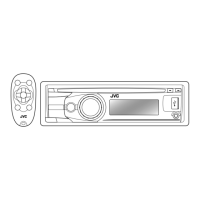
Preparing the remote controller

About discs

Handling discs

Guidelines for handling discs, including what discs can be used and how to clean them.

Basic operations

Listening to the radio

Improving the FM reception

Tips to enhance FM radio reception quality.

Manual presetting (FM;AM)

Instructions for manually tuning and saving radio stations.

Automatic presetting (FM)-SSM (Strong-station Sequential Memory)

Guide to automatically scan and store the strongest FM stations.

Listening to a disc

Title assignment

Stopping playback and ejecting the disc

Basic operations

Selecting the playback modes

How to select playback modes like Repeat and Random for MP3/WMA discs.

Selecting a track;folder from the list

Method for browsing and selecting tracks or folders from a disc list.

Changing the display information

Listening to a USB device

Using Bluetooth devices

Additional information

Extra details and considerations for using Bluetooth devices with the unit.

Connecting a Bluetooth device

To delete a registered device

To connect;disconnect a registered device

Using a Bluetooth mobile phone

Making a call

Guide on how to make phone calls using the Bluetooth mobile phone connected to the unit.

To select a contact from the phonebook

Receiving;ending a phone call

To switch conversation media (the unit;mobile phone)

Using a Bluetooth audio player

Selecting the playback modes

How to select playback modes like Repeat and Random for Bluetooth audio players.

Changing the Bluetooth settings

Listening to an iPod;iPhone

Selecting a track from the menu

Steps to browse and select tracks or other content from an iPod/iPhone menu.

Using the iPod;iPhone application

Listening to the other external components

Selecting a preset sound mode

Storing your own sound mode

Menu operations

Color Setup

How to adjust display and button illumination colors and patterns.

Clock

Settings related to the clock display, including format and time.

PRO EQ

Dimmer Set

Brightness

Fad;Bal

Loud

Volume Adjust

Subwoofer On;Off

IPod;iPhone Settings

USB Settings

Source Select

Software Version

Troubleshooting

General Issues

Solutions for common problems like no sound, unit not working, or display issues.

Disc playback issues

Troubleshooting steps for problems related to CD/DVD playback, skipping, or errors.

MP3;WMA playback issues

USB playback issues

Bluetooth issues

iPod;iPhone playback issues

Specifications

WARNINGS; คำเตือน

PRECAUTIONS on power supply and speaker connections

In-dash mounting; การติดตั้งจอแบบ In-dash

TROUBLESHOOTING; การแก้ไขปัญหาเบื้องต้น

ELECTRICAL CONNECTIONS; การเชื่อมต่อไฟฟ้า

Recommended connection; การเชื่อมต่อที่แนะนำ

Diagram and explanation of recommended electrical connections for the unit.

JVC KD-R826BT Specifications

General IconGeneral
BrandJVC
ModelKD-R826BT
CategoryCar Receiver
LanguageEnglish

Related product manuals