EasyManua.ls Logo

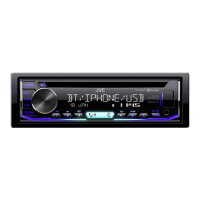
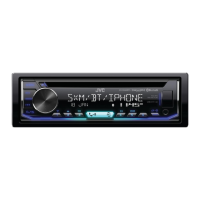
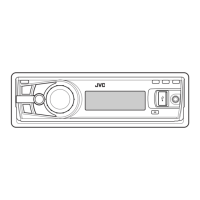
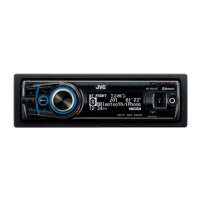
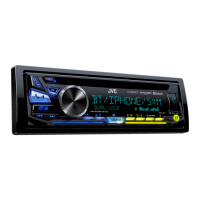
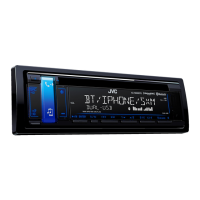
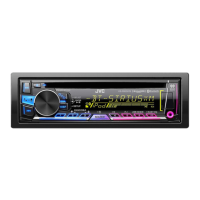
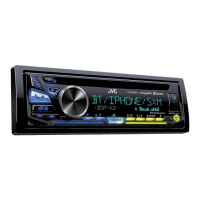
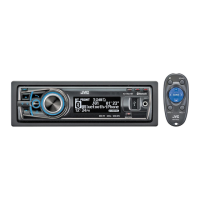
JVC KD-R991BT - User Manual

JVC KD-R991BT
156 pages
Print Icon
To Next Page IconTo Next Page
Loading...
Data Size: B6L (182 mm x 128 mm)
Book Size: B6L (182 mm x 128 mm)
ENGLISH

B5A-2127-00 [M]
KD-R991BT / KD-R891BT / KD-R792BT
CD RECEIVER
INSTRUCTION MANUAL

CD
คูมือการใชงาน
JS_JVC_KD_R991BT_M_C.indd 1JS_JVC_KD_R991BT_M_C.indd 1 7/24/2017 10:05:13 AM7/24/2017 10:05:13 AM

Questions and Answers

  • L
    Laura LynchSep 23, 2025
    What does “H/W ERROR” mean on JVC KD-R991BT Car Receiver?
    • J
      Jack LeeSep 23, 2025
      If “H/W ERROR” appears on your JVC Car Receiver, reset the unit and try the operation again. If the error persists, consult your nearest service center.
  • H
    Hannah RiveraAug 25, 2025
    How to eject a disc from JVC KD-R991BT Car Receiver?
    • R
      Robin WallaceAug 25, 2025
      If you're having trouble ejecting a disc from your JVC Car Receiver, press and hold the eject button to forcibly eject the disc. Be careful not to drop the disc once it comes out.
  • S
    stevenfisherAug 25, 2025
    Why can't I control the Bluetooth audio player on my JVC KD-R991BT?
    • B
      Brian OrrAug 26, 2025
      If the connected Bluetooth audio player cannot be controlled with your JVC Car Receiver, first check whether the connected Bluetooth audio player supports Audio/Video Remote Control Profile (AVRCP). If it does, try disconnecting and reconnecting the Bluetooth player.
  • M
    Michael WatkinsAug 27, 2025
    Why is no Bluetooth device detected on JVC KD-R991BT Car Receiver?
    • G
      garybraunAug 27, 2025
      If no Bluetooth device is being detected by your JVC Car Receiver, try searching from the Bluetooth device again. If that doesn't work, reset the unit.
  • G
    Gina ThomasSep 23, 2025
    What does “UPGRADE APP” mean on JVC KD-R991BT?
    • D
      daniel91Sep 23, 2025
      If “UPGRADE APP” appears on your JVC Car Receiver, make sure you have installed the latest version of the Pandora application on your device.
  • P
    Phillip HallSep 13, 2025
    What does “IN DISC” mean on JVC Car Receiver?
    • J
      jessica60Sep 13, 2025
      If “IN DISC” appears on your JVC Car Receiver, ensure that nothing is blocking the loading slot when you eject the disc.
  • C
    Christina MahoneySep 12, 2025
    Why source cannot be selected on JVC Car Receiver?
    • S
      Sharon GilbertSep 12, 2025
      If the source cannot be selected on your JVC Car Receiver, check the [SOURCE SELECT] setting.
  • C
    Carrie SpencerSep 12, 2025
    What does “PROTECTING SEND Send the unit to the nearest service center. SERVICE” mean on JVC KD-R991BT?
    • T
      Tyler BrooksSep 12, 2025
      If the message “PROTECTING SEND Send the unit to the nearest service center. SERVICE” appears on your JVC Car Receiver, send the unit to the nearest service center.
  • J
    Jose PerezSep 4, 2025
    What does “PLEASE WAIT” mean on JVC Car Receiver?
    • M
      Mark ReidSep 4, 2025
      If the message “PLEASE WAIT” appears on your JVC Car Receiver, the unit is preparing to use the Bluetooth function. If the message persists, turn the unit off and on, then connect the device again.
  • V
    Victoria BrowningSep 2, 2025
    How to fix echo or noise on JVC KD-R991BT?
    • M
      Michael BrownSep 2, 2025
      If you are experiencing echo or noise issues with your JVC Car Receiver, try adjusting the position of the microphone unit. Additionally, check the [ECHO CANCEL] setting.

JVC KD-R991BT Specifications

General IconGeneral
BrandJVC
ModelKD-R991BT
CategoryCar Receiver
LanguageEnglish

Related product manuals