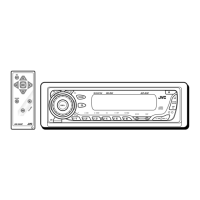
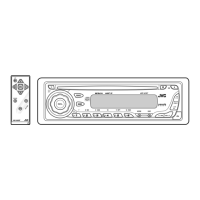
11
ENGLISH
Sound adjustments
You can select a preset sound mode suitable to the
music genre (iEQ: intelligent equalizer).
Indication (For)
BAS*
1
MID*
2
TRE*
3
S.BS*
4
USER
(Flat sound)
00 00 00 OFF
ROCK
(Rock or disco music)
+03 00 +02 ON
CLASSIC
(Classical music)
+01 00 +03 OFF
POPS
(Light music)
+02 +01 +02 OFF
HIP HOP
(Funk or rap music)
+04 –02 +01 ON
JAZZ
(Jazz music)
+03 00 +03 OFF
*
1
: Bass; *
2
: Mid-range; *
3
: Treble; *
4
: Super bass
Selecting the playback modes
You can use only one of the following playback modes
at a time.
1
2 Select your desired playback mode.
7 Repeat play
Mode Plays repeatedly
TRK RPT : The current track.
FLDR RPT*
1
: All tracks of the current folder.
DISC RPT*
2
: All tracks of the current disc.
RPT OFF : Cancels.
7 Random play
Mode Plays at random
FLDR RND*
1
: All tracks of the current folder,
then tracks of the next folder
and so on.
DISC RND : All tracks of the current disc.
MAG RND*
2
: All tracks of the inserted discs.
RND OFF : Cancels.
*
1
Only while playing an MP3 or a WMA disc.
*
2
Only while playing discs in the CD changer.
Preset values
EN06-11_KD-S34[J]f.indd 11EN06-11_KD-S34[J]f.indd 11 4/25/07 10:24:06 AM4/25/07 10:24:06 AM



 To Next Page