
 To Next Page
J
Joshua HullSep 10, 2025
What does “NOT SUPPORT” mean on my JVC Car Receiver?
- TTheresa ToddSep 10, 2025
If “NOT SUPPORT” appears on your JVC Car Receiver, the connected phone does not support the Voice Recognition feature.

What does “NOT SUPPORT” mean on my JVC Car Receiver?
If “NOT SUPPORT” appears on your JVC Car Receiver, the connected phone does not support the Voice Recognition feature.
How to fix pairing issues on JVC Car Receiver?
If you are having trouble pairing your device with the JVC Car Receiver, make sure you have entered the same PIN code on both the unit and your Bluetooth device. If pairing still fails, delete the pairing information from both the unit and the Bluetooth device, and then try the pairing process again.
What to do if my JVC Car Receiver doesn't detect my Bluetooth device?
If your JVC Car Receiver is not detecting your Bluetooth device, try searching from the Bluetooth device again. If it still doesn't work, reset the unit.
What does “BT DEVICE NOT FOUND” mean on my JVC Car Receiver?
If “BT DEVICE NOT FOUND” appears on your JVC Car Receiver, the unit failed to search for the registered Bluetooth devices during [AUTO CNNCT]. Turn on Bluetooth from your device and connect manually.
What to do if my JVC Car Receiver won't eject the disc?
If your JVC Car Receiver will not eject the disc, press and hold to forcibly eject the disc. Be careful not to drop the disc when it is ejected.
What to do if the radio reception is poor on my JVC Car Receiver?
If you are experiencing poor radio reception on your JVC Car Receiver, ensure that the antenna is firmly connected. Also, try pulling the antenna out all the way to improve the signal.
What does “CHK DEVICE” mean on my JVC Car Receiver?
If “CHK DEVICE” appears on your JVC Car Receiver, check the Pandora application on your device.
How to fix echo or noise on JVC Car Receiver?
To address echo or noise issues with your JVC Car Receiver, adjust the microphone unit’s position. Also, check the [ECHO CANCEL] setting.
What does “PLEASE” and “EJECT” alternately mean on JVC Car Receiver?
If “PLEASE” and “EJECT” appear alternately on your JVC Car Receiver, press , then insert the disc correctly.
Why is playback intermittent on my JVC Car Receiver?
If you are experiencing intermittent playback or sound skipping on your JVC Car Receiver, turn off the power saving mode on the Android device.
Essential warnings, cautions, and guidelines for safe operation, including volume and device handling.
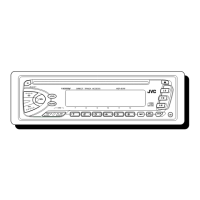
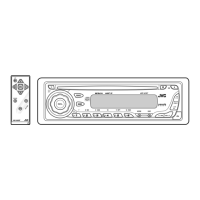
Overview of unit controls, remote operation, reset, and battery replacement for the remote.
Guides through disabling demo mode, setting the clock, and configuring system settings like beep and source selection.
Details connecting and playing audio from CD, USB drives, iPod, and Android devices.
Explains track selection, folder navigation, repeat, and random play options for media.
Describes control modes, music drive selection, quick file search, and audiobook playback features.
Explains searching for stations, storing presets, recalling stations, and radio timer functions.
Covers advanced radio tuning options and guides on connecting external audio devices via Aux.
Covers Pandora setup, listening, station management, and playback controls.
Details iHeartRadio setup, listening, station navigation, and playback controls.
Guides on pairing Bluetooth devices and connecting the external microphone for calls.
Covers receiving calls, adjusting phone volume, switching modes, and call quality adjustments.
Details auto-answer settings, making calls, and accessing recent calls and phonebook.
Covers dialing numbers, voice commands, deleting contacts, and storing contacts in memory.
Details device management, PIN codes, auto-connection, and compatibility checks.
Covers controlling audio players and streaming internet radio services via Bluetooth.
Details selecting preset equalizers and storing custom sound settings for EASY EQ and PRO EQ.
Explains settings for Bass Boost, Loudness, Subwoofer Level, LPF, Phase, Fader, Balance, and connection types.
Covers dimmer settings, brightness levels, and controlling display information scrolling.
Lists compatible CD types, playable file formats (MP3, WMA, AAC), and file naming conventions.
Provides details on USB, iPod/iPhone, Android, Pandora, iHeartRadio, and Bluetooth device compatibility.
Explains changing display information for various sources like FM/AM, CD/USB, and BT AUDIO.
Addresses common issues like no sound, wiring problems, protection service, and poor radio reception.
Covers errors like "CANNOT PLAY", device detection issues, character display problems, and no sound.
Addresses pairing failures, connection errors, no sound, audio interruptions, and device control problems.
Lists specifications for FM/AM tuner, CD player, USB standards, and auxiliary input.
Provides Bluetooth specs, audio output power, speaker impedance, and general operating parameters.
Details installing the unit into the dashboard and outlines basic wiring for power and speakers.
Shows recommended wiring connections and lists included installation parts like faceplate and trim plate.
 General
| Bluetooth | Yes |
|---|---|
| USB Port | Yes |
| AUX Input | Yes |
| CD Player | Yes |
| Radio Tuner | AM/FM |
| Max Power Output | 50W x 4 |
| Display Type | LCD |
| Detachable Faceplate | Yes |
| Steering Wheel Control Ready | Yes |
| Audio Formats Supported | MP3, WMA |
| Remote Control | Yes |
| MP3 Playback | Yes |
| WMA Playback | Yes |
| Type | Receiver |