Need help?
Do you have a question about the JVC KD-SV3204 and is the answer not in the manual?
Identifies the product as a Class 1 laser device.
Warns about opening the unit and laser radiation exposure.
Refers to the caution label placed on the unit's exterior.
Instructions on how to reset the unit to its default settings.
Explains the function of the M MODE button and its associated buttons.
Provides steps to forcibly remove a disc from the unit.
Explains how button operations are illustrated in tables.
Explains symbols indicating player operations and display indicators.
Provides instructions for removing and attaching the detachable control panel.
Identifies and explains the components of the control panel and display window.
Explains the various indicators shown in the display window.
Instructions for installing the CR2025 battery into the remote control.
Detailed explanation of the functions of remote control buttons 5 through 12.
Covers turning on the unit, basic tuning, and volume adjustment.
Instructions to turn off the unit's display demonstration feature.
Steps to set the current time displayed on the unit.
Tips for receiving FM stereo broadcasts when the signal is weak.
Explains how to store stations manually and automatically using SSM.
Step-by-step guide to manually preset a radio station.
How to select and listen to pre-stored radio stations.
Instructions for playing discs directly in the unit.
How to temporarily stop playback or eject a disc.
How to play discs using an external CD changer.
How to select discs in the changer and navigate folders for MP3/WMA.
Instructions for fast-forwarding, reversing, and skipping tracks/folders.
Methods to directly select tracks or folders on MP3/WMA discs.
How to navigate menus and select items during VCD playback with PBC.
Steps for correcting input errors and returning to previous menus.
How to view track number and elapsed time on the monitor.
How to choose between STEREO, MONO L, or MONO R audio channels.
How to select folders and tracks on the monitor screen.
Explains how to choose repeat play modes for MP3/WMA files.
Details the different random play modes for MP3 and WMA files.
How to cycle through different display information using the DISP button.
How disc titles, track titles, album names, and file names are displayed.
How to lock a disc in the loading slot to prevent accidental ejection.
How to choose custom equalizer (C-EQ) modes like ROCK, CLASSIC, etc.
How to manually adjust bass, treble, fader, balance, and loudness.
How to enable or disable the automatic display demonstration.
How to set the clock time and adjust display brightness.
How to configure phone muting and display scrolling behavior.
Settings for displaying MP3 tag information and adjusting amplifier gain.
How to select video system (PAL/NTSC) and external input sources.
Steps and precautions before connecting an iPod or D. player.
How to enter the main menu and select items for iPod/D. player.
How to pause, resume, fast-forward, and adjust sound for iPod/D. player.
How to confirm selections and navigate back through menus.
How to set random and repeat playback modes for iPod/D. player.
How to connect and play audio/video from external sources.
How to adjust volume and sound settings for external inputs.
Instructions for cleaning connectors and dealing with moisture condensation.
Guidelines for removing, handling, and storing discs to prevent damage.
Advice on cleaning discs and handling new discs with rough edges.
Lists discs not to use and cautions about DualDisc playback.
Covers power on/off, and automatic/manual station storage.
Notes on DualDisc playback and supported media formats.
Instructions for inserting discs and general playback advice.
Specifics on playing recordable CDs and VCDs, including PBC limitations.
Details on file formats, bit rates, sampling frequencies, and disc formats for MP3/WMA.
Information on VBR files, file/folder limits, and unsupported file types.
How to switch playback sources and the procedure for ejecting discs.
Solutions for sound issues, unit not working, and radio preset problems.
Solutions for disc ejection, playback errors, and NO DISC messages.
Solutions for file recognition, track order, and character display issues.
Solutions for NO DISC, NO MAG, and CD changer errors.
Solutions for NO IPOD, ERROR 01, and control issues.
Technical details for the audio amplifier and video output sections.
Technical details for FM and AM tuner sensitivity, selectivity, and frequency ranges.
Technical details for the disc player, power, dimensions, and operating temperature.
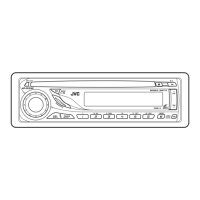
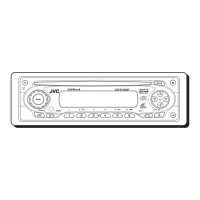
This document describes the JVC KD-SV3204 VCD/CD Receiver, a car audio system designed for playing various digital media formats and radio.
The JVC KD-SV3204 is a versatile car audio receiver capable of playing VCDs, CDs, WMA, and MP3 files. It also features an AM/FM tuner for radio reception. The unit is equipped with a detachable faceplate for security and includes a remote control for convenient operation. It supports external components like CD changers and iPod/D. players, expanding its media playback capabilities. The receiver offers sound adjustment features, including a graphic equalizer with preset modes (USER, ROCK, CLASSIC, POPS, HIP HOP, JAZZ) and loudness control, allowing users to customize the audio output to their preference. It also includes a PSM (Preferred Setting Mode) for saving and recalling various system settings, such as display demonstration, clock adjustment, dimmer, telephone muting, scroll behavior, tag display, amplifier gain control, and video system settings.
The receiver's operation is primarily managed through its control panel and a remote controller (RM-RK120). The control panel includes buttons for power on/off, source selection (CD, VCD, AM/FM, external inputs), band selection, play/pause, fast-forward/rewind, track/folder selection, display mode, sound adjustments (loudness, equalizer), and number buttons for direct track/preset selection. The volume is adjusted using a rotary knob.
For radio operation, users can manually tune or search for stations. The unit supports storing up to six stations in memory for each band (FM1, FM2, FM3, AM). The "SSM" (Strong-station Sequential Memory) feature allows for automatic storage of the strongest local FM stations.
When playing discs, the unit supports various playback modes, including normal playback, random play (FLDR RND for folders, DISC RND for discs, MAG RND for all tracks in the magazine), and repeat play (ONE RPT for current track, ALL RPT for all tracks, RPT OFF to cancel). For VCDs with Playback Control (PBC), users can navigate through menus and select items using the number buttons. The On-Screen Display (OSD) provides information like current track number and elapsed playing time.
For MP3/WMA playback, the receiver displays artist name, song title, album name, and folder name (if available from ID3 tags). Users can select folders and tracks, and the unit supports various playback modes like random and repeat.
The receiver can be connected to an iPod or a D. player via an interface adapter (KS-PD100 for iPod, KS-PD500 for D. player). This allows for playback of audio from these devices, with controls available through the receiver's control panel or remote. Users can select tracks, albums, artists, genres, and composers from the connected device.
The manual provides instructions for installing the lithium coin battery (CR2025) in the remote controller. It also offers guidance on how to clean the connectors to prevent frequent detachment. For moisture condensation inside the VCD/CD player, which can occur in humid conditions, the manual advises ejecting the disc and leaving the unit turned on for a few hours until the moisture evaporates.
Regarding disc handling, it recommends holding discs by the edges and storing them in cases to prevent damage. For cleaning discs, a soft cloth moistened with alcohol is suggested, avoiding solvents like benzine or thinner. The manual also warns against using non-DVD side of a DualDisc or discs with rough spots or labels, as these may cause playback issues or damage the unit.
The troubleshooting section provides a comprehensive list of symptoms and their corresponding remedies/causes for various issues related to general operation, FM/AM radio, disc playback, MP3/WMA playback, CD changer, and iPod/D. player playback. This includes advice on checking connections, resetting the unit, updating firmware, changing batteries, and proper disc handling. For example, if "NO DISC" appears, the user should insert a disc. If the sound is distorted, deactivating the equalizer on the unit or the iPod/D. player is suggested.
 General
| Category | Car Receiver |
|---|---|
| Brand | JVC |
| Model | KD-SV3204 |
| Type | CD Receiver |
| DIN Size | 1 DIN |
| Channels | 4 |
| CD Player | Yes |
| CD-R Playback | Yes |
| CD-RW Playback | Yes |
| MP3 Playback | Yes |
| WMA Playback | Yes |
| USB Port | No |
| Auxiliary Input | Yes |
| Bluetooth | No |
| Remote Control | Yes |
| Display | LCD |
| Preset EQ | Yes |
| Clock | Yes |
| Detachable Face | Yes |
| EQ Bands | 3 |
| Preamp Voltage | 2.5 volts |
| Peak Power Output | 50 Watts |


 To Next Page