EasyManua.ls Logo

JVC KD-SV3305 - User Manual

JVC KD-SV3305
50 pages
Print Icon
To Next Page IconTo Next Page
Loading...
ENGLISH
INDONESIA
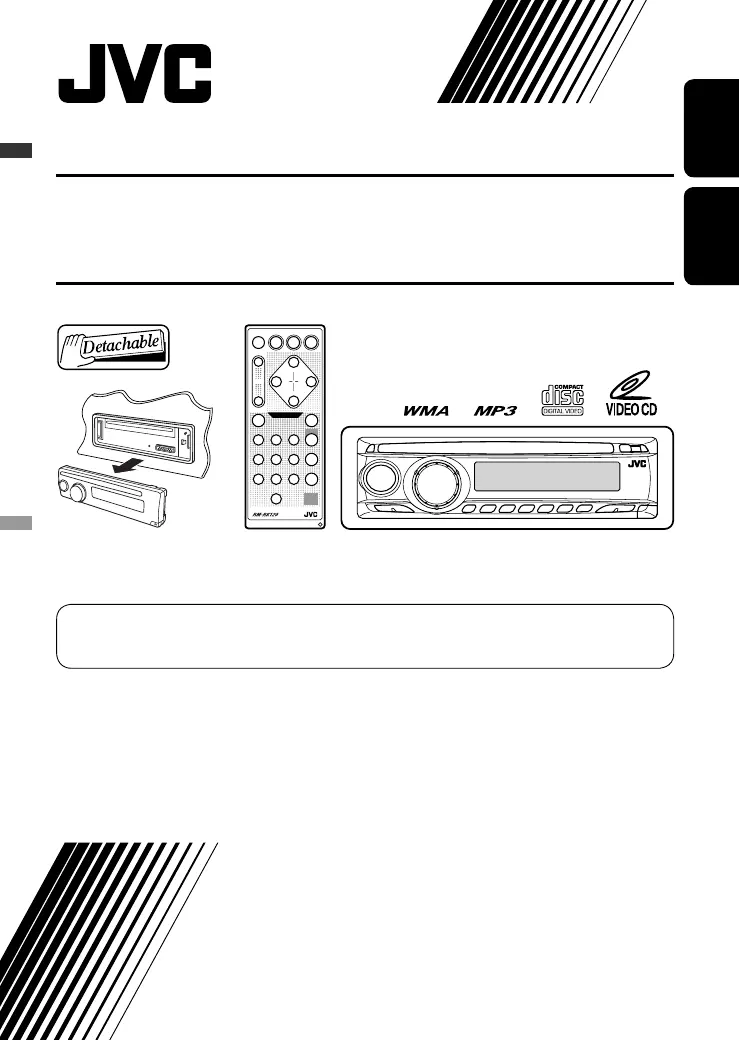
VCD/CD RECEIVER KD-SV3305
For canceling the display demonstration, see page 7.
Untuk membatalkan tampilan demonstrasi, lihat halaman 7.
For installation and connections, refer to the separate manual.
Untuk instalasi dan penyambungan, lihat buku pedoman terpisah.
INSTRUCTIONS
BUKU PETUNJUK
GET0471-007A
[UN]
ALAT PENERIMA VCD/CD KD-SV3305
Cover_KD-SV3305_007A_f.indd 1Cover_KD-SV3305_007A_f.indd 1 2/7/07 2:48:56 PM2/7/07 2:48:56 PM

Other manuals for JVC KD-SV3305

Questions and Answers

  • J
    John WilliamsAug 18, 2025
    Why my iPod or D. player does not turn on or does not work with JVC Car Receiver?
    • D
      Dustin WebsterAug 18, 2025
      If your iPod or D. player isn't turning on or working with your JVC Car Receiver, first check the connecting cable and its connection. If the issue persists, try updating the firmware version or charging the battery.
  • C
    carpenterphillipAug 20, 2025
    Why there is no sound when connecting an iPod nano to JVC Car Receiver?
    • B
      Brian BurchAug 20, 2025
      If you can't hear any sound when connecting an iPod nano to your JVC Car Receiver, first disconnect the headphones from the iPod nano. If that doesn't work, try updating the iPod nano's firmware.
  • S
    Shirley BarberAug 23, 2025
    What to do if “NO FILES” or “NO TRACK” appears on JVC KD-SV3305 Car Receiver display?
    • J
      Jenna PowellAug 23, 2025
      If you're getting a “NO FILES” or “NO TRACK” message on your JVC Car Receiver display, it means you need to import tracks to the iPod or D. player.
  • D
    Derek ColemanAug 26, 2025
    What to do if “ERROR 01” appears on JVC KD-SV3305 when connecting a D. player?
    • J
      Jennifer DavisAug 26, 2025
      If you're getting “ERROR 01” on the display of your JVC Car Receiver when connecting a D. player, disconnect the adapter from the D. player and then reconnect it.
  • R
    riverachristineAug 28, 2025
    How to fix iPod’s or D. player’s controls that do not work on JVC KD-SV3305 Car Receiver?
    • L
      Leah CollierAug 28, 2025
      If the iPod’s or D. player’s controls aren't working with your JVC Car Receiver, try resetting the iPod or D. player.
  • G
    Glenda SmithAug 30, 2025
    What to do if “RESET 8” appears on the display of JVC Car Receiver?
    • C
      Casey GonzalezAug 30, 2025
      If your JVC Car Receiver displays “RESET 8”, connect this unit and the CD changer correctly and press the reset button of the CD changer.
  • L
    Laura WarrenSep 2, 2025
    What to do if “RESET 1” – “RESET 7” appears on the display of JVC KD-SV3305?
    • M
      Michael BellSep 2, 2025
      If your JVC Car Receiver displays “RESET 1” – “RESET 7”, press the reset button of the CD changer.
  • U
    umooreSep 4, 2025
    What to do if “NO DISC” appears on the display of JVC Car Receiver?
    • S
      staffordtonyaSep 4, 2025
      If your JVC Car Receiver displays “NO DISC”, insert a disc into the magazine.
  • R
    Robert NelsonSep 7, 2025
    What to do if “NO MAG” appears on the display of JVC KD-SV3305 Car Receiver?
    • N
      Nicholas ParksSep 7, 2025
      If your JVC Car Receiver displays “NO MAG”, insert the magazine.
  • C
    cassandratrujilloSep 9, 2025
    What to do if “NO FILES” appears on the display of JVC KD-SV3305 Car Receiver?
    • D
      Daniel SandovalSep 9, 2025
      If your JVC Car Receiver displays “NO FILES”, insert a disc that contains MP3/WMA tracks.

Summary

INSTRUCTIONS BUKU PETUNJUK

IMPORTANT FOR LASER PRODUCTS

Class 1 Laser Product Safety

Explains the unit is a Class 1 Laser Product and warns about laser radiation.

Exterior Caution Label

Shows the caution label placed on the unit's exterior.

WARNINGS: To Prevent Accidents and Damage

Installation and Driving Safety Warnings

Warns against improper installation and operating the unit while driving.

Parking Brake Indicator

Explains the 'PARKING' display when the parking brake isn't engaged.

MODE Button Operations

Detaching and Attaching the Control Panel

Provides step-by-step instructions for detaching and attaching the control panel.

Control Panel Overview

Control Panel Parts Identification

Identifies and explains the various buttons and indicators on the control panel.

Remote Controller RM-RK120

Installing the Battery

Instructions for installing the remote control's lithium coin battery.

Remote Controller Features and Buttons

Details the main buttons and their functions on the remote controller.

Getting Started Guide

Basic Unit Operations

Covers fundamental operations like turning the unit on/off and adjusting volume.

Basic System Settings

Explains how to perform basic settings, including setting the clock.

Radio Operations

FM Stereo Reception Tips

Provides tips for improving reception of weak FM stereo broadcasts.

Storing Radio Stations

Details how to store radio stations using automatic or manual presetting.

Disc Operations

Playing a Disc in the Unit

Instructions on how to play discs using the main unit.

Operation Prerequisites and Procedures

Lists prerequisites and steps for stopping/ejecting discs.

CD Changer Operations

Navigating Tracks and Folders

How to navigate between tracks and folders for MP3/WMA discs.

MP3;WMA and Changer Information

Explains MP3/WMA file organization and CD changer compatibility.

Direct Track;Folder Selection

How to directly select a track or folder on the CD changer.

VCD and Display Operations

Playback Control (PBC) Menu Navigation

Explains how to use the PBC function for VCD playback and navigate menus.

On-Screen Display and Audio Channel Selection

Details checking playback info on screen and selecting audio channels for VCDs.

MP3;WMA Control Screen

Selecting Folders and Tracks

How to select folders and tracks on the MP3/WMA control screen.

MP3;WMA Playback Modes

How to select playback modes like repeat or random.

Random Playback Modes

Changing Display Information

How to change the information displayed during playback.

Prohibiting Disc Ejection

How to lock a disc in the loading slot.

Sound Adjustments

Preset Sound Modes

Lists preset sound modes (USER, ROCK, CLASSIC, etc.) and their values.

Manual Sound Adjustment

Details how to manually adjust bass, treble, fader, balance, loudness, and volume.

General Settings - PSM

Display Demonstration and Clock Settings

Controls the display demonstration and adjusts the clock hour/minute.

Dimmer and Telephone Muting Settings

Adjusts display illumination and configures telephone muting.

PSM Settings: Scroll, Tag Display, Amp Gain, Video, Ext In

Scroll and Tag Display Settings

Controls scrolling of track info and display of Tag info for MP3s.

Amplifier Gain, Video System, and External Input

Adjusts amplifier gain, selects video system, and configures external input.

iPod;D. Player Operations

iPod;D. Player Preparations

Steps to prepare the unit for iPod/D. player operation.

Pausing, Stopping, and Track Navigation

How to pause, stop, fast-forward, or reverse tracks for iPod/D. player.

iPod;D. Player Menu Operations

Selecting Tracks from Menus

Guides on selecting tracks from menus for iPod/D. player.

Selecting Playback Modes

How to select playback modes like repeat or random for iPod/D. player.

External Component Operations

Maintenance: Cleaning Connectors

Instructions on cleaning the unit's connectors.

Moisture Condensation Issues

Explains issues related to moisture condensation and how to resolve them.

Proper Disc Handling

Correct methods for handling and storing discs.

Disc Care and Handling

Keeping Discs Clean

How to clean discs properly to ensure playback.

Playing New Discs and Disc Warnings

Advice on playing new discs and lists discs that should not be used.

Unit Information

Basic Unit Operations

Covers basic unit operations like turning the unit on/off.

Tuner Operations and Disc Cautions

Details tuner station storage and provides DualDisc playback cautions.

Disc Compatibility and Playback

VCD Disc Playback

Explains VCD playback features and limitations.

MP3;WMA Disc Playback

Details compatibility and playback of MP3/WMA discs.

CD-R;CD-RW Playback Guidelines

Guidelines for playing CD-R and CD-RW discs.

Source Changing and Disc Ejection

Changing Audio Sources

How to change the audio source and its effect on playback.

Disc Ejection Procedure

Steps for ejecting a disc and what happens if it's not removed.

Troubleshooting Guide

General Troubleshooting

Covers general issues like no sound or unit not working.

FM;AM Radio Issues

Addresses issues related to radio reception and static noise.

Disc Playback Problems

Solves problems like discs ejecting or not playing.

MP3;WMA Playback Issues

Troubleshoots issues specific to MP3/WMA disc playback.

Troubleshooting: CD Changer and iPod;D. Player

CD Changer Errors

Addresses issues with the CD changer not working or displaying errors.

iPod;D. Player Operation Errors

Solves problems related to iPod/D. player connectivity and operation.

Product Specifications

Audio Amplifier Specifications

Details specifications for the audio amplifier.

VCD;CD Player Specifications

Provides specifications for the VCD/CD player.

Video and Tuner Specifications

Lists specifications for video output and FM/AM tuner.

JVC KD-SV3305 Specifications

General IconGeneral
BrandJVC
ModelKD-SV3305
CategoryCar Receiver
LanguageEnglish

Related product manuals