ENGLISH
9
Data Size: B6L (182 mm x 128 mm)
Book Size: B6L (182 mm x 128 mm)
Select music drive
While in USB source, press 5 MODE repeatedly.
Stored songs in the following drive will be played back.
• Selected internal or external memory of a smartphone (Mass Storage
Class).
• Selected drive of a multiple drive device.
Select a file from a folder/list
1
Press .
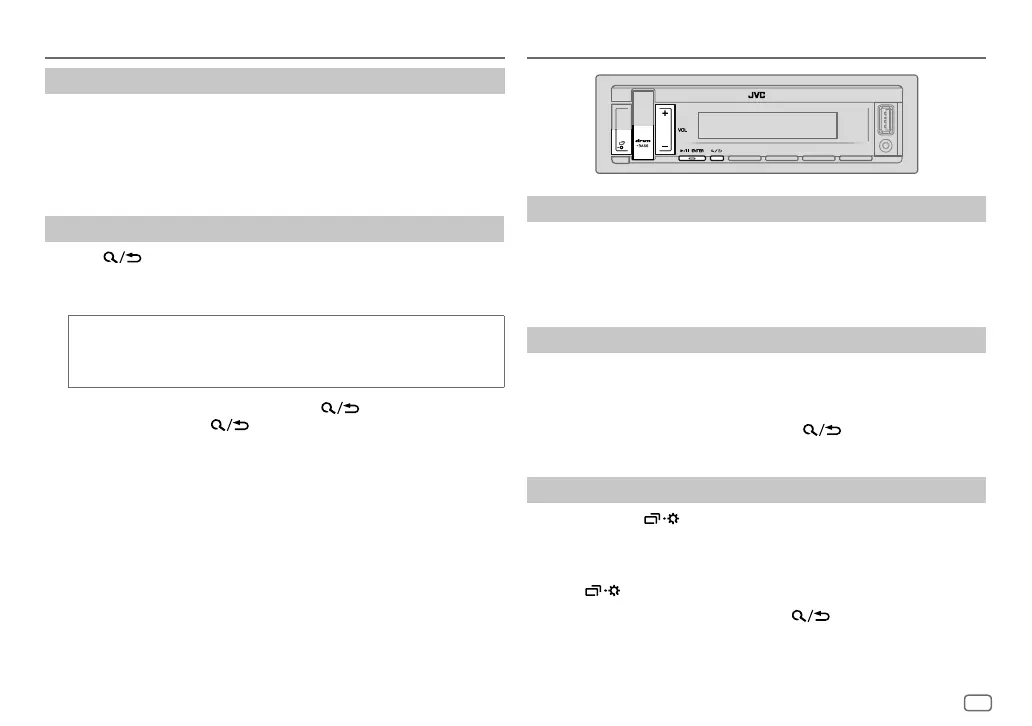
2 Press VOL +/– to select a folder/list, then press * ENTER.
3 Press VOL +/– to select a file, then press * ENTER.
Quick search
(applicable only for USB source)
If you have many files, you can search through them quickly.
Press and hold VOL +/– to browse through the list quickly.
• To return to the previous setting item, press
.
• To cancel, press and hold
.
USB/ANDROID
Select a drive equalizer directly
Drive equalizer boosts specific frequencies in the audio signal to reduce the
noise heard from outside the car or running noise of the tyres.
Press drvn-BASS repeatedly.
Drive equalizer:
[DRVN 3]
(default)/
[DRVN 2]
/
[DRVN 1]
Store your own sound settings
1
Press and hold drvn-BASS to enter
[EASY EQ]
setting.
2 Press VOL +/– to select an item, then press * ENTER.
Refer to
[EASYEQ]
(page10) for setting and the result is stored to
[USER]
.
• To return to the previous setting item, press
.
• To exit, press drvn-BASS.
Other settings
1
Press and hold .
2 Press VOL +/– to select an item (page10), then press * ENTER.
3 Repeat step 2 until the desired item is selected/activated or follow the
instructions stated on the selected item.
4 Press to exit.
To return to the previous setting item, press
.
AUDIO SETTINGS
JS_JVC_KD_X168M_M2_EN_1.indd 9JS_JVC_KD_X168M_M2_EN_1.indd 9 19/6/2018 11:42:43 AM19/6/2018 11:42:43 AM


 To Next Page
 Loading...