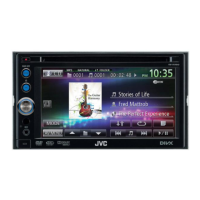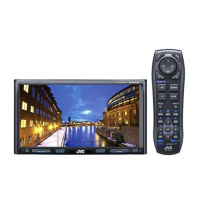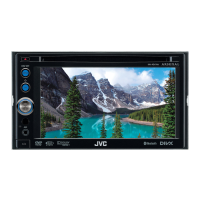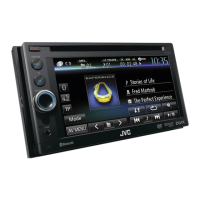

 To Next Page


K
Kristin LawrenceSep 23, 2025
Why does my JVC Car Video System say 'No Data'?
- KkellysmithSep 23, 2025
If your JVC Car Video System displays 'No Data', it indicates that no phone book data is contained in the connected Bluetooth phone.

Why does my JVC Car Video System say 'No Data'?
If your JVC Car Video System displays 'No Data', it indicates that no phone book data is contained in the connected Bluetooth phone.
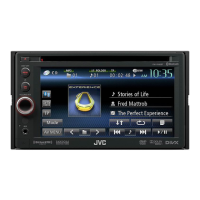
What to do if the JVC KW-AV60 remote controller does not work?
If the remote controller for your JVC Receiver is not working, replace the battery.
What does 'Pairing Error' mean on my JVC Car Video System?
If your JVC Car Video System shows a 'Pairing Error', it means that pairing between the unit and the Bluetooth device has failed. Try registering the device again.
What does 'Connection Error' mean on my JVC Car Video System, and how to fix it?
If your JVC Car Video System displays a 'Connection Error', it indicates that the device is registered but the connection has failed. Connect the registered device.
What to do if my JVC KW-AV60 Receiver shows “USB Device Error”?
If your JVC Receiver displays a “USB Device Error”, the USB power voltage might be abnormal. Try turning the unit off and then on again. If the issue persists, connect a different USB device.
Why is my JVC Car Video System showing a restricted device error?
If your JVC Car Video System displays a 'Restricted Device' error, verify that the connected iPod/iPhone is compatible with the unit.
What to do if my JVC Car Video System says 'MISWIRING'?
If your JVC Car Video System displays a 'MISWIRING' error, it indicates that a speaker cord has shorted or is in contact with the car chassis. To resolve this, wire or insulate the speaker cord as needed, and then reset the unit.
What to do if my JVC Car Video System shows no signal?
If your JVC Car Video System shows 'No Signal', try the following: * Start playback on the external component connected to the VIDEO IN jack. * Check the cords and connections to ensure they are secure. * Be aware that the signal input might be too weak.
What does “No Voice Device” mean on JVC KW-AV60?
The message “No Voice Device” on your JVC Receiver means that the connected mobile phone does not have the voice recognition system.
How to stop “Now Reading...” flashing on JVC Receiver?
If “Now Reading...” keeps flashing on the screen of your JVC Receiver, turn the power off and on again.
 General
| Resolution | 800 x 480 pixels |
|---|---|
| Touch Panel | Yes |
| Bluetooth | Yes |
| USB Port | Yes |
| DVD Player | Yes |
| CD Playback | Yes |
| MP3 Playback | Yes |
| WMA Playback | Yes |
| AAC Playback | Yes |
| JPEG Playback | Yes |
| DivX Playback | Yes |
| iPod Control | Yes |
| iPhone Control | Yes |
| Android Control | Yes |
| Preamp Outputs | 3 pairs |
| Preamp Voltage | 4V |
| EQ | 13-band graphic equalizer |
| Display Size | 6.1 inches |
| Power Output | 50W x 4 |
| Video Formats Supported | MPEG-1, MPEG-2, MPEG-4, DivX |
| Video Output | Yes |