EasyManua.ls Logo

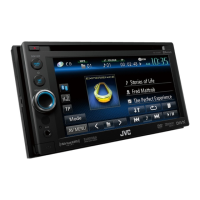
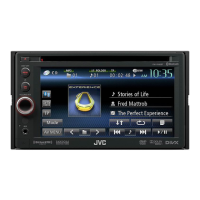
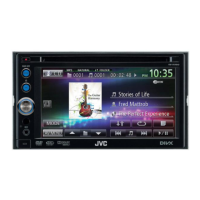
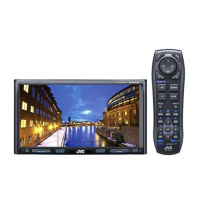
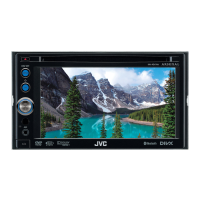
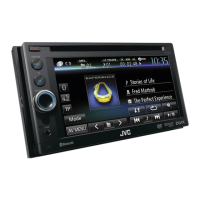
JVC KW-AV68BT - User Manual

JVC KW-AV68BT
227 pages
Print Icon
To Next Page IconTo Next Page
Loading...
ENGLISHESPAÑOLFRANÇAIS
For canceling the display demonstration, see page 7.
Para cancelar la demonstración en pantalla, consulte la página 7.
Pour annuler la démonstration des affichages, référez-vous à la page 7.
KW-ADV64BT/KW-AV68BT/
KW-AV60BT/KW-AV60
For installation and connections, refer to the separate manual.
Para la instalación y las conexiones, refiérase al manual separado.
Pour l’installation et les raccordements, se référer au manuel séparé.
INSTRUCTIONS
MANUAL DE INSTRUCCIONES
MANUEL D’INSTRUCTIONS
LVT2293-001A
[J/JW]
MONITOR WITH DVD RECEIVER
MONITOR CON RECEPTOR DE DVD
MONITEUR AVEC RÉCEPTEUR DVD
For customer Use:
Enter below the Model No. and
Serial No. which are located on
the top or bottom of the cabinet.
Retain this information for future
reference.
Model No.
Serial No.
Covers_AV60[JJW].indb 2 11/12/03 13:44
1211EHHMDWJEIN
EN, SP, FR
© 2011 JVC KENWOOD Corporation
Having TROUBLE with operation?
Please reset your unit
Refer to page of How to reset your unit
Still having trouble??
USA ONLY
Call 1-800-252-5722
http://www.jvc.com
We can help you!
Covers_AV60[JJW].indb 2 11/12/03 13:44
Instructions MONITOR WITH DVD RECEIVER KW-ADV64BT/KW-AV68BT/KW-AV60BT/KW-AV60

Table of Contents

Questions and Answers

  • V
    Veronica DavisAug 20, 2025
    How to fix JVC KW-AV68BT Receiver when no sound comes out of speakers?
    • Q
      qhigginsAug 20, 2025
      If no sound is coming from the speakers of your JVC Receiver, first, make sure the volume is at an audible level. Then, check the cords and connections to ensure they are properly connected.
  • M
    Michael ColeAug 21, 2025
    What to do if the JVC KW-AV68BT remote controller does not work?
    • J
      Joshua FoxAug 22, 2025
      If the remote controller for your JVC Receiver is not working, replace the battery.
  • Y
    Yvonne LyonsAug 25, 2025
    What to do if my JVC Receiver shows “USB Device Error”?
    • N
      Natalie TurnerAug 25, 2025
      If your JVC Receiver displays a “USB Device Error”, the USB power voltage might be abnormal. Try turning the unit off and then on again. If the issue persists, connect a different USB device.
  • H
    hlongAug 26, 2025
    Why does my JVC Receiver say “MISWIRING Check wiring connection then reset unit”?
    • A
      Allison GarrisonAug 26, 2025
      This message on your JVC Receiver indicates that a speaker cord has shorted or is in contact with the car chassis. You should wire or insulate the speaker cord as needed, and then reset the unit.
  • C
    Christopher PachecoAug 27, 2025
    How to troubleshoot “No Signal” on JVC KW-AV68BT?
    • A
      Anthony WhiteAug 28, 2025
      If your JVC Receiver displays a “No Signal” message, start playback on the external component connected to the VIDEO IN jack. Also, check the cords and connections. The signal input might be too weak.
  • D
    davidpachecoAug 29, 2025
    Why is the phone sound quality poor on my JVC KW-AV68BT Receiver?
    • P
      Philip MosleyAug 30, 2025
      Poor phone sound quality on your JVC Receiver may be due to distance or signal interference. Try reducing the distance between the unit and the Bluetooth mobile phone, or move the car to a location with better signal reception.
  • T
    Terry JohnstonSep 1, 2025
    What to do if JVC KW-AV68BT Receiver does not work at all?
    • S
      steven01Sep 1, 2025
      If your JVC Receiver isn't working, try resetting the unit.
  • Q
    qhinesSep 3, 2025
    How to stop “Now Reading...” flashing on JVC KW-AV68BT?
    • T
      Tara RobinsonSep 3, 2025
      If “Now Reading...” keeps flashing on the screen of your JVC Receiver, turn the power off and on again.
  • M
    melinda50Sep 5, 2025
    What does “Pairing Error” mean on JVC KW-AV68BT?
    • R
      ryanrichardsonSep 5, 2025
      If your JVC Receiver displays a “Pairing Error”, pairing between the unit and the Bluetooth device has failed. Register the device again.
  • L
    Lauren ButlerSep 7, 2025
    What does “No Voice Device” mean on JVC KW-AV68BT Receiver?
    • M
      Mia RaymondSep 7, 2025
      The message “No Voice Device” on your JVC Receiver means that the connected mobile phone does not have the voice recognition system.

Summary

Introductions and Basic Operations

Monitor Panel Detachment and Attachment

Procedures for removing and installing the monitor panel.

Unit Components and Functions Overview

Identification and description of the unit's buttons and features.

Initial Setup and Clock Configuration

Initial unit setup and setting the device's clock time.

Common Unit Operations

Essential functions like power, volume, screen control, and source selection.

Audio;Video Source Operations

Selecting Playback Sources

Guide to choosing various input sources like Radio, Disc, USB, iPod, Pandora.

Disc Playback and File Compatibility

Detailed instructions for playing discs, including types and playback settings.

USB and iPod;iPhone Connectivity

Connecting and operating USB devices and Apple iPod/iPhone.

Pandora Internet Radio Usage

Using Pandora stations, favorites, and understanding requirements.

SiriusXM Radio and Bluetooth Operations

SiriusXM Radio Setup and Tuning

Activating subscription, tuning channels, and managing reception.

Bluetooth Device Integration

Pairing, connecting, disconnecting, and managing Bluetooth devices.

Bluetooth Phone and Audio Usage

Operating the mobile phone and audio player via Bluetooth.

Settings, Customization, and Support

Sound and Display Customization

Adjusting audio equalizer, display design, video settings, and aspect ratio.

Camera and System Configuration

Setting up rear camera, menu options, user profiles, and system updates.

Maintenance, Troubleshooting, and Specifications

Unit care, cleaning, problem resolution, and technical details.

JVC KW-AV68BT Specifications

General IconGeneral
Resolution800 x 480
BluetoothYes
USB PortYes
AUXYes
DVD PlayerYes
CD PlaybackYes
Backup Camera InputYes
Steering Wheel Control ReadyYes
AM/FM TunerYes
Audio Formats SupportedMP3, WMA, AAC
Power Output50W x 4
Remote ControlYes
Video OutputYes
Preamp OutputYes
Display TypeLCD
Video Formats SupportedMPEG-1, MPEG-2, MPEG-4, WMV
Preamp Outputs3 Pairs (Front/Rear/Subwoofer)
Equalizer13-band

Related product manuals