EasyManua.ls Logo

JVC KW-AV71BT - User Manual

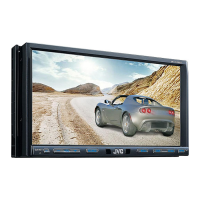
JVC KW-AV71BT
97 pages
Print Icon
To Next Page IconTo Next Page
Loading...
ENGLISHESPAÑOLFRANÇAIS
For canceling the display demonstration, see page 6.
Para cancelar la demonstración en pantalla, consulte la página 6.
Pour annuler la démonstration des affichages, référez-vous à la page 6.
KW-AV71BT
GET0892-001A
[J/JW]
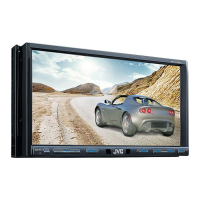
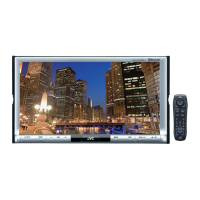
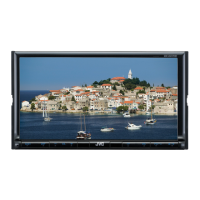
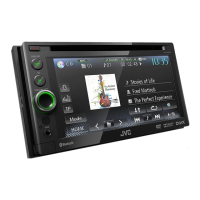
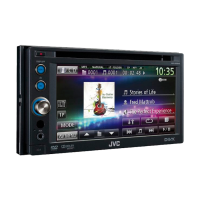
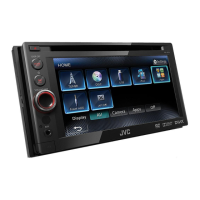
MONITOR WITH DVD RECEIVER
MONITOR CON RECEPTOR DE DVD
MONITEUR AVEC RÉCEPTEUR DVD
For installation and connections, refer to the separate manual.
Para la instalación y las conexiones, refiérase al manual separado.
Pour l’installation et les raccordements, se référer au manuel séparé.
INSTRUCTION MANUAL
MANUAL DE INSTRUCCIONES
MODE D’EMPLOI
For customer Use:
Enter below the Model No. and
Serial No. which are located on
the top or bottom of the cabinet.
Retain this information for future
reference.
Model No.
Serial No.
This instruction manual is used to describe models listed below.
Region 1 (DVD Region Code 1 area)/Region 4 (DVD Region Code 4 area)
En este manual de instrucciones se describen los modelos listados a continuación.
Región 1 (DVD Código de región Área 1)/Región 4 (DVD Código de región Área 4)
Ce mode d’emploi est utilisé pour décrire les modèles de la liste ci-dessous.
Région 1 (zone de code de région DVD 1)/Région 4 (zone de code de région DVD 4)
Covers_KW-AV71[JJW].indb 2 12/11/02 15:43

Table of Contents

Other manuals for JVC KW-AV71BT

Questions and Answers

  • R
    Robert ThomasSep 5, 2025
    What to do if iPod/iPhone does not turn on or does not work with JVC DVD Player?
    • C
      Charles MillerSep 5, 2025
      If the iPod/iPhone does not turn on or does not work with your JVC DVD Player: * Check the connecting cable and its connection. * Update the firmware version. * Charge the battery. * Check whether the iPod control mode is correctly selected. * Reset the iPod/iPhone.
  • A
    Austin SmithAug 25, 2025
    How to resolve a 'Connection Error' on my JVC KW-AV71BT?
    • M
      Micheal SmithAug 25, 2025
      If your JVC Car Receiver shows a 'Connection Error', connect the registered device to resolve this issue.
  • N
    Noah TrujilloAug 25, 2025
    How to fix an 'Eject Error' or 'Loading Error' on my JVC KW-AV71BT?
    • N
      nwalkerAug 26, 2025
      If your JVC Car Receiver displays an 'Eject Error' or 'Loading Error', eject the disc forcibly.
  • A
    Alexander Smith MDSep 12, 2025
    What does “Please Wait...” mean on JVC DVD Player?
    • M
      mfloresSep 13, 2025
      The unit is preparing to use the Bluetooth function. If the message does not disappear, turn off and turn on the unit, then connect the device again (or reset the unit).
  • P
    Patricia AlexanderSep 23, 2025
    What does 'Initialize Error' mean on my JVC KW-AV71BT?
    • O
      oellisSep 23, 2025
      If your JVC Car Receiver shows an 'Initialize Error', it means the unit has failed to initialize the Bluetooth module. Try the operation again.
  • C
    Carolyn BonillaSep 9, 2025
    Why the sound is interrupted or skipped while using a Bluetooth audio player with JVC DVD Player?
    • A
      adamrodriguezSep 9, 2025
      If the sound is interrupted or skipped while using a Bluetooth audio player with your JVC DVD Player: * Reduce the distance between the unit and the Bluetooth audio player. * Disconnect the device connected for Bluetooth phone. * Turn off, then turn on the unit. * (When the sound is not yet restored) connect the player again.
  • M
    michelefloydSep 1, 2025
    What to do if JVC DVD Player disc cannot be recognized or played back?
    • M
      Michael WilliamsSep 1, 2025
      If a disc cannot be recognized or played back on your JVC DVD Player, eject the disc forcibly.
  • S
    sjohnsonSep 23, 2025
    What does 'Hung Up Error' mean on my JVC Car Receiver?
    • M
      Michael McgrathSep 23, 2025
      If your JVC Car Receiver displays a 'Hung Up Error', it means the call has not ended yet. Park your car, and use the connected mobile phone to end the call.
  • B
    Bradley CurtisSep 16, 2025
    Why does my JVC KW-AV71BT Car Receiver say 'MISWIRING'?
    • T
      Tammy RossSep 16, 2025
      If your JVC Car Receiver displays a 'MISWIRING' error, it means a speaker cord has shorted or is touching the car's chassis. To fix this, properly wire or insulate the speaker cord. After doing so, reset the unit.
  • B
    Brian RomeroAug 28, 2025
    What does “Parking Brake” mean on JVC DVD Player?
    • R
      Rhonda ParkAug 28, 2025
      If your JVC DVD Player displays a 'Parking Brake' message, it indicates that no playback picture is shown when the parking brake is not engaged.

Summary

Introductions

Initial settings

Guide to configuring the unit for the first time or after a reset.

Common operations

Basic functions like turning the unit on/off and managing sources.

AV Source Operations

Selecting the playback source

Choosing the audio/video source from TUNER, DISC, USB, iPod, Bluetooth, etc.

Disc operations

Instructions for playing, inserting, ejecting, and prohibiting disc playback.

Listening to the iPod;iPhone device

Connecting and operating iPod/iPhone for audio and video playback.

Listening to the SiriusXM Radio for Region 1 models

Instructions for activating subscription and tuning into SiriusXM channels.

Setting the reception restrictions

Setting the parental lock

How to set a parental code to restrict access to certain channels.

Sound adjustment

Using the sound equalization

Adjusting audio frequencies using preset sound modes or custom settings.

Setting for video playback

Adjusting the picture

Modifying brightness, contrast, color, and other picture settings.

Using a rear view camera

Activating the rear view camera

Steps to enable the rear view camera display, usually linked to the reverse gear.

Setting menu items

BLUETOOTH OPERATIONS

Connecting Bluetooth devices

Steps for registering, pairing, connecting, and disconnecting Bluetooth devices.

Using the Bluetooth mobile phone

Functions related to making/receiving calls, adjusting volume, and SMS reception.

Using the Bluetooth audio player

How to play audio from a connected Bluetooth device.

Troubleshooting

If the following messages appear

Solutions for specific error messages encountered during operation.

If there seems to be a problem

General troubleshooting guide for common issues like no sound or picture.

Troubleshooting categories

Specific troubleshooting steps for DivX, USB, iPod, AV-IN, and Pandora issues.

SiriusXM radio troubleshooting

Solutions for common messages and issues specific to SiriusXM radio.

Bluetooth troubleshooting

Guidance for resolving issues related to Bluetooth phone and audio connections.

Specifications

JVC KW-AV71BT Specifications

General IconGeneral
Audio systemMOS-FET
MP3 playbackYes
Audio formats supportedMP3, WAV, WMA
Image formats supportedJPG
Supported radio bandsAM, FM
Preset stations quantity24
Display diagonal7 \
Display resolution800 x 480 pixels
Bluetooth profilesA2DP
Output power200 W
Product colorBlack
TV tuner integratedNo
Disc types supportedCD-R, CD-RW, DVD+R, DVD+RW, DVD-R
Analog signal format systemNTSC, PAL
Weight and Dimensions IconWeight and Dimensions
Weight2800 g
Dimensions (WxDxH)188 x 117 x 10 mm

Related product manuals