EasyManua.ls Logo

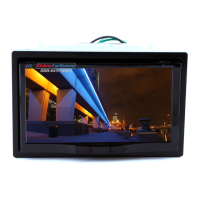
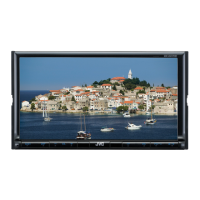
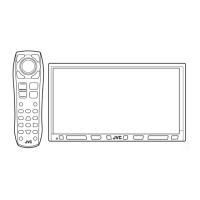
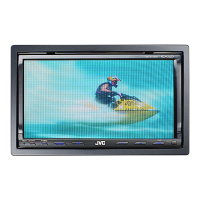
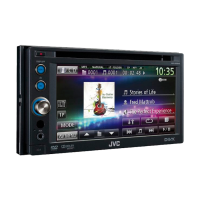
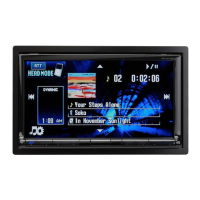
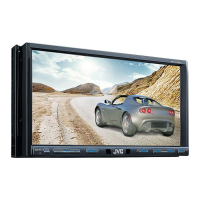
JVC KW-AVX810 - User Manual

JVC KW-AVX810
102 pages
Print Icon
To Next Page IconTo Next Page
Loading...
..lye
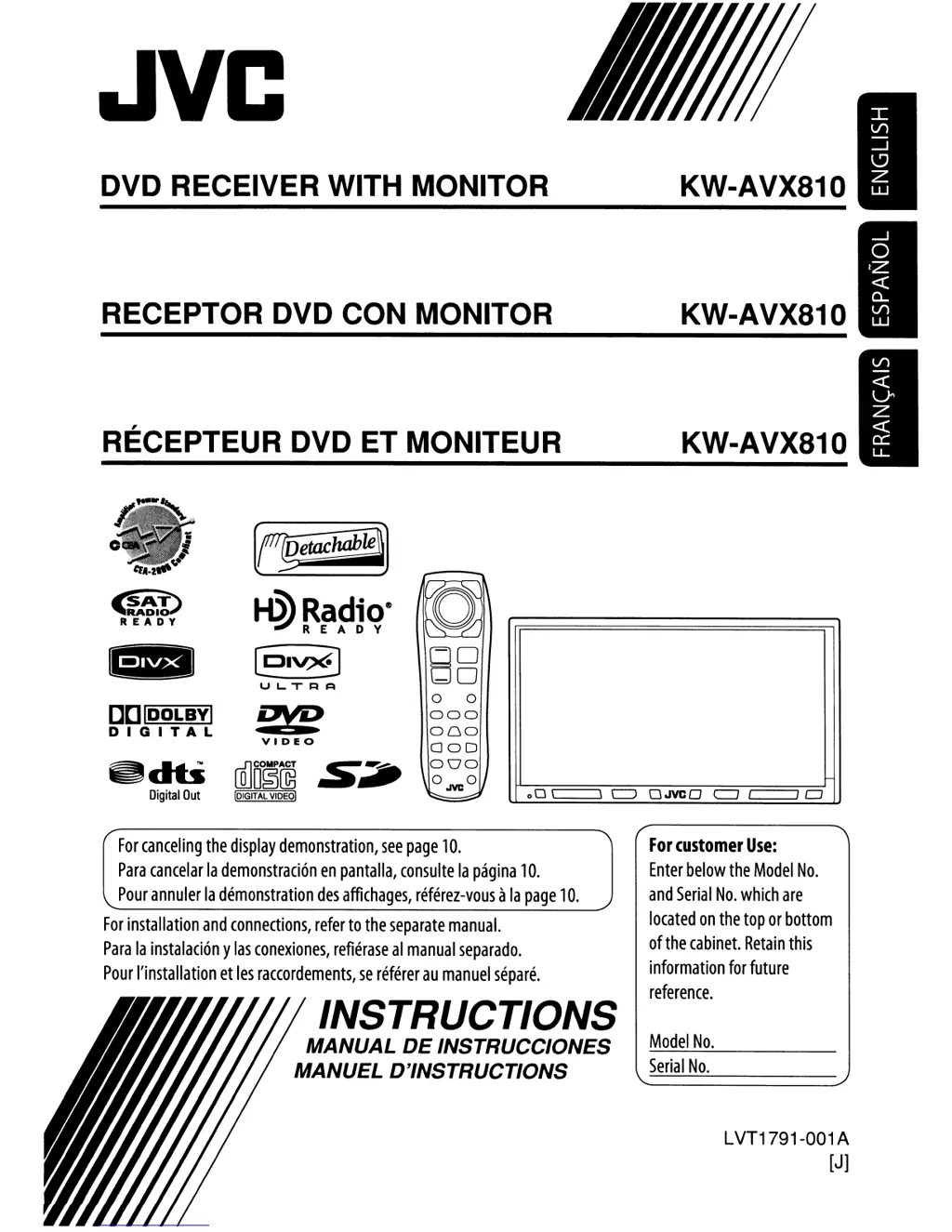
DVD RECEIVER WITH MONITOR
RECEPTOR DVD CON MONITOR
RECEPTEUR DVD ET MONITEUR
~hab@
~
t@~~fli~e
D
RADI
READY
Em
[Pl~
8
0
-0
UL.TRI=l
0 0
[][]
lDOLBYI
R%?
000
DIGITAL
00,0
VIDEO
000
~dti
(illD§~
.s~
000
OJVCO
Digital
Out
IDIGITAL
VIDEO)
00
\
KW-AVX810
KW-AVX810
KW-AVX810
\
~
OJVCO
c=J
I I
CJ
For
canceling
the
display
demonstration,
see
page
10.
Para
cancelar
la
demonstraci6n
en
pantalla,
consulte
la
pagina
10.
Pour
annuler
la
demonstration
des
affichages,
referez-vous
a
la
page
10.
For
installation
and
connections,
refer
to
the
separate
manual.
Para
la
instalaci6n
y
las
conexiones,
refierase
al
manual
separado.
Pour
I'installation
et
les
raccordements,
se
referer
au
manuel
separe.
INSTRUCTIONS
MANUAL
DE
INSTRUCCIONES
MANUEL D'INSTRUCTIONS
For
customer
Use:
Enter
below
the
Model
No.
and
Serial
No.
which
are
located
on
the
top
or
bottom
of
the
cabinet.
Retain
this
information
for
future
reference.
Model
No.
Serial
No.
LVT1791-001 A
[J]

Other manuals for JVC KW-AVX810

Questions and Answers

Summary

DVD Receiver with Monitor

Instructions Manual

Provides operational instructions for the JVC KW-AVX810 DVD receiver.

Important Safety Information

Laser Product Safety

Cautions regarding Class 1 Laser Product and safe operation.

Basic Unit Operations

Resetting and Ejecting Discs

Instructions on how to reset the unit and forcibly eject a disc.

Playable Disc Types

Disc Compatibility Overview

Lists playable disc types including DVD, CD, and recordable formats.

Monitor Panel Detach;Attach

Detaching the Monitor Panel

Step-by-step guide on how to detach the monitor panel.

Attaching the Monitor Panel

Step-by-step guide on how to attach the monitor panel securely.

Basic Monitor Panel Operations

Volume Adjustment and Unit Reset

Covers volume control via touch panel and system reset procedures.

Remote Controller Operations

Remote Controller Overview

Identifies main elements and features of the RM-RK2S2 remote.

Installing Remote Controller Batteries

Instructions for correctly inserting batteries into the remote.

Preparing for Operations

Common Operations

Selecting Playback Source

Guides on selecting and changing the audio/video source.

Changing Display Information

Explains how to cycle through display information using DISP.

Using Short Cut Icons

Accessing Functions with Short Cut Icons

Describes how to use short cut icons for quick access to functions.

Radio Operation

Tuning and Searching Stations

Steps for selecting tuner source, band, and searching for stations.

Radio Reception and Presetting

Improving FM Stereo Reception

Tips for receiving difficult FM stereo broadcasts.

Automatic Station Presetting (SSM)

How to preset stations automatically based on signal strength.

Station Presetting

Manual Station Presetting

Guide to manually storing stations into preset memory.

Selecting Preset Stations

Methods for selecting preset channels via remote or unit lists.

Disc Operations

Inserting and Opening Disc Compartment

Steps for opening the monitor panel and inserting a disc.

On-Screen Operation Buttons

Selecting Playback Modes

Repeat Mode Functions

Details the Repeat modes for tracks, chapters, or discs.

Random Mode Functions

Details the Random modes for tracks, folders, or discs.

Track Selection and Disc Ejection

Browsing and Selecting Tracks from Lists

How to navigate and select tracks from folder or disc lists.

Remote Controller Operations (RM-RK2 S2)

Menu-Driven Feature Navigation

How to use the remote to navigate menu-driven features.

Remote Controller Operations (Continued)

Remote Controller Operations (DivX)

DivX Menu Navigation

How to use menu-driven features for DivX playback.

Remote Controller Operations (JPEG, VCD)

Remote Controller Operations (CD, MP3)

Using List Screens

On-Screen Bar Operations

Guides on using the on-screen bar for selection and navigation.

On-Screen Bar Details

SD Card Operations

Inserting and Closing SD Card Compartment

Steps for inserting and closing the SD card compartment.

Ejecting the SD Card

Procedure for safely removing the SD card.

Selecting Playback Modes (SD)

Repeat and Random Modes for SD

Describes Repeat and Random playback modes for SD files.

USB Operations

Connecting a USB Device

Instructions for connecting USB mass storage devices.

Selecting Playback Modes (USB)

Repeat and Random Modes for USB

Describes Repeat and Random playback modes for USB files.

Bluetooth Operations (Phone;Audio)

Registering a New Bluetooth Device

Steps for pairing a new Bluetooth device via Open or Search.

Connecting a New Bluetooth Device

Procedure for establishing a connection with a new device.

Managing Bluetooth Connections

Connecting;Disconnecting Registered Devices

How to connect or disconnect previously paired Bluetooth devices.

Deleting Registered Devices

Procedure for removing paired Bluetooth devices.

Connecting Special Devices

Steps for connecting devices requiring special pairing procedures.

Using the Bluetooth Cellular Phone

Handling Incoming Calls

Describes actions for answering or ending calls, and auto-answer.

Bluetooth Phone Features

Reading Text Messages

Procedure for reading incoming text messages.

Making Calls

Guides on how to make calls via manual dial or phonebook.

Bluetooth Phone Dialing and Redialing

Entering and Dialing Phone Numbers

Instructions for entering numbers, presets, and dialing.

Redialing Previous Numbers

How to access and redial previously dialed numbers.

Phonebook Management

Calling Preset Numbers

Procedure for making calls using stored preset numbers.

Using the Bluetooth Audio Player

CD Changer Operation

CD Changer Playback Modes

Satellite Radio Operation

Tuning Satellite Radio Channels

Satellite Radio Channel Memory

Selecting Preset Satellite Channels

Methods to select preset channels via remote or unit lists.

HD Radio Broadcast

HD Radio Reception Modes

Tuning with Sufficient Signal Strength

Function to detect stations with strong signals only.

Listening to the iPod (USB)

iPod Search Mode

Navigating and Selecting Items in Search Mode

Guide to selecting music or videos and using search modes.

iPod Playback and Speed Control

Listening to the iPod (Interface Adapter)

Selecting Tracks via Player Menu

How to select tracks using the player's menu.

External Component Input

AV-INPUT Connection

Guide to connecting external components via AV-INPUT jacks.

Navigation Screen Operation

External Input (EXT-IN)

Connecting External Components via EXT-IN

Guide to connecting external components using EXT-IN.

Sound Equalization

Assigning Source Titles

Menu Operations

Equalizer Settings

Bluetooth Connection Management

Maintenance Procedures

Bluetooth Operations Overview

Sound Signal Outputs

Troubleshooting Guide

Troubleshooting (Disc & File Playback)

Troubleshooting (USB, Bluetooth)

Troubleshooting (CD Changer, Satellite)

Troubleshooting (HD Radio, iPod)

Unit Specifications

Unit Specifications (Continued)

Installation Procedures

In-Dash Mounting Guide

Step-by-step instructions for installing the unit into the dashboard.

Connecting External Components

Parking Brake Lead Connection

How to connect the parking brake lead for safety features.

AV I;O Cord to External Amplifiers

Guide for connecting AV I/O cords to external amplifiers.

External Component Connections (Others)

Connecting Other AV Sources

Diagrams for connecting rear cameras, video, and OE remote.

Troubleshooting AV Connections

Common issues and solutions for AV connection problems.

Connecting External Components (General)

Connecting iPod via USB

Instructions for connecting iPod to the unit using USB.

Installation Preparation

Removing Protection Plates

Instruction to remove protection metal plates before installation.

iPod Artwork Display Cautions

Artwork Display Precautions

Information on delays and limitations when displaying iPod artwork.

Control Panel Attachment

Attaching Control Panel Without Detachment

Instructions for attaching the control panel when not detaching it.

iPod Customization Settings

Warranty Information

Obtaining Warranty Service

Procedure for obtaining warranty service and required documentation.

Limited Warranty (USA)

Summary

DVD Receiver with Monitor

Instructions Manual

Provides operational instructions for the JVC KW-AVX810 DVD receiver.

Important Safety Information

Laser Product Safety

Cautions regarding Class 1 Laser Product and safe operation.

Basic Unit Operations

Resetting and Ejecting Discs

Instructions on how to reset the unit and forcibly eject a disc.

Playable Disc Types

Disc Compatibility Overview

Lists playable disc types including DVD, CD, and recordable formats.

Monitor Panel Detach;Attach

Detaching the Monitor Panel

Step-by-step guide on how to detach the monitor panel.

Attaching the Monitor Panel

Step-by-step guide on how to attach the monitor panel securely.

Basic Monitor Panel Operations

Volume Adjustment and Unit Reset

Covers volume control via touch panel and system reset procedures.

Remote Controller Operations

Remote Controller Overview

Identifies main elements and features of the RM-RK2S2 remote.

Installing Remote Controller Batteries

Instructions for correctly inserting batteries into the remote.

Preparing for Operations

Common Operations

Selecting Playback Source

Guides on selecting and changing the audio/video source.

Changing Display Information

Explains how to cycle through display information using DISP.

Using Short Cut Icons

Accessing Functions with Short Cut Icons

Describes how to use short cut icons for quick access to functions.

Radio Operation

Tuning and Searching Stations

Steps for selecting tuner source, band, and searching for stations.

Radio Reception and Presetting

Improving FM Stereo Reception

Tips for receiving difficult FM stereo broadcasts.

Automatic Station Presetting (SSM)

How to preset stations automatically based on signal strength.

Station Presetting

Manual Station Presetting

Guide to manually storing stations into preset memory.

Selecting Preset Stations

Methods for selecting preset channels via remote or unit lists.

Disc Operations

Inserting and Opening Disc Compartment

Steps for opening the monitor panel and inserting a disc.

On-Screen Operation Buttons

Selecting Playback Modes

Repeat Mode Functions

Details the Repeat modes for tracks, chapters, or discs.

Random Mode Functions

Details the Random modes for tracks, folders, or discs.

Track Selection and Disc Ejection

Browsing and Selecting Tracks from Lists

How to navigate and select tracks from folder or disc lists.

Remote Controller Operations (RM-RK2 S2)

Menu-Driven Feature Navigation

How to use the remote to navigate menu-driven features.

Remote Controller Operations (Continued)

Remote Controller Operations (DivX)

DivX Menu Navigation

How to use menu-driven features for DivX playback.

Remote Controller Operations (JPEG, VCD)

Remote Controller Operations (CD, MP3)

Using List Screens

On-Screen Bar Operations

Guides on using the on-screen bar for selection and navigation.

On-Screen Bar Details

SD Card Operations

Inserting and Closing SD Card Compartment

Steps for inserting and closing the SD card compartment.

Ejecting the SD Card

Procedure for safely removing the SD card.

Selecting Playback Modes (SD)

Repeat and Random Modes for SD

Describes Repeat and Random playback modes for SD files.

USB Operations

Connecting a USB Device

Instructions for connecting USB mass storage devices.

Selecting Playback Modes (USB)

Repeat and Random Modes for USB

Describes Repeat and Random playback modes for USB files.

Bluetooth Operations (Phone;Audio)

Registering a New Bluetooth Device

Steps for pairing a new Bluetooth device via Open or Search.

Connecting a New Bluetooth Device

Procedure for establishing a connection with a new device.

Managing Bluetooth Connections

Connecting;Disconnecting Registered Devices

How to connect or disconnect previously paired Bluetooth devices.

Deleting Registered Devices

Procedure for removing paired Bluetooth devices.

Connecting Special Devices

Steps for connecting devices requiring special pairing procedures.

Using the Bluetooth Cellular Phone

Handling Incoming Calls

Describes actions for answering or ending calls, and auto-answer.

Bluetooth Phone Features

Reading Text Messages

Procedure for reading incoming text messages.

Making Calls

Guides on how to make calls via manual dial or phonebook.

Bluetooth Phone Dialing and Redialing

Entering and Dialing Phone Numbers

Instructions for entering numbers, presets, and dialing.

Redialing Previous Numbers

How to access and redial previously dialed numbers.

Phonebook Management

Calling Preset Numbers

Procedure for making calls using stored preset numbers.

Using the Bluetooth Audio Player

CD Changer Operation

CD Changer Playback Modes

Satellite Radio Operation

Tuning Satellite Radio Channels

Satellite Radio Channel Memory

Selecting Preset Satellite Channels

Methods to select preset channels via remote or unit lists.

HD Radio Broadcast

HD Radio Reception Modes

Tuning with Sufficient Signal Strength

Function to detect stations with strong signals only.

Listening to the iPod (USB)

iPod Search Mode

Navigating and Selecting Items in Search Mode

Guide to selecting music or videos and using search modes.

iPod Playback and Speed Control

Listening to the iPod (Interface Adapter)

Selecting Tracks via Player Menu

How to select tracks using the player's menu.

External Component Input

AV-INPUT Connection

Guide to connecting external components via AV-INPUT jacks.

Navigation Screen Operation

External Input (EXT-IN)

Connecting External Components via EXT-IN

Guide to connecting external components using EXT-IN.

Sound Equalization

Assigning Source Titles

Menu Operations

Equalizer Settings

Bluetooth Connection Management

Maintenance Procedures

Bluetooth Operations Overview

Sound Signal Outputs

Troubleshooting Guide

Troubleshooting (Disc & File Playback)

Troubleshooting (USB, Bluetooth)

Troubleshooting (CD Changer, Satellite)

Troubleshooting (HD Radio, iPod)

Unit Specifications

Unit Specifications (Continued)

Installation Procedures

In-Dash Mounting Guide

Step-by-step instructions for installing the unit into the dashboard.

Connecting External Components

Parking Brake Lead Connection

How to connect the parking brake lead for safety features.

AV I;O Cord to External Amplifiers

Guide for connecting AV I/O cords to external amplifiers.

External Component Connections (Others)

Connecting Other AV Sources

Diagrams for connecting rear cameras, video, and OE remote.

Troubleshooting AV Connections

Common issues and solutions for AV connection problems.

Connecting External Components (General)

Connecting iPod via USB

Instructions for connecting iPod to the unit using USB.

Installation Preparation

Removing Protection Plates

Instruction to remove protection metal plates before installation.

iPod Artwork Display Cautions

Artwork Display Precautions

Information on delays and limitations when displaying iPod artwork.

Control Panel Attachment

Attaching Control Panel Without Detachment

Instructions for attaching the control panel when not detaching it.

iPod Customization Settings

Warranty Information

Obtaining Warranty Service

Procedure for obtaining warranty service and required documentation.

Limited Warranty (USA)

JVC KW-AVX810 Specifications

General IconGeneral
BrandJVC
ModelKW-AVX810
CategoryCar Receiver
LanguageEnglish

Related product manuals