EasyManua.ls Logo

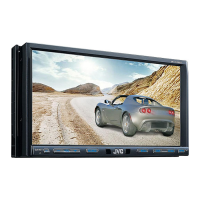
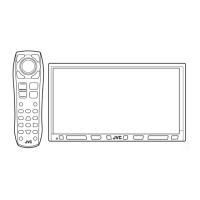
JVC KW-AVX836 - User Manual

JVC KW-AVX836
64 pages
Print Icon
To Next Page IconTo Next Page
Loading...
For canceling the display demonstration, see page 4.
KW-AVX836/KW-AVX835
KW-AVX736/KW-AVX735
For installation and connections, refer to the separate manual.
INSTRUCTIONS
LVT2086-008A
[U/UT/UN/A/UW]
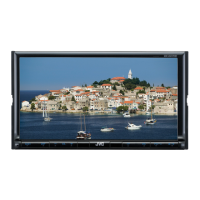
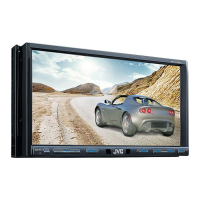
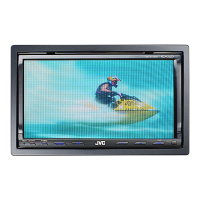
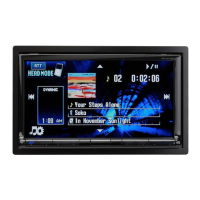
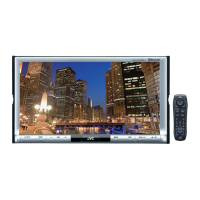
DVD RECEIVER WITH MONITOR
Only for KW-AVX836/KW-AVX835: To use the Bluetooth function, insert the Bluetooth adapter (KS-UBT1). (See page 32.)
EN_KW-AVX836[U]3.indb 2EN_KW-AVX836[U]3.indb 2 10.1.16 5:18:46 PM10.1.16 5:18:46 PM

Other manuals for JVC KW-AVX836

Questions and Answers

  • L
    Lisa NavarroSep 12, 2025
    How to fix JVC Car Receiver when the disc can be neither recognized nor played back?
    • L
      Linda WhiteSep 12, 2025
      If the disc can be neither recognized nor played back, eject the disc forcibly.

  • A
    Amber FrancisAug 25, 2025
    What to do if my JVC Car Receiver displays “Eject Error” or “Loading Error”?
    • K
      Kyle RyanAug 25, 2025
      If “Eject Error” or “Loading Error” appears on the screen, eject the disc forcibly or check the disc.
  • M
    Mitchell RivasAug 25, 2025
    How to fix JVC Car Receiver when the iPod/iPhone does not turn on or does not work?
    • C
      cserranoAug 26, 2025
      If the iPod/iPhone does not turn on or work, check the connecting cable and its connection, update the firmware version, charge the battery, check whether “HEAD MODE” or “iPod MODE” is correctly selected, or reset the iPod/iPhone.
  • E
    Elizabeth DoughertySep 23, 2025
    Why does my JVC Car Receiver display “No Audio Device”?
    • V
      vsmithSep 23, 2025
      If “No Audio Device” appears on the monitor, connect this unit and the Bluetooth audio player correctly.
  • J
    Johnathan AlvarezSep 12, 2025
    Why does my JVC KW-AVX836 generate noise?
    • S
      Shannon JoyceSep 12, 2025
      If noise is generated, the track played back is not a playable file format. Skip to another file.
  • H
    howardvanessaSep 16, 2025
    Why is sound interrupted while playing a track on my JVC KW-AVX836?
    • T
      Tiffany BrownSep 16, 2025
      If sound is interrupted while playing a track, the tracks are not properly copied into the USB device. Copy tracks again, and try again.
  • S
    Sarah ContrerasSep 5, 2025
    How to fix the JVC KW-AVX836 Car Receiver when SSM automatic presetting does not work?
    • M
      Miranda LewisSep 5, 2025
      If SSM automatic presetting does not work, store stations manually.
  • E
    Eric RyanSep 5, 2025
    Why won't my JVC KW-AVX836 Car Receiver play recordable discs?
    • T
      Tiffany JohnsonSep 5, 2025
      If recordable/rewritable discs cannot be played back, insert a finalized disc or finalize the discs with the component which you used for recording.
  • S
    sandy72Sep 17, 2025
    Why are no operations available when playing back a track containing Artwork on my JVC KW-AVX836 Car Receiver?
    • F
      fkaiserSep 18, 2025
      Operate the unit after the Artwork is loaded.
  • M
    michael76Aug 30, 2025
    Why is my JVC KW-AVX836 screen not clear?
    • B
      brandyvargasAug 30, 2025
      If the screen is not clear and legible, it may be due to sunshine from the windshield. Adjust in .

Summary

Important Laser Product Safety

Laser Safety Precautions

Describes Class 1M laser hazards and precautions for safe operation.

Operational Warnings and Monitor Cautions

General Warnings for Safe Operation

Covers installation site and driving precautions to prevent accidents and damage.

Monitor Cautions

Covers display issues like ineffective dots, sunlight exposure, and temperature effects.

Basic Operations: Monitor Panel

Monitor Panel Controls and Functions

Touch Panel Interface Operations

Selecting Playback Sources

AV Source Operations: Radio

Disc and USB Playback

Playing a Disc

Covers inserting, ejecting, and locking discs.

Playing USB Devices

Disc and File Playback Controls

On-Screen Operation Buttons

iPod;iPhone Device Integration

Connecting and Preparing iPod;iPhone

Steps for connecting the iPod or iPhone to the unit.

iPod Control and Video Playback Setup

Configures device control modes and video display settings.

iPod;iPhone Playback Features

Dual Zone Operations (KW-AVX836;KW-AVX835)

Sound Customization and Rear Camera

Sound Settings Menu

Bluetooth Operations: Device Information

Using Bluetooth Devices Safely

Provides warnings and usage guidelines for Bluetooth device operation.

Bluetooth Device Icons and Information

Explains phone type icons and provides support website.

Bluetooth Operations: Device Connection

Inserting the Bluetooth Adapter

Instructions for installing the Bluetooth adapter.

Supported Bluetooth Profiles

Lists the Bluetooth profiles supported by the unit.

Connecting a New Bluetooth Device

Managing Bluetooth Device Connections

Connecting and Disconnecting Registered Devices

Procedures for managing paired devices.

Deleting Registered Bluetooth Devices

How to remove devices from the unit's memory.

Bluetooth Phone and Audio Player Usage

Bluetooth Call and Message Handling

Receiving and Ending Calls

How to manage incoming and ongoing calls.

Making Calls via Bluetooth

Phone Number Management

Phone Book and Call List Selection;Deletion

Bluetooth Device Settings Menu

Bluetooth Device Settings Menu Continued

Reference: Remote Controller Usage

Remote Controller Button Functions

Remote Controller Button Functions Continued

On-Screen Bar Operations

Unit Maintenance Procedures

Troubleshooting: General Issues

Troubleshooting: Tuner and Disc Issues

Troubleshooting: Media File and USB Issues

Troubleshooting: iPod;iPhone and AV-IN Issues

Troubleshooting: Bluetooth Issues

Technical Specifications: Amplifier and Tuner

Technical Specifications: Media, Bluetooth, and Monitor

Technical Specifications: General and Installation Space

JVC KW-AVX836 Specifications

General IconGeneral
BrandJVC
ModelKW-AVX836
CategoryCar Receiver
LanguageEnglish

Related product manuals