EasyManua.ls Logo

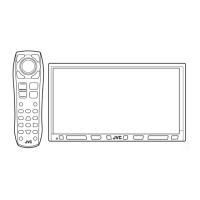
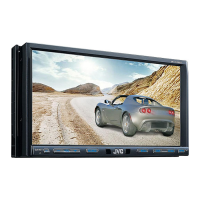
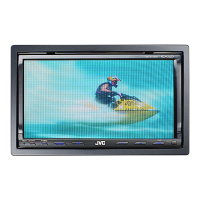
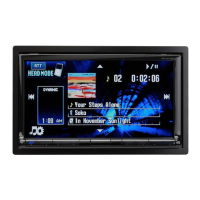
JVC KW-AVX730 - User Manual

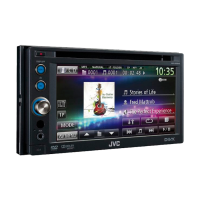
JVC KW-AVX730
69 pages
Print Icon
To Next Page IconTo Next Page
Loading...
ENGLISH
DEUTSCHFRANÇAIS
NEDERLANDS
For canceling the display demonstration, see page 4.
Zum Abbrechen der Displaydemonstration siehe Seite 4.
Pour annuler la démonstration des affichages, référez-vous à la page 4.
Zie bladzijde 4 voor het annuleren van de displaydemonstratie.
KW-AVX830/KW-AVX730
For installation and connections, refer to the separate manual.
Für den Einbau und die Anschlüsse siehe das eigenständige Handbuch.
Pour l’installation et les raccordements, se référer au manuel séparé.
Bijzonderheden over de installatie en aansluiting van het apparaat vindt u in de desbetreffende handleiding.
INSTRUCTIONS
BEDIENUNGSANLEITUNG
MANUEL D’INSTRUCTIONS
GEBRUIKSAANWIJZING
LVT2086-003A
[E]
DVD RECEIVER WITH MONITOR
DVD-RECEIVER MIT MONITOR
RÉCEPTEUR DVD ET MONITEUR
DVD-RECEIVER MET MONITOR
Only for KW-AVX830: To use the Bluetooth function, insert the Bluetooth adapter (KS-UBT1). (See page 36.)
Nur bei KD-AVX830: Zur Verwendung der Bluetooth-Funktion setzen Sie den Bluetooth-Adapter (KS-UBT1) ein. (Siehe Seite 36).
Uniquement pour le KW-AVX830: Pour utiliser la fonction Bluetooth, insérez l’adaptateur Bluetooth (KS-UBT1). (Voir page 36.)
Alleen voor de KW-AVX830: Voor het gebruik van de Bluetooth functie, plaats de Bluetooth adapter (KS-UBT1). (Zie bladzijde 36.)
Dear Customer,
This apparatus is in conformance with the valid European
directives and standards regarding electromagnetic
compatibility and electrical safety.
European representative of Victor Company of Japan, Limited
is:
JVC Technical Services Europe GmbH
Postfach 10 05 04
61145 Friedberg
Germany
Cher(e) client(e),
Cet appareil est conforme aux directives et normes
européennes en vigueur concernant la compatibilité
électromagnétique et à la sécurité électrique.
Représentant européen de la société Victor Company of Japan,
Limited :
JVC Technical Services Europe GmbH
Postfach 10 05 04
61145 Friedberg
Allemagne
Sehr geehrter Kunde, sehr geehrte Kundin,
dieses Gerät stimmt mit den gültigen europäischen Richtlinien
und Normen bezüglich elektromagnetischer Verträglichkeit
und elektrischer Sicherheit überein.
Die europäische Vertretung für die Victor Company of Japan,
Limited ist:
JVC Technical Services Europe GmbH
Postfach 10 05 04
61145 Friedberg
Deutschland
Geachte klant,
Dit apparaat voldoet aan de geldende Europese normen en
richtlijnen inzake elektromagnetische compatibiliteit en
elektrische veiligheid.
De Europese vertegenwoordiger van Victor Company of Japan,
Limited is:
JVC Technical Services Europe GmbH
Postfach 10 05 04
61145 Friedberg
Duitsland
EN, GE, FR, NL
0110NYMMDWJEIN
Having TROUBLE with operation?
Please reset your unit
Refer to page of How to reset your unit
Haben Sie PROBLEME mit dem Betrieb?
Bitte setzen Sie Ihr Gerät zurück
Siehe Seite Zurücksetzen des Geräts
Vous avez des PROBLÈMES de fonctionnement?
Réinitialisez votre appareil
Référez-vous à la page intitulée Comment réinitialiser votre appareil
Hebt u PROBLEMEN met de bediening?
Stel het apparaat terug
Zie de pagina met de paragraaf Het apparaat terugstellen
© 2010 Victor Company of Japan, Limited
Instructions DVD RECEIVER WITH MONITOR KW-AVX830/KW-AVX730

Other manuals for JVC KW-AVX730

Questions and Answers

  • D
    dianetaylorSep 15, 2025
    Why does my JVC Receiver say 'No Files'?
    • C
      Carrie MooreSep 16, 2025
      If 'No Files' appears on the screen of your JVC Receiver, import tracks to the iPod/iPhone.

  • B
    Brandon Hutchinson PhDAug 25, 2025
    What to do if my JVC Receiver says 'No Signal'?
    • M
      Ms. April Ray PhDAug 25, 2025
      If 'No Signal' appears on your JVC Receiver, try the following: * Change the source. * Start playback on the external component connected to the VIDEO IN jack. * Check the cords and connections to ensure they are secure. Also, be aware that the signal input may be too weak.
  • W
    William JonesAug 25, 2025
    Why won't my Bluetooth device detect my JVC Receiver?
    • B
      Brandy CunninghamAug 26, 2025
      If a Bluetooth device does not detect the JVC Receiver, check whether the Bluetooth adapter (KS-UBT1) is inserted correctly.
  • L
    Laura PotterAug 26, 2025
    How to eliminate static noise from JVC Receiver radio?
    • M
      Marilyn ParkerAug 27, 2025
      If you are experiencing static noise while listening to the radio on your JVC Receiver, ensure the aerial is firmly connected.
  • T
    Tammy OlsonSep 16, 2025
    Why won't my JVC Receiver pair with my Bluetooth device?
    • B
      bridgetschultzSep 17, 2025
      If your JVC Receiver does not pair with the Bluetooth device, enter the same PIN code for both the unit and target device.
  • T
    Tracy ParkerSep 23, 2025
    What does 'No BT Dongle' mean on my JVC Receiver?
    • K
      katiemurphySep 23, 2025
      If 'No BT Dongle' appears on the screen of your JVC Receiver, the Bluetooth adapter (KS-UBT1) is removed. Insert the Bluetooth adapter again or select another playback source.
  • S
    Sara SmithSep 8, 2025
    What does it mean when 'Protect' flashes on my JVC Receiver?
    • R
      ryan94Sep 8, 2025
      If 'Protect' flashes on your JVC Receiver, a speaker cord has shorted or come into contact with the car chassis. Wire or insulate the speaker cord as appropriate, then reset the unit.
  • S
    Sheila ColeSep 9, 2025
    Why is the phone sound quality so bad on my JVC Receiver?
    • N
      Nancy CookSep 9, 2025
      If the phone sound quality is poor on your JVC Receiver, move the car to a place where you can get a better signal reception.
  • M
    Matthew FloresSep 2, 2025
    Why won't the panel move on my JVC Receiver?
    • M
      Marc MurphySep 2, 2025
      If the panel of your JVC Receiver does not move, try resetting the unit.
  • D
    debrabullockAug 31, 2025
    How do I fix a blurry playback picture on my JVC Receiver?
    • C
      cassidyhartmanSep 1, 2025
      If the playback picture on your JVC Receiver is not clear, adjust items in the menu.

JVC KW-AVX730 Specifications

General IconGeneral
Display TypeLCD
Audio Power Output50 watts x 4 channels
BluetoothYes
USB PortYes
Video PlaybackYes
DVD PlayerYes
iPod/iPhone CompatibilityYes
HD RadioNo
CD PlaybackYes
AM/FM TunerYes
Built-in AmplifierYes
Video OutputYes
Steering Wheel ControlYes
Remote ControlYes
Resolution800 x 480
Compatible FormatsMP3, WMA, AAC
InputsUSB
Equalizer13-band graphic equalizer

Related product manuals