EasyManua.ls Logo

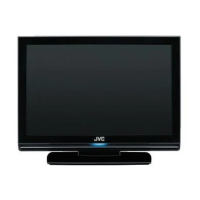
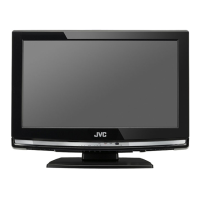
JVC LT-19HA72U - User Manual

JVC LT-19HA72U
122 pages
Print Icon
To Next Page IconTo Next Page
Loading...
VOL
CH
REC
FREEZE
MENU
LT-19HA72U
LT-22HG72U
LT-28HA72U
EnglishFrenchDutchSpanish
Operating Instructions
Mode d'emploi
Handleiding
Instrucciones de Funcionamiento
Downloaded from www.vandenborre.be

Questions and Answers

  • W
    washingtonbiancaSep 8, 2025
    Why is my JVC LT-19HA72U remote control not working properly?
    • D
      Danielle BrooksSep 8, 2025
      If your JVC LCD TV remote control has wrong functions or short range, insert new batteries. Remove any objects obstructing the remote sensor, and aim the remote straight in front of the sensor with a clear line of sight. The cause may be run down batteries or an obstacle in the way.
  • E
    Eric WrightAug 23, 2025
    How to fix squashed or stretched picture on JVC LT-19HA72U?
    • K
      Kevin MartinezAug 23, 2025
      If the picture on your JVC LCD TV looks squashed or stretched when connected to a computer, and you're using the computer analogue RGB connector (VGA or D-sub), set up the computer graphics adapter resolution to have the same aspect ratio as the TV screen. The cause may be the wrong aspect ratio set on the equipment feeding the TV.
  • J
    Jennifer NicholsAug 25, 2025
    What to do if JVC LT-19HA72U has picture interference like spots or streaks?
    • S
      Stephanie KimAug 26, 2025
      If your JVC LCD TV picture has interference like spots or streaks, try tuning in a better signal from the same television station or have your aerial system checked. Also, move any interfering electrical equipment further away, or turn it off if possible. If you're using digital video equipment, try changing the refresh rate or resolution settings.
  • B
    Bradley MooreAug 26, 2025
    Why is my JVC LCD TV picture grainy or snowy?
    • B
      Brandon NewtonAug 26, 2025
      If your JVC LCD TV shows a grainy or snowy picture, and you have a video recorder, try plugging the aerial directly into the TV. If the picture clears, the video recorder is likely faulty. It is also possible that the aerial is disconnected, there is transmitter trouble, or the outside aerial has moved or is damaged. Consider having your aerial system checked.
  • L
    Luis DennisAug 27, 2025
    Why does my JVC LT-19HA72U have wavy lines or patterns?
    • L
      Lisa JonesAug 27, 2025
      If your JVC LCD TV has picture interference like wavy lines or patterns, and you also notice sound or color interference, try putting other equipment on stand-by to see if the interference stops. If possible, change the output frequency of the equipment that is causing the interference. Consider using higher quality cable and have your aerial system checked, as it might be receiving an unwanted signal on the same frequency or the cable between the TV and the TV aerial is of poor quality.
  • K
    Kendra Rodriguez DDSSep 22, 2025
    How to adjust picture position on JVC LT-19HA72U LCD TV?
    • L
      Lisa JonesSep 22, 2025
      To improve picture clarity and positioning on your JVC LCD TV when using a computer analogue RGB input (VGA or D-sub), activate the automatic set-up function. You might also need to slightly adjust the phase, frequency, vertical, and horizontal position controls. Note that some input resolutions produce a clearer picture than others. The cause may be that the television needs to be set up for the computer analogue RGB input.
  • E
    Eric EdwardsSep 16, 2025
    How to get stereo sound from JVC LT-19HA72U LCD TV scart (AV) socket?
    • M
      Martin SmithSep 16, 2025
      If you're not getting stereo sound from equipment connected to the SCART (AV) socket on your JVC LCD TV, verify that the SCART lead is stereo. Also, ensure the video recorder is connected to the TV through an AV (SCART) lead, and then switch the TV to AV mode. The cause may be a mono SCART lead being used or the signal being viewed is connected through the aerial socket.
  • M
    mathewmillerSep 18, 2025
    What if computer feeding JVC LT-19HA72U does not offer suitable settings?
    • A
      Amanda HaynesSep 18, 2025
      If the computer feeding your JVC LCD TV does not offer suitable settings, restart the computer while the television is still connected to the power supply and try again. In some cases, you may need to go into the computer graphics adapter settings and clear the check box for 'Show only settings this monitor can support.' The cause may be that the computer has not exchanged information with the television or, in older computers, the graphics adapter might be obsolete.
  • A
    Ashley GrantSep 7, 2025
    What to do if JVC LT-19HA72U local function buttons do not work?
    • M
      Matthew EdwardsSep 7, 2025
      If the local function buttons on your JVC LCD TV do not work and the TV is stuck on stand-by, switch off the mains power and wait 10 minutes before trying again. If this does not work, leave the TV unplugged and contact a service engineer. The cause may be that the micro-controller is confused by electrical disturbance.
  • J
    jburnettSep 4, 2025
    Why are teletext characters jumbled on JVC LT-19HA72U?
    • P
      pjonesSep 4, 2025
      If your JVC LCD TV displays jumbled teletext characters, the issue might be due to a poor quality signal. Refer to the solutions for 'Snowy picture' and 'Ghosts' for troubleshooting steps.

JVC LT-19HA72U Specifications

General IconGeneral
BrandJVC
ModelLT-19HA72U
CategoryLCD TV
LanguageEnglish

Related product manuals