1
ENGLISH
Thank you for buying this JVC LCD flat television.
To make sure you understand how to use your new TV, please read this manual thoroughly before you
begin. (“LCD” stands for Liquid Crystal Display.)
WARNING: TO PREVENT FIRE OR SHOCK HAZARD, DO NOT EXPOSE THIS
APPLIANCE TO RAIN OR MOISTURE.
WARNING
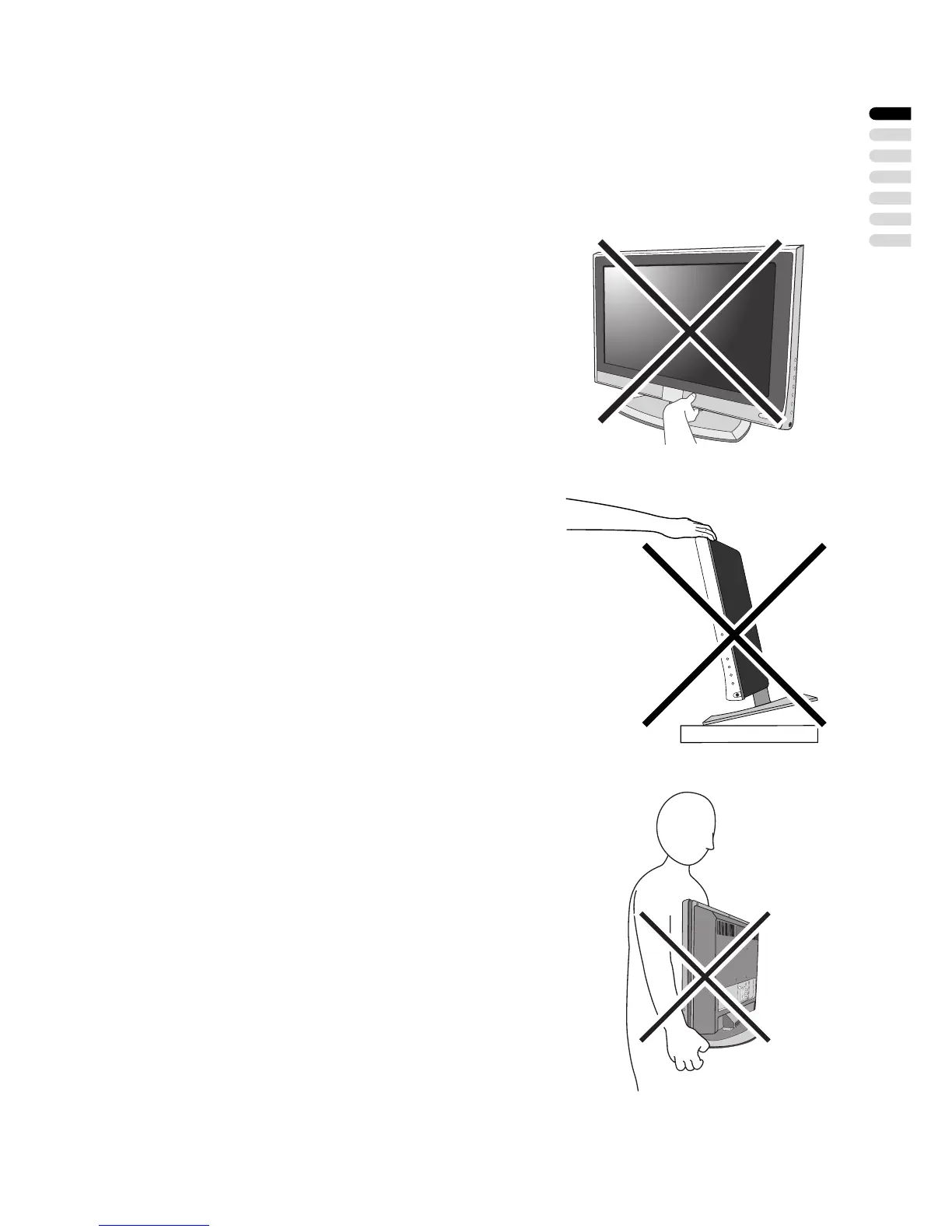
• Fingers may be trapped under the TV causing injuries.
Hold the TV at the bottom in the middle, and do not
allow it to tilt up or down.
WARNING
• The TV may fall causing injuries. Hold the bottom of the
stand with your hand and tilt the TV up and down.
• Do not allow children to hang from the TV, place their
elbows on the TV or lean against the TV. Doing so may
cause the TV to fall over and lead to injuries.
CAUTION
• The TV screen may be damaged if the TV is carried as
shown in the diagram on the right.


 To Next Page