Need help?
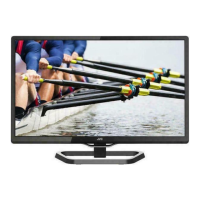
Do you have a question about the JVC LT-20BW7BW and is the answer not in the manual?
Covers TV installation, wall mounting, and using the attached table top stand.
Instructions for connecting a VCR or other external video devices to the TV.
Connecting the power cord and inserting batteries into the remote control.
Guide to the TV's first-time setup process, including language and channel search.
Using TV buttons for power, channel selection, and switching input sources.
Turning TV on/off, selecting channels, and switching input sources using the remote.
Managing TV channels, including auto program, manual tuning, and program editing.
Diagnosing and resolving problems like no picture, no sound, or poor picture quality.
 General
| Screen Size | 20 inches |
|---|---|
| Display Technology | LCD |
| Resolution | 1366 x 768 pixels |
| Aspect Ratio | 16:9 |
| Brightness | 300 cd/m² |
| Response Time | 8 ms |
| Viewing Angle | 170° horizontal, 160° vertical |
| Input Ports | HDMI, Component, Composite, VGA |

 To Next Page